GIGABYTE AI TOP ATOM: How we built a two-node private AI cluster
A customer-first guide to private office AI using one or more GIGABYTE AI TOP ATOM systems, followed by Wootware’s complete two-node build, tuning and benchmark data.
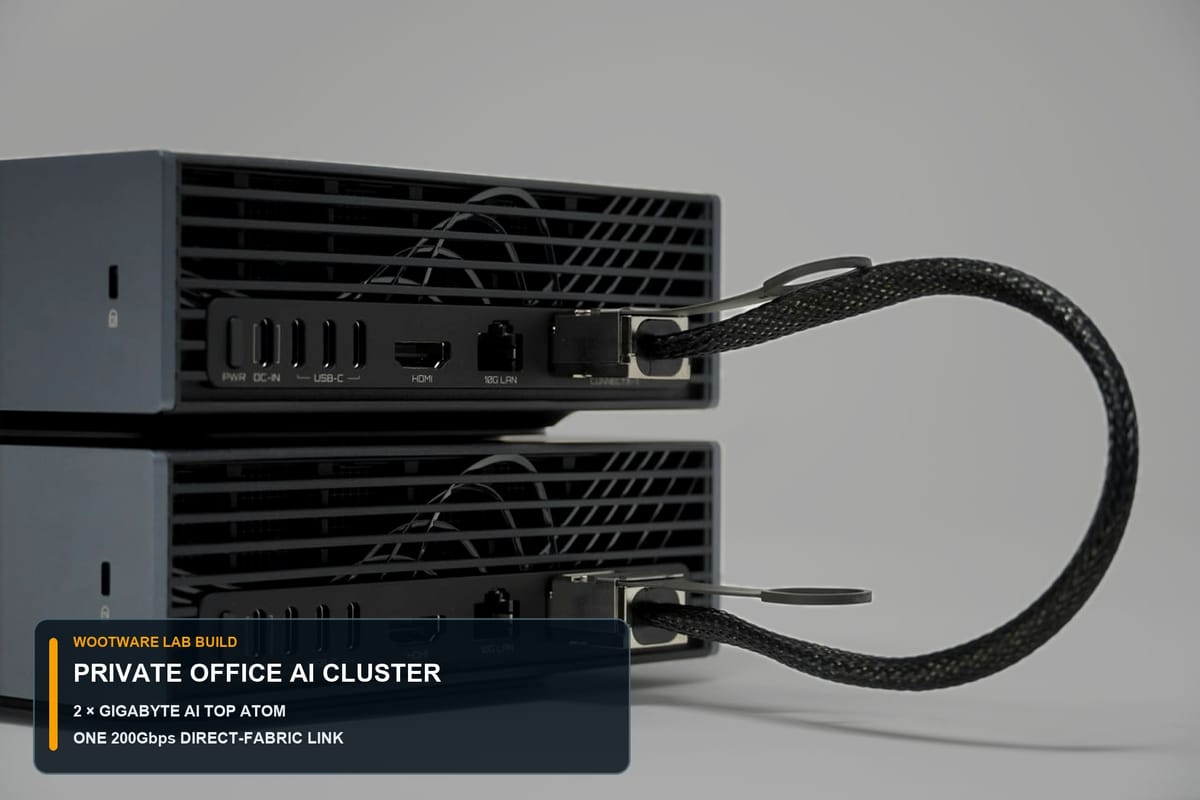
We built a private office AI cluster for our own team using two GIGABYTE AI TOP ATOM systems. This guide starts with the customer decision: what one node can do, when two nodes make sense, what the live Wootware build delivered and what is required to operate it. The command-level setup, tuning record and full benchmark detail are kept together in a separate technical section.
Private office cluster in one minute
- Hardware: 2× GIGABYTE AI TOP ATOM ATAGB10-9001 systems, each with NVIDIA GB10, 128GB unified memory and 4TB NVMe storage.
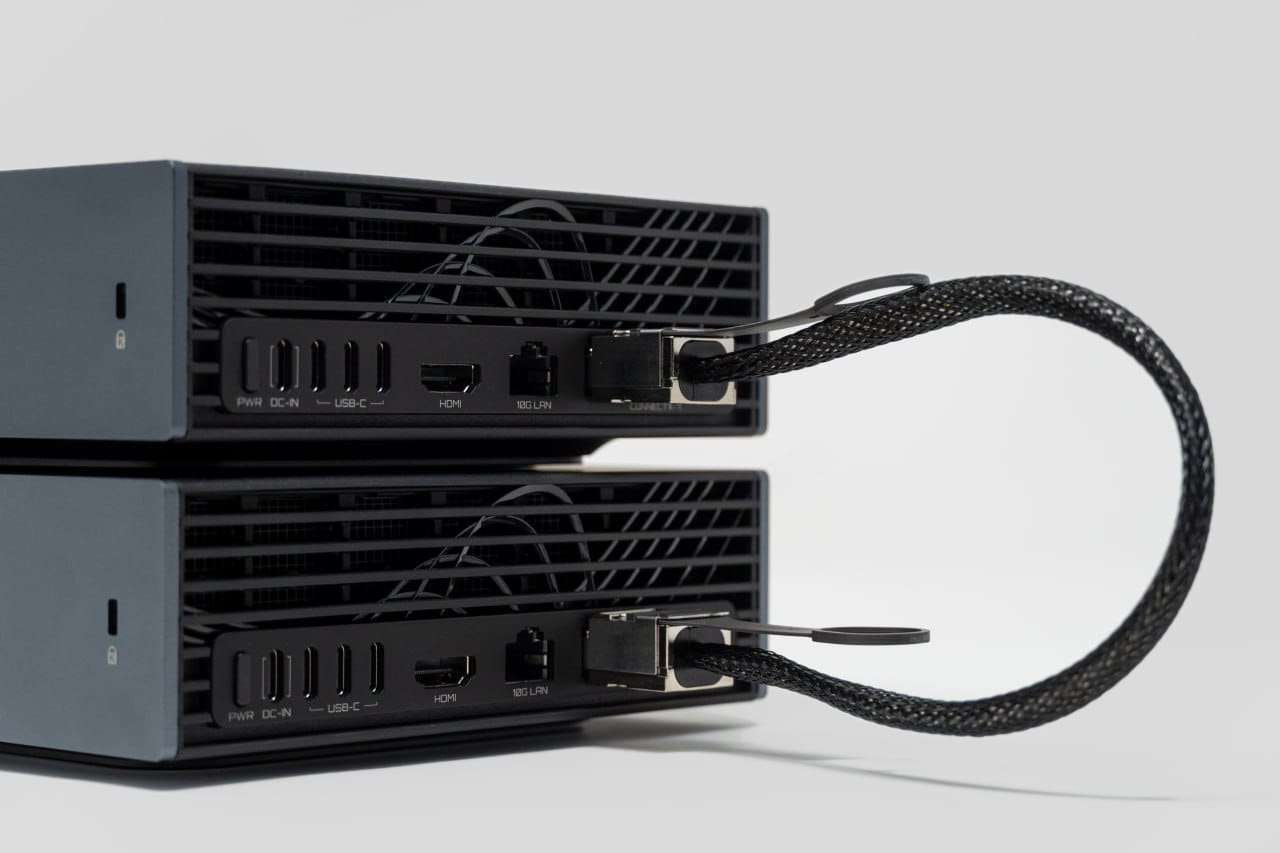
- Interconnect: one confirmed 200Gbps ConnectX-7 direct-fabric link, separate from management traffic.
- Customer fit: recurring private inference, RAG, code, catalogue and agent workloads with a team that can own Linux, security and monitoring.
- Validated stack: DeepSeek-V4-Flash, vLLM, Sparkrun, LiteLLM, Caddy, PostgreSQL and Tailscale.
- Recorded warm check: 94.9 aggregate output tokens per second across six simultaneous streams in one commissioning snapshot.
The systems are GIGABYTE AI TOP ATOM products built around NVIDIA’s GB10 platform and DGX software ecosystem. They are not NVIDIA-branded DGX Spark units.
GIGABYTE AI TOP ATOM and DGX Spark: what is the relationship?
Search for this class of machine and the names quickly blur together. The product distinction is specific.
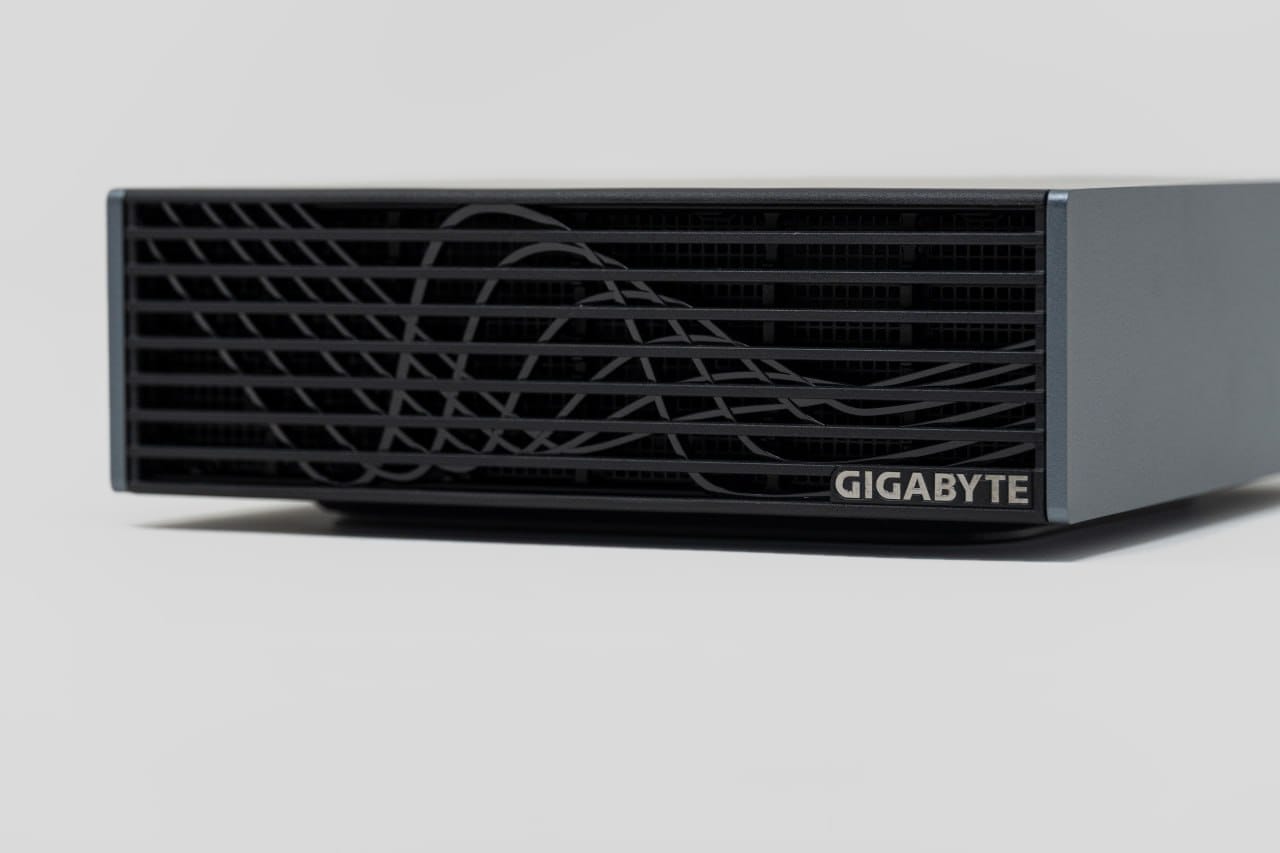
The NVIDIA GB10 Grace Blackwell Superchip is the platform at the centre. NVIDIA's DGX Spark and OEM systems such as the GIGABYTE AI TOP ATOM use that platform: a 20-core Arm CPU, Blackwell GPU, 128GB of unified LPDDR5x memory and ConnectX-7 networking. They also use NVIDIA's DGX software stack.
Our two systems are GIGABYTE AI TOP ATOM ATAGB10-9001 machines. Calling them "two DGX Sparks" would be convenient shorthand, but it would be inaccurate product identification. A better description is a two-node, GB10-based AI TOP ATOM cluster in the DGX Spark ecosystem.
| Question | Answer |
|---|---|
| What did we install? | Two GIGABYTE AI TOP ATOM ATAGB10-9001 systems. |
| What silicon do they use? | NVIDIA GB10 Grace Blackwell. |
| What do they share with DGX Spark? | GB10 architecture, 128GB unified memory per node, ConnectX-7 and the NVIDIA software environment. |
| Are they NVIDIA-branded DGX Spark units? | No. |
| Why use the DGX Spark setup documentation? | NVIDIA publishes the clearest primary guidance for the common GB10/ConnectX-7 platform. GIGABYTE-specific firmware, support and SKU details still come from GIGABYTE. |
This distinction matters for support calls, firmware, replacement parts and search results. It also avoids pretending that every OEM system has identical storage or firmware merely because the compute platform is shared.
Choose the deployment shape before the model
The same GB10 platform can serve three very different jobs. Start with the smallest topology that fits the model, context and user count, then expand only when measurement shows where the limit is.
Setup 1
One local workstation
Best for individual inference, private-document RAG, Jupyter or PyTorch development, and testing local assistants. It is the simplest system to operate and the right first step when the workload fits inside one 128GB node.
Setup 2
Direct two-node service
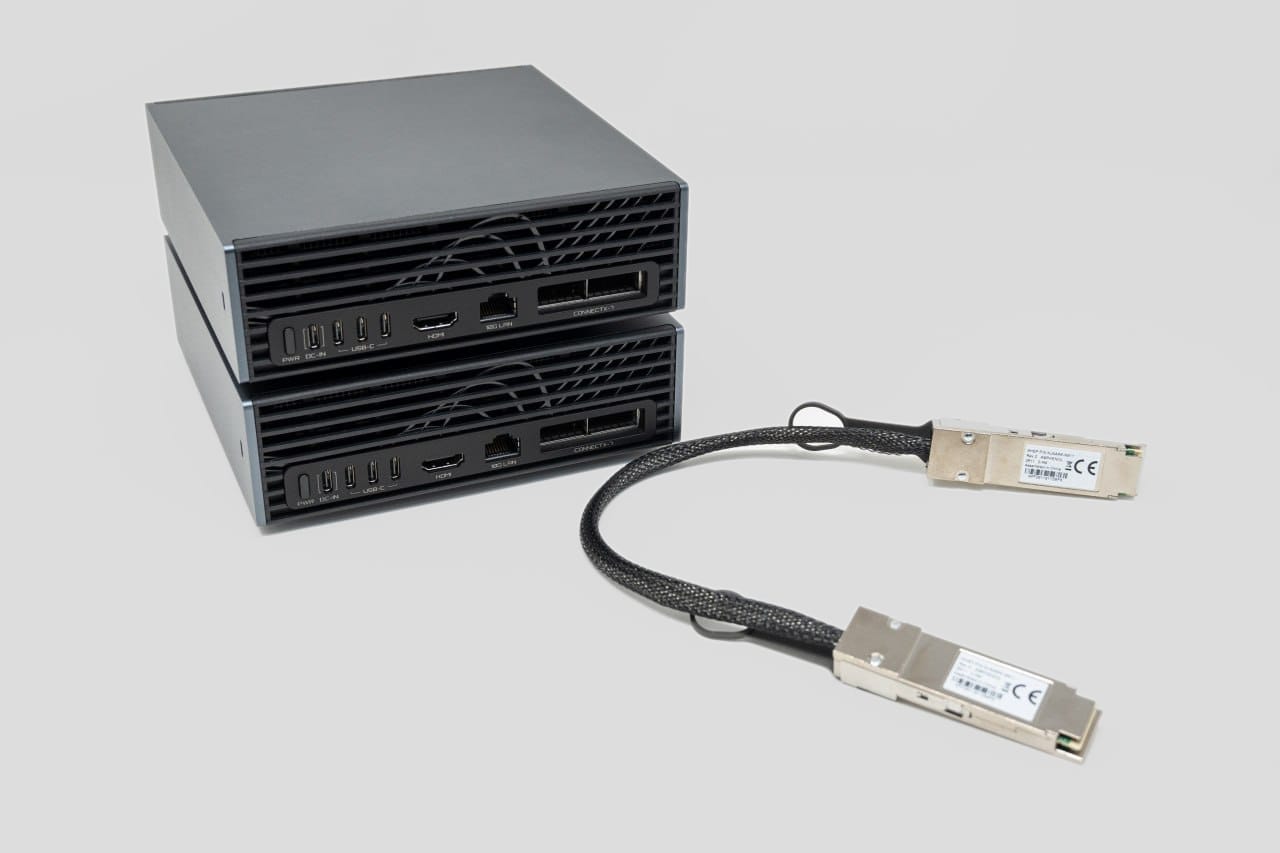
Use two systems and one validated direct-attach cable when the model, KV cache or shared workload needs distributed execution. Cabling alone does not combine the machines; the runtime must support tensor or pipeline parallelism.
Setup 3
Switched cluster
For three or four systems, plan a supported high-speed switch, cabling, power, cooling and an operator who owns Linux, networking and recovery. Smaller models may scale better as independent replicas than as one distributed model.
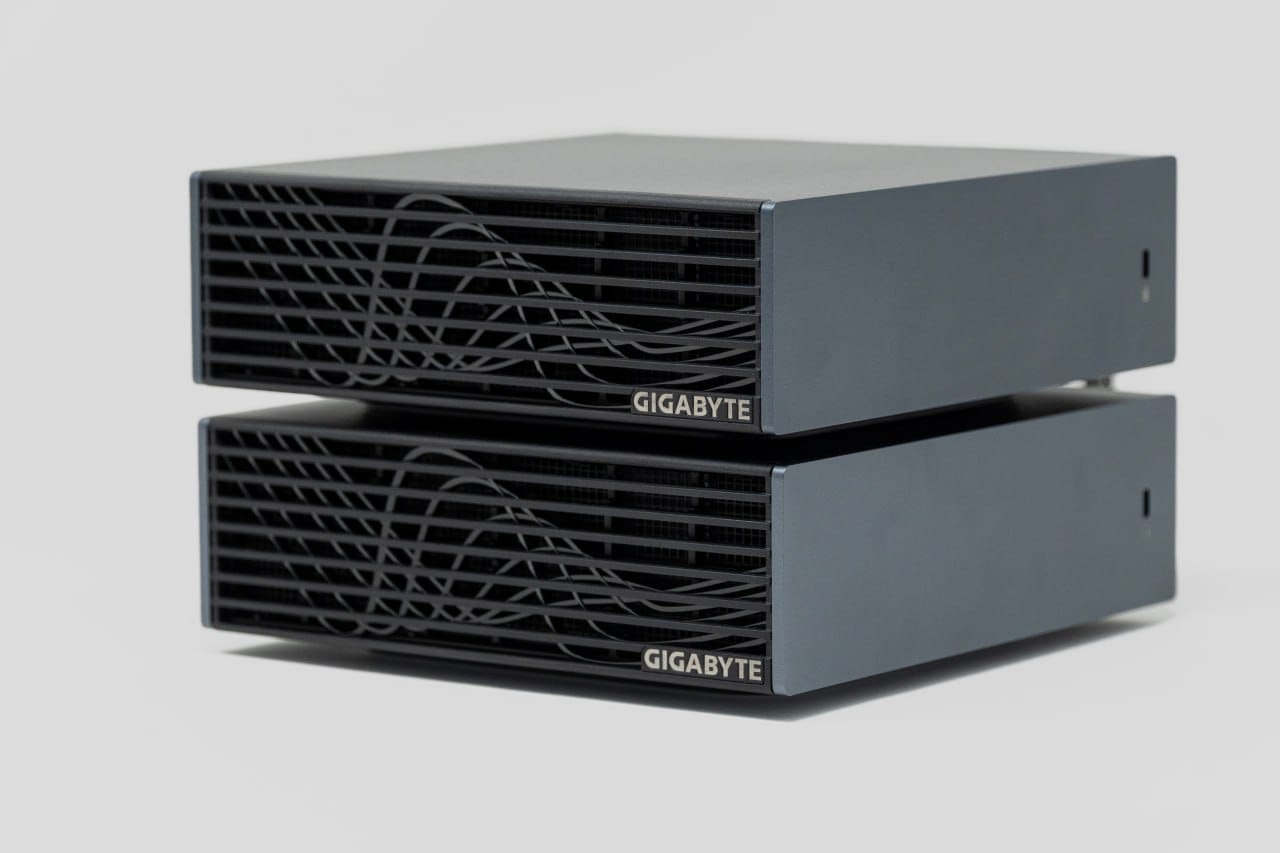
The hardware behind our private office cluster
GIGABYTE rates each AI TOP ATOM at up to 1 petaFLOP of FP4 AI compute and says one system can support models up to 200 billion parameters. It says two linked systems can support models up to 405 billion parameters. Those are vendor platform limits, not measured token rates, and practical fit still depends on precision, KV cache, context length and runtime overhead.
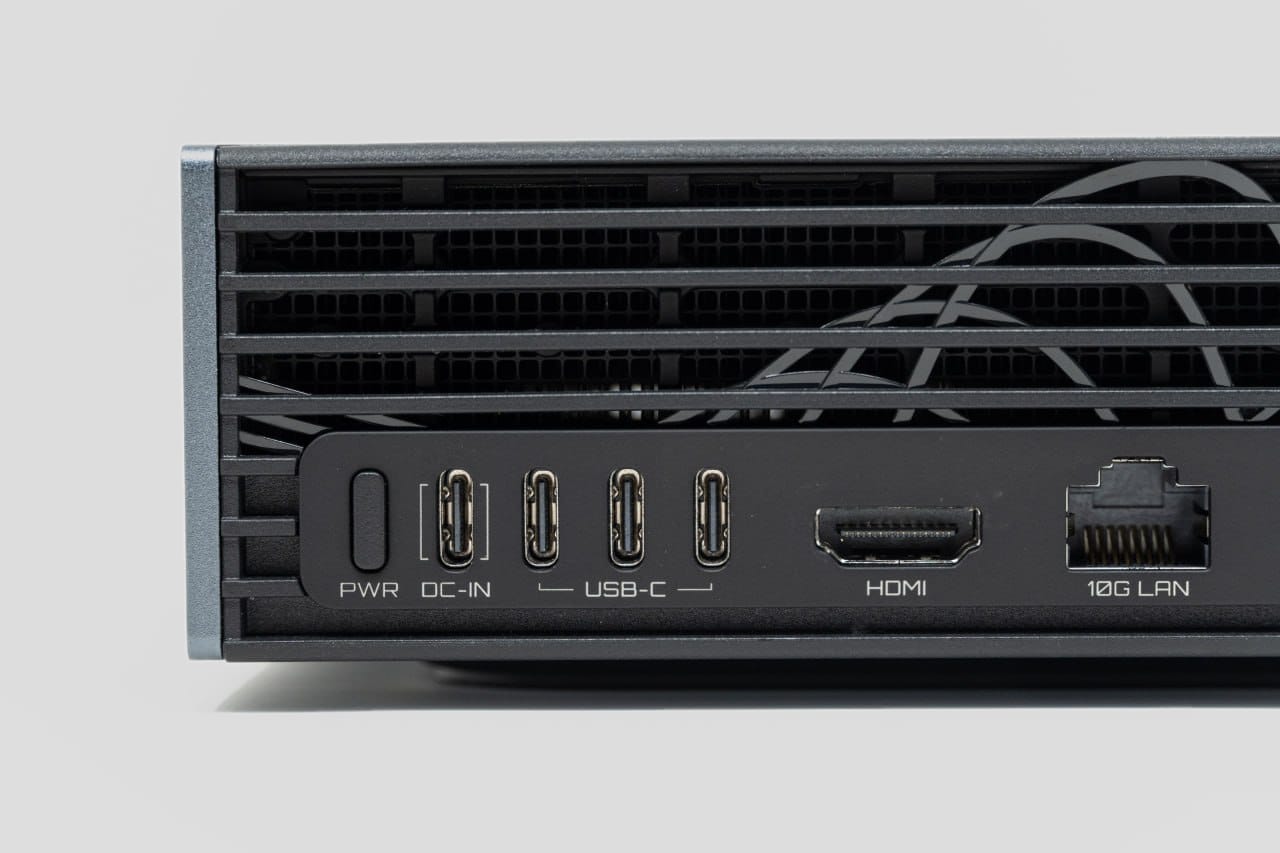
The exact machine in our build has 128GB of unified memory and a 4TB PCIe 4.0 NVMe SSD. Across two nodes, that is 256GB of aggregate physical memory and 8TB of local storage. It is not one automatic 256GB memory pool. The runtime has to partition the model and communication still costs time.
Check the live Wootware product pages for current pricing, availability and dispatch estimates. A direct two-node build requires two compatible systems and one validated QSFP112 direct-attach cable; UPS capacity, power leads, support time and any wider network changes depend on the deployment.
Which Wootware model should you choose?
Used in our build
GIGABYTE ATAGB10-9001
GB10, 128GB unified memory, 4TB PCIe 4.0 NVMe storage, DGX OS and two ConnectX-7 ports.
Faster storage interface
GIGABYTE ATAGB10-9000
GB10, 128GB unified memory, 4TB PCIe 5.0 NVMe storage, DGX OS and two ConnectX-7 ports.
The core GB10 capability is shared. Choose according to storage requirements and verify current price, stock, dispatch estimates and optional cluster accessories on the live product pages.
What customers can take from our results
The useful lesson is not one headline number. It is how the same two-node system behaves as prompt length and simultaneous demand change.
| Observed result | What it means for a customer |
|---|---|
| 39.3 tok/s after a 1.17s first-token delay in the short single-request test | A responsive individual session is achievable when context and concurrency are controlled. |
| 79.1 tok/s aggregate across six requests in the recorded 2K scenario | More users can increase total throughput, but each stream receives a smaller share of the system. |
| 94.9 tok/s aggregate in a separate warm six-stream check | Stable prefixes and a warm cache can materially change repeat-workload performance. |
| Nearly 64 seconds to first response in a separate 32K/c6 commissioning snapshot | Long context and concurrency must be capacity-planned; the one-million-token setting is a ceiling, not a normal target. |
Who should consider a private office AI cluster?
This build suits a company with a steady queue of model work and someone willing to operate it. Good candidates include document extraction, internal retrieval, code assistance, structured content, repetitive classification, private analysis and agent workloads with large reusable prompts.
The strongest reasons to run a local tier are:
- Predictable capacity. You buy the hardware once and decide how to allocate it.
- Data control. Workloads that fit can run on systems you operate, subject to the settings of the applications around the model.
- Version control. A pinned model and runtime reduce surprise changes in repeatable workflows.
- Customisation. Open weights allow quantisation, adapters and model-specific serving optimisations.
- Latency inside the office. Local network calls avoid internet round trips, although long context can still dominate response time.
It is a poor fit when requests are occasional, when a frontier API materially improves the answer, when an application depends on x86-only components, or when nobody owns patching and monitoring. Cloud capacity also absorbs bursts better than two fixed nodes.
The practical model is hybrid. Route recurring, well-understood work to the office cluster. Escalate difficult or unusual tasks to a hosted frontier model. Measure both rather than turning the architecture into an ideology.
How to think about payback without inventing an ROI number
The date-stamped component subtotal is easy to calculate. Payback is not.
A serious comparison needs:
- current hosted-model spend for workloads the local model can actually handle;
- expected utilisation, not theoretical 24/7 usage;
- measured wall power and local electricity cost;
- staff time for updates, failures and evaluation;
- UPS, switching, backup and support costs;
- the quality cost when the local model needs more retries or escalation;
- the value of data-control or offline requirements.
We are not publishing a generic break-even period because those inputs vary by company and model. For us, the recurring workload was large enough to justify a local inference tier, while hosted models remain part of the stack.
A realistic path from one node to a private team service
The best starting point is not automatically two systems. Prove the intended model and real prompts on one node first. Add the second node only when model size, context or multi-user demand justifies the extra administration.
| Stage | What you would do | Realistic effort |
|---|---|---|
| 0: Prove one node | Update the supported software stack, install a local inference tool, download an open model and test real team prompts. | 1–2 days |
| 1: Connect two nodes | Install one compatible cable, configure the ConnectX-7 interfaces and RDMA, establish restricted key-based SSH and validate the fabric. | About 1 day |
| 2: Build inference | Follow a hardware- and model-specific recipe, pin the model and runtime, then launch and test distributed serving. | 2–3 days |
| 3: Add team access | Put TLS, an API gateway, individual credentials, identity-provider sign-in and usage records in front of the model. | 1–2 days |
| 4: Add operations | Monitor host and accelerator health, supervise both ranks as one service and test automatic recovery. | About 1 day |
For a capable administrator following tested documentation, the complete path to a monitored two-node team service is realistically a five-to-eight-day project. Large model downloads, compatibility work and custom tuning are the biggest variables.
Frequently asked questions
Is GIGABYTE AI TOP ATOM the same as NVIDIA DGX Spark?
No. They are separate branded products built around the NVIDIA GB10 Grace Blackwell platform and DGX software ecosystem. The systems in this case study are GIGABYTE AI TOP ATOM ATAGB10-9001 units. NVIDIA's DGX Spark documentation remains relevant to shared GB10 and ConnectX-7 behaviour.
What does "dgxspark" mean in product searches and cable SKUs?
dgxspark is often used as a compact search term or inside names such as DGXSPARK-BUNDL-CABLE. The product family name is DGX Spark. A cable listed for DGX Spark OEM versions can be compatible with systems from vendors such as GIGABYTE, but check the exact connector, data rate and vendor validation before ordering.
Do two AI TOP ATOM nodes become one 256GB computer?
No. They provide 256GB of aggregate physical memory. A distributed runtime partitions the model and coordinates work between the two 128GB nodes. Software support, communication overhead and KV-cache layout determine what is usable.
Can a two-node GB10 cluster run a 405B model?
GIGABYTE and NVIDIA position dual GB10 systems for models up to 405 billion parameters. Actual fit depends on quantisation, context, cache, framework overhead and whether the specific model/runtime supports distributed execution on Arm64. Treat the parameter count as a platform limit, then test the exact model.
Why use 200GbE instead of the ordinary 10GbE port?
Tensor-parallel inference moves data between ranks during generation. ConnectX-7 provides the high-bandwidth, low-latency path intended for that traffic. The RJ-45 interface supports 10GbE; our management LAN negotiated at 1Gbps, which was sufficient for control and ordinary client access.
Is one QSFP cable enough for two nodes?
NVIDIA's current Connect Two Sparks playbook says one compatible QSFP cable can deliver full bandwidth. Our commissioned build uses one compatible QSFP cable for one 200Gbps direct-fabric link. Interface names and physical port mapping still need to be verified on each system. Interface names and physical port mapping still need to be verified on each system.
Does local inference guarantee privacy?
No. It removes the requirement to send a suitable workload to a hosted model, but applications can still log data or call external services. Privacy depends on the whole request path, access controls, retention and configuration.
Technical section
Topology, commissioning, tuning and benchmark detail
This section preserves the build data for technical readers: the request path, fabric validation, pinned runtime, settings that failed, benchmark snapshots, power telemetry and scaling considerations.
Treat commands and versions as a documented commissioning record. Verify current vendor support, interface names and model requirements before reproducing the setup.
The topology we deployed
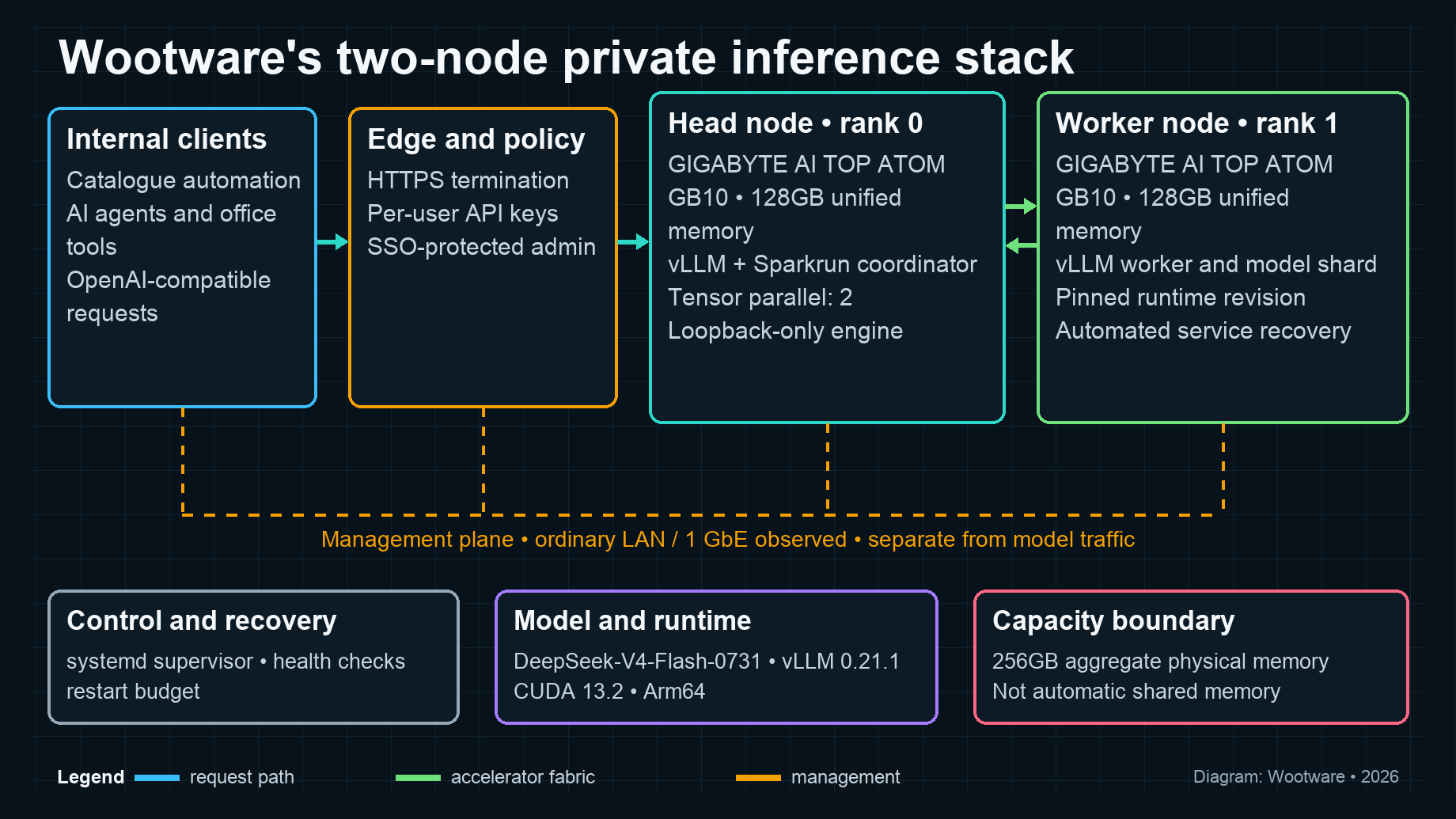
The cluster has two traffic planes with different jobs.
The management plane carries ordinary administration, monitoring and software updates. The accelerator fabric carries model traffic between the two GB10 nodes. Mixing those paths is an easy way to get a cluster that appears healthy while NCCL quietly falls back to a slower interface.
Requests arrive at an HTTPS gateway. The inference engine listens only on loopback. An API gateway applies per-user keys, while the administrative interface sits behind single sign-on. The head node coordinates the vLLM process and the worker holds the second model shard.
The same physical hardware could be operated differently. For example, two independent model servers behind a load balancer may outperform tensor parallelism for smaller models. We chose one distributed service because the model and context target needed capacity from both nodes.
Setup process: from two boxes to one endpoint
The commands below show the structure we used, with documentation-only addresses and placeholders. Interface names differ by port and firmware. Do not paste an interface name from this article into a live system without checking it first.
1. Bring both systems to the same baseline
Complete first boot on both nodes, install current supported updates, reboot, and record the versions before adding a model. We kept the same Linux username on both machines because NVIDIA's discovery and SSH workflow expects it.
Our recorded commissioning baseline was:
Host OS:          Ubuntu 24.04.4 LTS / NVIDIA DGX software environment
Host kernel:      6.17.0-1029-nvidia
Architecture:     aarch64
NVIDIA driver:    580.173.02
Docker:           29.2.1
Sparkrun:         0.3.5
Runtime image:    ghcr.io/bjk110/vllm-spark@
                  sha256:d8492e7677cf1b9aaa3344e0e6865efc468454013eee5ebabac85be90af027be
Container stack:  CUDA 13.2 / Python 3.12.13 / PyTorch 2.11.0+cu130
vLLM:             0.21.1rc1.dev339+g1967a5627bc3
NCCL:             2.30.4+cuda13.2
Model revision:   deepseek-ai/DeepSeek-V4-Flash-0731@
                  7872f01b1d1fe23eabc4c98b48bffcef5a386062
Treat those as a known-good snapshot, not a permanent recommendation or vendor support matrix. The runtime and model recipe included reviewed third-party code. GB10 support was moving quickly during commissioning. Pin the exact OS, driver, container and model revision that you test, then change one layer at a time.
On each node, capture the basics:
uname -a
nvidia-smi
python3 --version
whoami
ip -br link
ibdev2netdev
The last command maps ConnectX/RoCE devices to Linux network interfaces. Use the interfaces shown as Up after connecting the cable. NVIDIA's current two-Spark playbook also recommends using the same physical QSFP port on both systems.
2. Connect the high-speed fabric
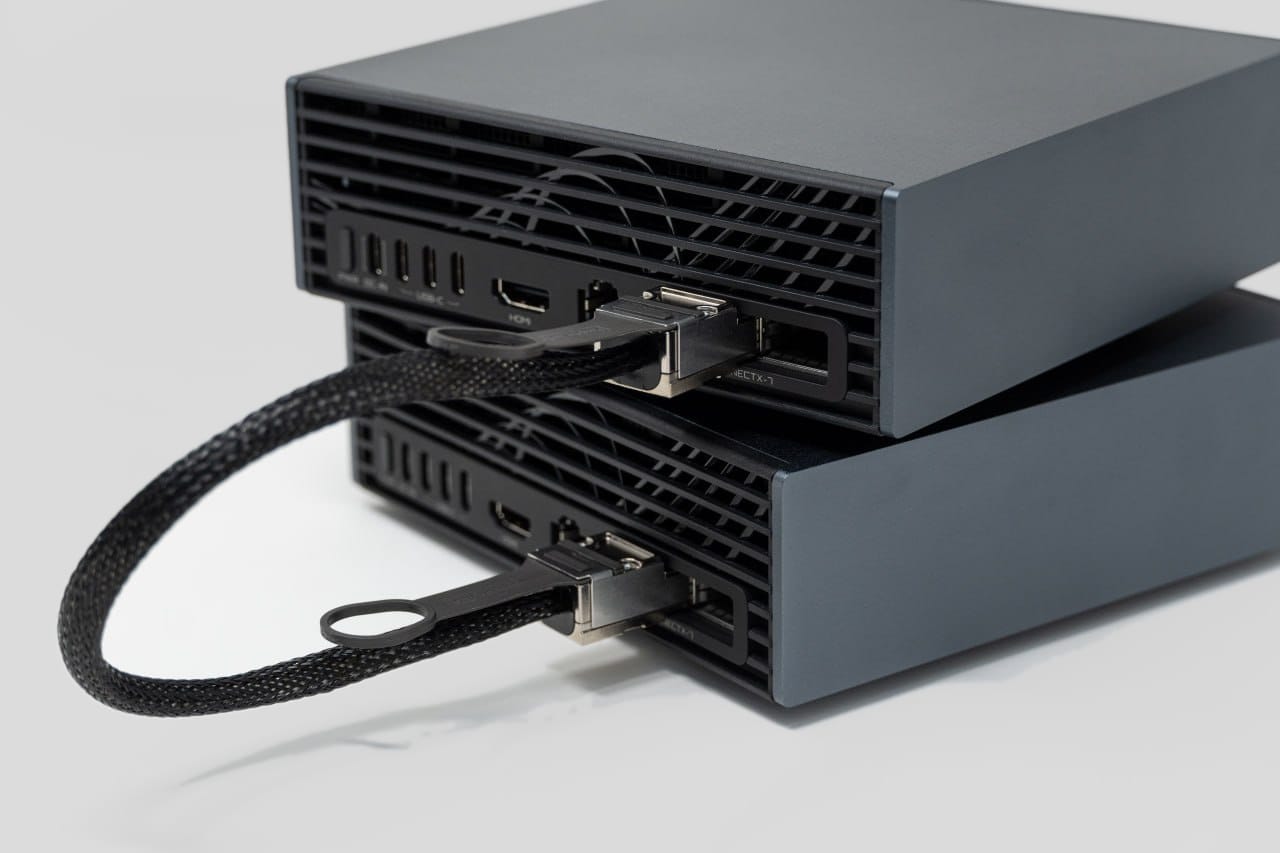
For two nodes, direct QSFP cables avoid a switch. Our build uses one compatible cable for one 200Gbps direct-fabric link. NVIDIA's two-Spark playbook says one compatible cable can provide full bandwidth; if you use two, all four exposed interfaces need addresses to use both paths.
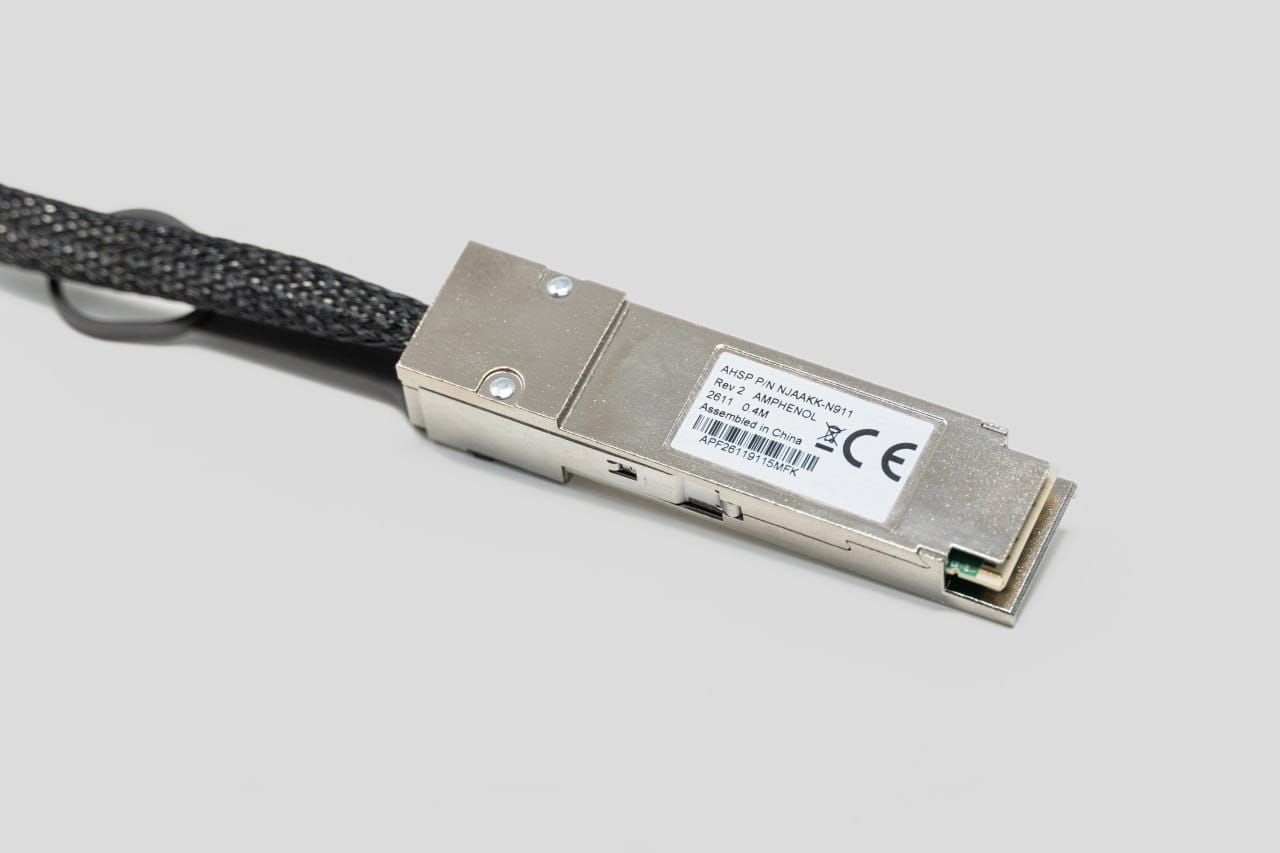
We kept fabric addresses on private, non-routed subnets. The addresses below use IETF documentation-only ranges and are not Wootware's addresses. Replace the interface key before applying this template:
# TEMPLATE: /etc/netplan/40-cx7.yaml on node A
network:
  version: 2
  ethernets:
    FABRIC_INTERFACE_A:
      addresses:
        - 192.0.2.10/24
      dhcp4: false
      mtu: 9000
    FABRIC_INTERFACE_B:
      addresses:
        - 198.51.100.10/24
      dhcp4: false
      mtu: 9000
Node B uses the corresponding peer address on the same private, non-routed subnet. Apply the configuration and verify the single fabric path end to end.
sudo chmod 600 /etc/netplan/40-cx7.yaml
sudo netplan apply

FABRIC_IF_A='replace-with-first-up-interface'
FABRIC_IF_B='replace-with-second-up-interface'
FABRIC_A_PEER='192.0.2.11'
FABRIC_B_PEER='198.51.100.11'

ip addr show "$FABRIC_IF_A"
ip addr show "$FABRIC_IF_B"
ethtool "$FABRIC_IF_A" | sed -n '/Speed:/p;/Link detected:/p'
ethtool "$FABRIC_IF_B" | sed -n '/Speed:/p;/Link detected:/p'
ping -c 4 "$FABRIC_A_PEER"
ping -c 4 "$FABRIC_B_PEER"
Our deployment used jumbo frames on the fabric after end-to-end testing. Do not set an MTU of 9000 on one side and assume the path works. Validate the exact cable, both nodes and any switch before making it permanent.
3. Establish node-to-node SSH
Create a dedicated key and copy it between the matching user accounts:
CLUSTER_USER='replace-with-the-matching-user'
FABRIC_A_PEER='192.0.2.11'
ssh-keygen -t ed25519 -f ~/.ssh/id_ed25519_cluster
ssh-copy-id -i ~/.ssh/id_ed25519_cluster.pub "${CLUSTER_USER}@${FABRIC_A_PEER}"
ssh -i ~/.ssh/id_ed25519_cluster "${CLUSTER_USER}@${FABRIC_A_PEER}" hostname
Repeat in the other direction if your launcher requires bidirectional access. Lock the key and user down to the commands the cluster needs rather than treating passwordless SSH as a blank cheque.
NVIDIA also supplies a discover-sparks workflow for its own systems. We preferred to see the interface and key setup explicitly while commissioning the OEM pair.
4. Prove NCCL is using the fabric
A successful ping only proves IP connectivity. The important test is collective communication under load.
Before trusting the fabric for inference, build nccl-tests against the installed CUDA/NCCL stack and use all_reduce_perf as the gate:
FABRIC_IF_A='replace-with-first-up-interface'
FABRIC_IF_B='replace-with-second-up-interface'
ROCE_HCA_A='replace-with-first-roce-device'
ROCE_HCA_B='replace-with-second-roce-device'
NODE_A='replace-with-node-a-host'
NODE_B='replace-with-node-b-host'

export NCCL_DEBUG=INFO
export NCCL_SOCKET_IFNAME="${FABRIC_IF_A},${FABRIC_IF_B}"
export NCCL_IB_HCA="${ROCE_HCA_A},${ROCE_HCA_B}"

# Launch one process per node. Adjust MPI paths for your image.
mpirun -np 2 -H "${NODE_A}:1,${NODE_B}:1" \
  --bind-to none --map-by slot \
  -x NCCL_DEBUG -x NCCL_SOCKET_IFNAME -x NCCL_IB_HCA \
  /opt/nvidia/src/nccl-tests/build/all_reduce_perf \
  -b 8 -e 8G -f 2 -g 1
For one cable, set only the corresponding netdev and RoCE HCA. Check both the exit code and the NCCL log. Confirm that it selects the intended RoCE/ConnectX path and does not fall back to the management LAN or TCP sockets. Keep the result with the version record; it makes later driver regressions much easier to isolate.
5. Pin the model and distributed runtime
We served deepseek-ai/DeepSeek-V4-Flash-0731 with vLLM and launched the two ranks through a pinned Sparkrun recipe. The recipe locked a tested model snapshot rather than following a moving default branch. The supervisor invoked the recipe in this form:
RECIPE='path/to/reviewed-stable-recipe.yaml'
CLUSTER_NAME='replace-with-cluster-name'
sparkrun run "$RECIPE" --cluster "$CLUSTER_NAME" --no-follow --no-rm
The recipe launched this vLLM shape on each rank. The variables below are documentation values; the worker uses rank 1 and adds --headless:
HEAD_CONTROL_IP='192.0.2.10'
NODE_RANK='0'

vllm serve deepseek-ai/DeepSeek-V4-Flash-0731 \
  --revision 7872f01b1d1fe23eabc4c98b48bffcef5a386062 \
  --served-model-name deepseek-v4-flash-0731 \
  --host 127.0.0.1 \
  --port 8888 \
  --trust-remote-code \
  --tensor-parallel-size 2 \
  --pipeline-parallel-size 1 \
  --kv-cache-dtype nvfp4_ds_mla \
  --block-size 256 \
  --max-model-len 1048576 \
  --max-num-seqs 6 \
  --max-num-batched-tokens 8192 \
  --gpu-memory-utilization 0.78 \
  --enable-prefix-caching \
  --async-scheduling \
  --enable-chunked-prefill \
  --speculative-config \
    '{"method":"dspark","num_speculative_tokens":5,"draft_sample_method":"probabilistic"}' \
  --tokenizer-mode deepseek_v4 \
  --distributed-executor-backend mp \
  --tool-call-parser deepseek_v4 \
  --enable-auto-tool-choice \
  --reasoning-parser deepseek_v4 \
  --reasoning-config \
    '{"reasoning_parser":"deepseek_v4","reasoning_start_str":"\u001e thinking","reasoning_end_str":"\u001e response"}' \
  --default-chat-template-kwargs '{"thinking":false}' \
  --generation-config vllm \
  --enable-flashinfer-autotune \
  --nnodes 2 \
  --node-rank "$NODE_RANK" \
  --master-addr "$HEAD_CONTROL_IP" \
  --master-port 25000
The worker uses the same command with node rank 1 and --headless. The container also set VLLM_USE_B12X_MOE=1, which was material in our tuning record. These switches are version-sensitive. Build a smoke test around them instead of assuming that a future image will behave the same way.
--trust-remote-code was required by the tested model stack. That flag executes code supplied with the model, so review it and pin the exact revision before using it in a business environment.
6. Put policy in front of the model
We did not expose vLLM directly. The service chain was:
client -> HTTPS :443 -> API gateway :4000 (loopback) -> vLLM :8888 (loopback)
The API layer gave each user a separate key, applied model aliases and preserved an OpenAI-compatible request format. Administrative routes required SSO. Unauthenticated requests stopped at the edge instead of reaching the inference engine.
For most offices, LAN or VPN access is the safer first deployment. If the service must be reachable from the internet, add rate limits, key rotation, audit logs and an explicit incident path. "Runs locally" is not a security policy by itself.
7. Supervise the service as one distributed unit
A distributed server can fail in half-working states. One rank may exit while the HTTP process continues to answer health checks; a stale worker can also survive a restart of the head.
We used a system service plus a small supervisor that:
- refuses to launch a duplicate workload when the loopback engine is already healthy;
- launches the reviewed Sparkrun recipe and records its workload ID;
- allows up to 20 minutes for the model health endpoint to come up;
- polls every 15 seconds after startup;
- after 12 consecutive misses, stops the distributed workload cleanly and exits with an error;
- lets
systemdrestart it after 30 seconds, and traps stop signals so both ranks shut down.
Those availability thresholds are part of the as-built behaviour, not universal recommendations. We deliberately omit the service account and internal paths. The supervisor uses /health; separate readiness and post-upgrade gates issue a real inference request because an open port or health response did not catch every prefill and generation failure.
The settings that failed before the settings that worked
Most of the commissioning time went into memory behaviour rather than cabling.
| Attempt | What happened | Stable change |
|---|---|---|
| GPU-memory utilisation at 0.80 or higher | The service could boot, then fail on the first real request. | Reduced to 0.78. |
| 12 concurrent sequences at 0.85 utilisation | First-request out-of-memory failure. | Six sequences at 0.78. |
| Seven or ten speculative tokens | Crashes during generation. | Five speculative tokens. |
| Following the latest model files | Runtime mismatch after upstream changes. | Pin a known model snapshot. |
| Forced repetition or generation overrides | Illegal-memory-access failure in the tested DSpark stack. | Leave them unset and use the pinned generation configuration. |
| Testing only a health endpoint | Missed failures that appeared during prefill and generation. | Add a real prompt to readiness and post-upgrade checks. |
A one-million-token maximum context is a capacity ceiling, not a promise that every request should use it. KV cache grows with active sequence count and context. Long prompts plus concurrency produced the harshest memory pressure in our tests.
What the two-node cluster delivered
The graph below combines rows from the benchmark overview with separately recorded commissioning snapshots for the two-node service. The Short 2K/c1, Short 2K/c6 and Long 32K/c1 rows appear in the benchmark overview, which states two runs per cell and says the raw results came from the cluster benchmark log. The marked Long 32K/c6 row and warm six-stream check came from a separate commissioning record.
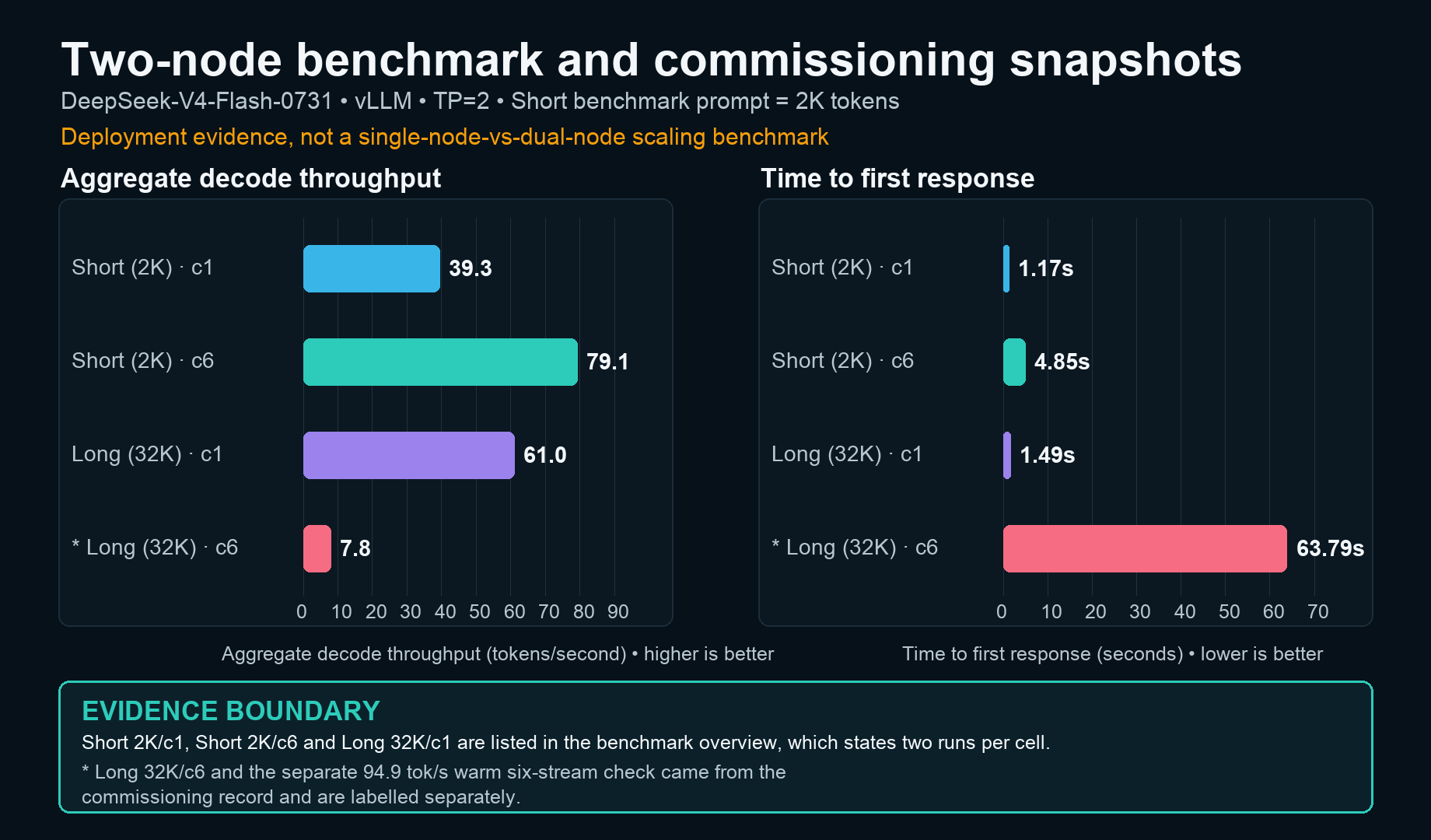
| Recorded scenario | Prefill throughput | Decode throughput | Time to first response |
|---|---|---|---|
| Short (2K), concurrency 1 | 1,752.8 tok/s | 39.3 tok/s | 1.173s |
| Short (2K), concurrency 6 | 1,984.0 tok/s | 79.1 tok/s | 4.854s |
| 32K context, concurrency 1 | 1,375.2 tok/s | 61.0 tok/s | 1.491s |
| * Long (32K), concurrency 6 | 116.0 tok/s | 7.8 tok/s | 63.787s |
A separate warm six-stream commissioning check returned 768 output tokens in 8.091 seconds, or 94.9 aggregate tokens per second, with six successful HTTP responses. That is aggregate throughput across the six requests, not 94.9 tok/s for each user; the benchmark overview does not list this separate check as one of its two-run cells.
The slow row is as useful as the fast one. At 32K context and concurrency six, time to first response reached nearly 64 seconds and decode throughput collapsed. Large context, multiple active sequences and a distributed KV cache can overwhelm a configuration that looks quick in a short single-user test.
The first request after a restart or long idle took about 15 seconds in our record. Later turns were faster when the stable agent prefix was already in cache. If a workflow has a large fixed system prompt, prefix caching is not a minor optimisation.
Power and thermals
Accelerator telemetry during a heavy benchmark showed roughly 37W to 45W per node, with recorded temperatures between 44°C and 66°C. Those figures came from GPU telemetry, not a wall meter. They are not a whole-system energy measurement and should not be used for an electricity-cost calculation.
The systems use external 240W power adapters. For planning, measure the complete pair at the wall under your own sustained workload, then size the UPS and ventilation from that result. We did not record a publishable acoustic test, so we will not call the setup silent.
Scaling past two nodes
A direct cable is attractive because it is simple. Three or four nodes need a different topology.
In July 2026, GIGABYTE demonstrated four AI TOP ATOM nodes through a RoCE-capable 200GbE switch. Its scientific-computing example increased a molecular-dynamics workload from roughly 10 million atoms on a standalone system to more than 30 million across four nodes. That is a vendor demonstration for a particular workload, not evidence that every inference model scales linearly.
Before adding nodes, decide whether the workload needs one larger distributed model or more independent replicas. If a model fits comfortably on one 128GB node, replication may improve concurrent throughput with less communication overhead. If the model or KV cache does not fit, tensor or pipeline parallelism may be necessary. Benchmark the architecture you intend to operate.
Additional hardware views
Build sources and further reading
- GIGABYTE AI TOP ATOM product overview
- GIGABYTE AI TOP ATOM specifications
- NVIDIA DGX Spark hardware overview
- NVIDIA Connect Two Sparks playbook
- NVIDIA: scaling autonomous AI agents and workloads with DGX Spark
- GIGABYTE four-node AI TOP ATOM demonstration, 7 July 2026
Related Wootware AI builds
- The Million-Rand AI Workstation Gallery
- The Million-Rand AI Workstation: RTX PRO 6000 Blackwell Powerhouse
Planning private AI for your team?
Size the model, context and workload before you size the cluster.
We can help you compare a single GB10 system, a two-node build and a hybrid cloud/local design against the work you actually need to run.
Talk to our team