The Mechanical Keyboard Buyer's Guide - October 2026
Our Mechanical Keyboard Buyer's Guide is live, with 5 MCHOSE keyboards for work, gaming and shared desks to choose from. Click to read more!
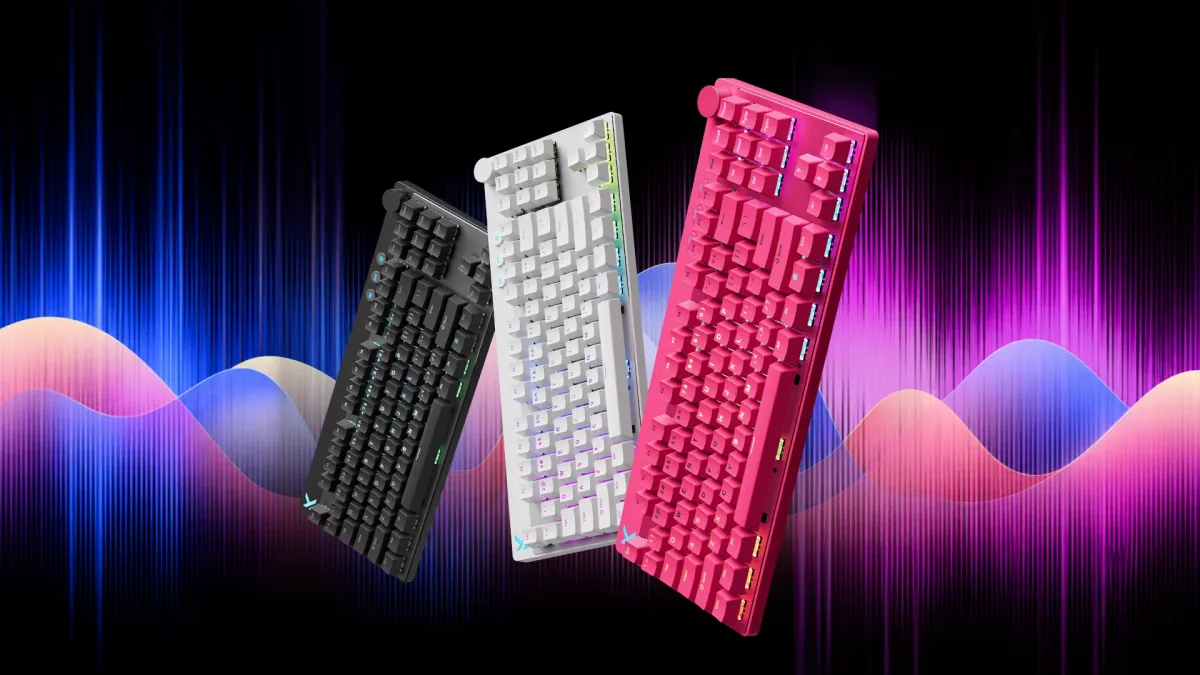
Buying a mechanical keyboard these days can be a bit tricky. Nearly all modern designs eschew the traditional 100% 104-key layout for a more compact design, or a nonstandard layout. A smaller keyboard leaves more room for your mouse and wide, sweeping mouse movements, but that is little consolation if you later spend the next morning entering numbers into a spreadsheet using just the number row.
Smaller keyboards are an acquired taste, and one size does not fit all. Ultracompact designs force you into hotkey-driven workflows. 98% layouts give you flexibility and a more familiar layout. TKL is for starting arguments about whether 75% layouts are also TKL.
Some people even have more than one keyboard for different environments and modes. A full-size might suit you for work, while a 65% stays reserved for play during your downtime, or for travel.
This October, we've picked five MCHOSE keyboards for different desks and budgets. There are wireless options for everyday use, a quiet model for shared spaces, and two wired gaming choices for those who like to fiddle with their settings. Spending more gets you more advanced features, but every keyboard on show today is an excellent choice.
Our March mechanical keyboard guide covered the switch basics if you need a refresher. Today, we're looking at which MCHOSE keyboard makes sense for you.
The Shortlist
These specific keyboards were in stock at the time of writing, but different colour and switch variants may sway you differently depending on your personal preference. Be sure to check out our store later for more options.
| Budget & Keyboard | Best Fit |
|---|---|
| R1,349: MCHOSE G75 Pro — Green, Matcha Latte | Compact wireless for work and gaming |
| R1,499: MCHOSE Mix 87 — White, Mount Tai Magnetic GT | Wired Hall Effect gaming with a TKL layout |
| R1,799: MCHOSE K99 V3 — Sky Blue, Icy Creamsicle | Wireless work and gaming with a numberpad |
| R1,899: MCHOSE x Unbox Therapy UT98 — Classic Therapy, Silent Peach V3 | A quieter wireless choice for shared spaces |
| R2,699: MCHOSE Ace 68 GT — Aero Silver, Mount Tai Pink Magnetic Switch GT | Full-aluminium, compact wired Hall Effect gaming |
MCHOSE G75 Pro: A Sensible Place to Start
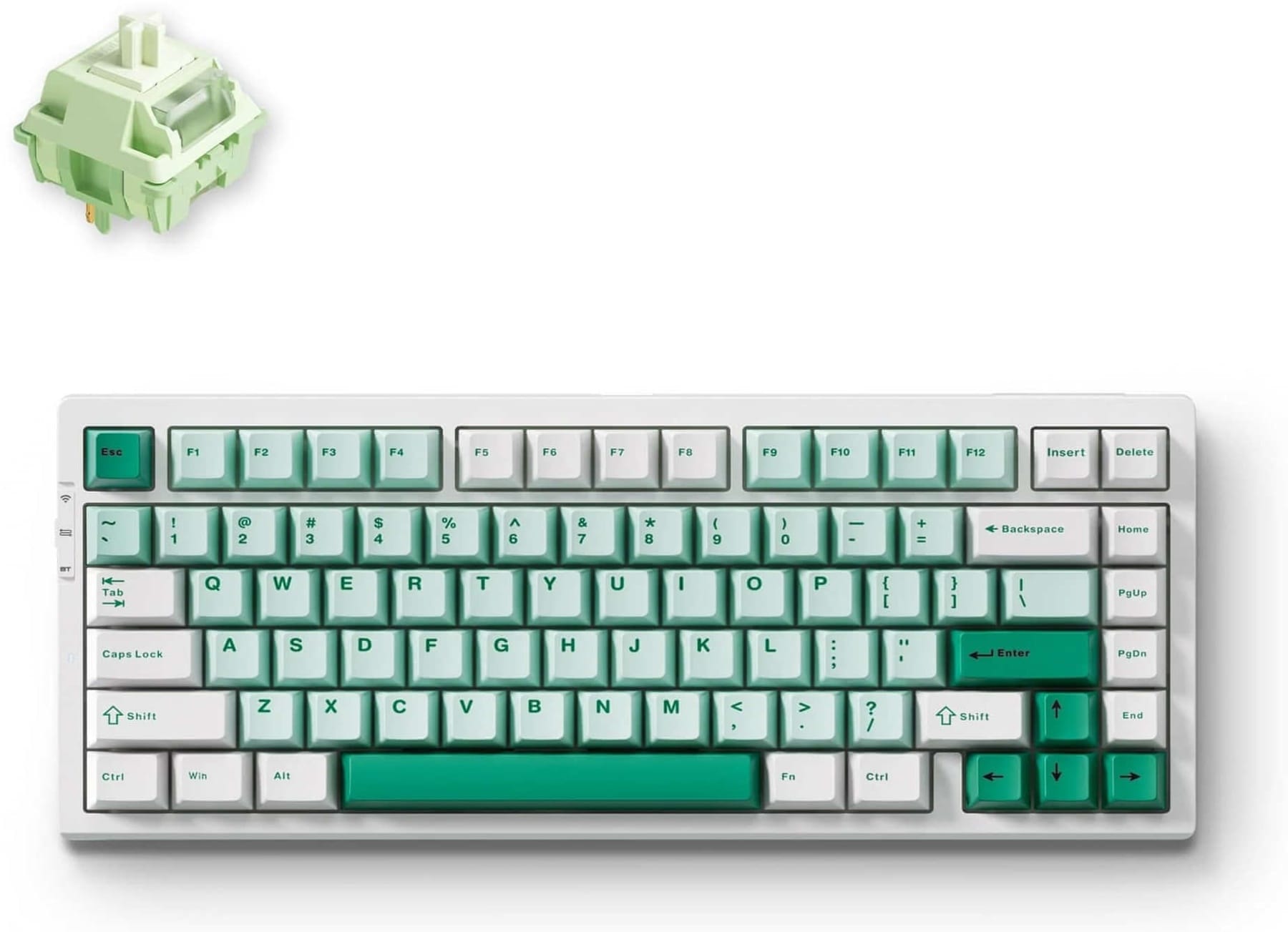
The green G75 Pro is the least expensive keyboard in this shortlist, and it already covers much of what you'd want from an everyday mechanical board. It has Tri-mode connectivity, flipping between a 2.4Ghz wireless direct, Bluetooth 5.0, and wired USB connection. This allows you to use it on your desktop PC and pair it with a compatible laptop or tablet, switching between them without fiddling with the cable to hook it up.
The 75% layout today is inspired by compact PS/2 keyboards from the late 80s and early 90s, which needed to save space and still maintain most needed typing functions for machines which were used in the field.
The layout keeps the function row and full-sized arrow keys while bringing everything closer together. You do lose the numberpad, but this style lends itself well to productivity use that involves a lot of writing and coding.
For example, the arrow keys are much closer to the Home, Pg Up/Down, and End keys, allowing you to still navigate through text with one hand. But as a compromise, several keys are shifted or removed, like the right Shift key and right Menu key.
MCHOSE includes Matcha Latte switches, double-shot PBT keycaps and an 8,000mAh battery in this variant, with a pleasing mint green colourway. The switches are hot-swappable, allowing you to use different switches without reaching for a soldering iron, and makes repairs dead simple. Multiple layers of damping material and a gasket structure are used to soften the sound profile, although this isn't the quietest option in our list.
For a mix of productivity, games and general use, the G75 Pro is a sensible choice.
MCHOSE Mix 87: Keep the Familiar Layout
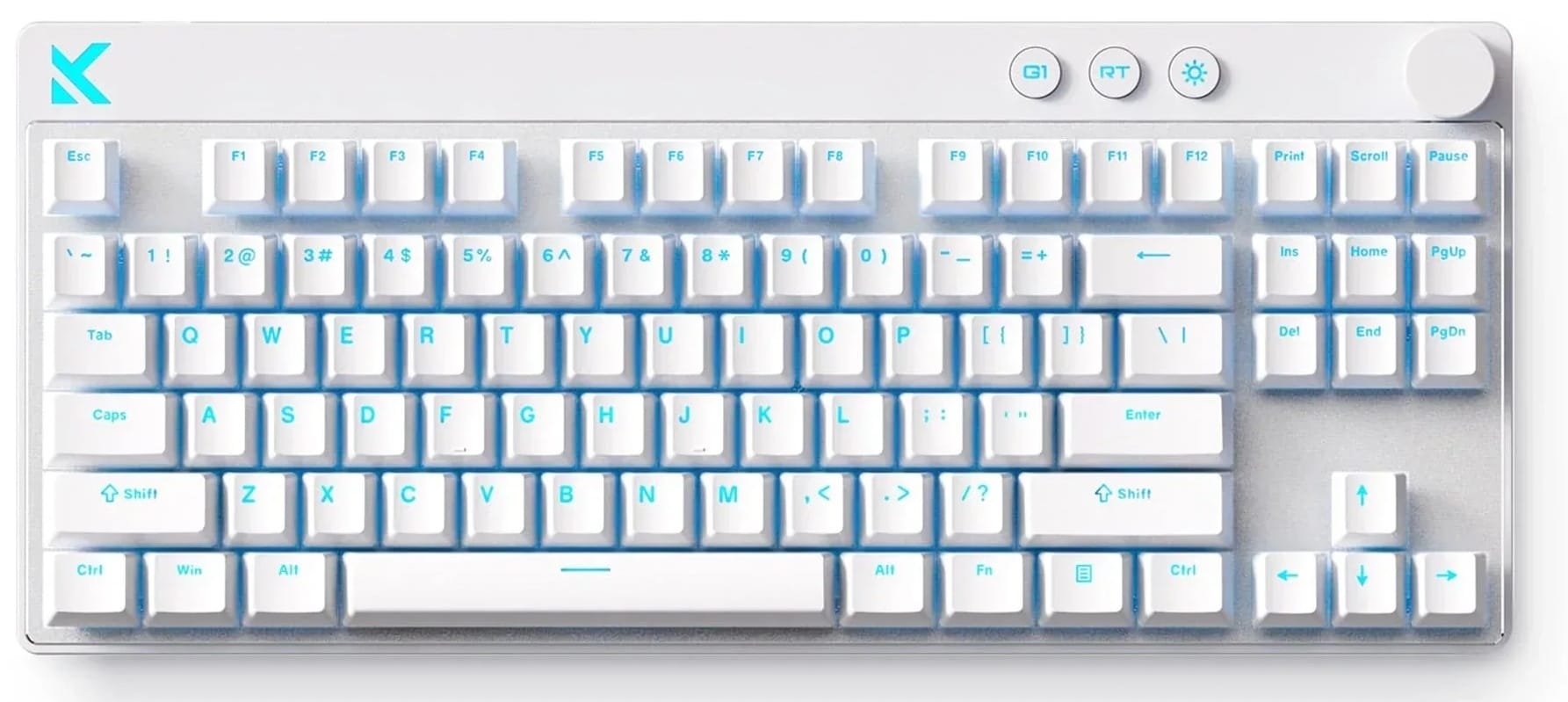
The Mix 87 takes a less drastic approach to space-saving: the Tenkeyless (TKL) layout drops the numberpad while everything else stays the same. It's not a complete shock to your muscle memory if you're coming from a full-size design. A raised deck at the top includes a volume control knob as well as hotkeys for Game Modes, activating the Rapid Trigger feature, and controlling the lighting and brightness.
The white version selected here uses Mount Tai Magnetic GT switches, with adjustable actuation and Rapid Trigger support. The practical application here is being able to tune how readily certain keys respond without making every key on the board equally sensitive. Rapid Trigger allows you to set custom actuation points so that some keys activate sooner or with a lighter touch - useful for making the WASD cluster more effective when peeking from behind a wall in CSGO2.
These settings are available through MCHOSE's M HUB software, a web-based package that supports customisation on Windows, macOS, or Linux systems.
Unlike the G75 Pro, this is a wired keyboard. There's no battery to charge and no dongle to misplace, but it does limit your ability to use the keyboard across devices.
You should shortlist the Mix 87 for the familiar layout and input customisation, especially if you're not using Windows 11. It's a great choice.
MCHOSE K99 V3: The Numberpad Stays
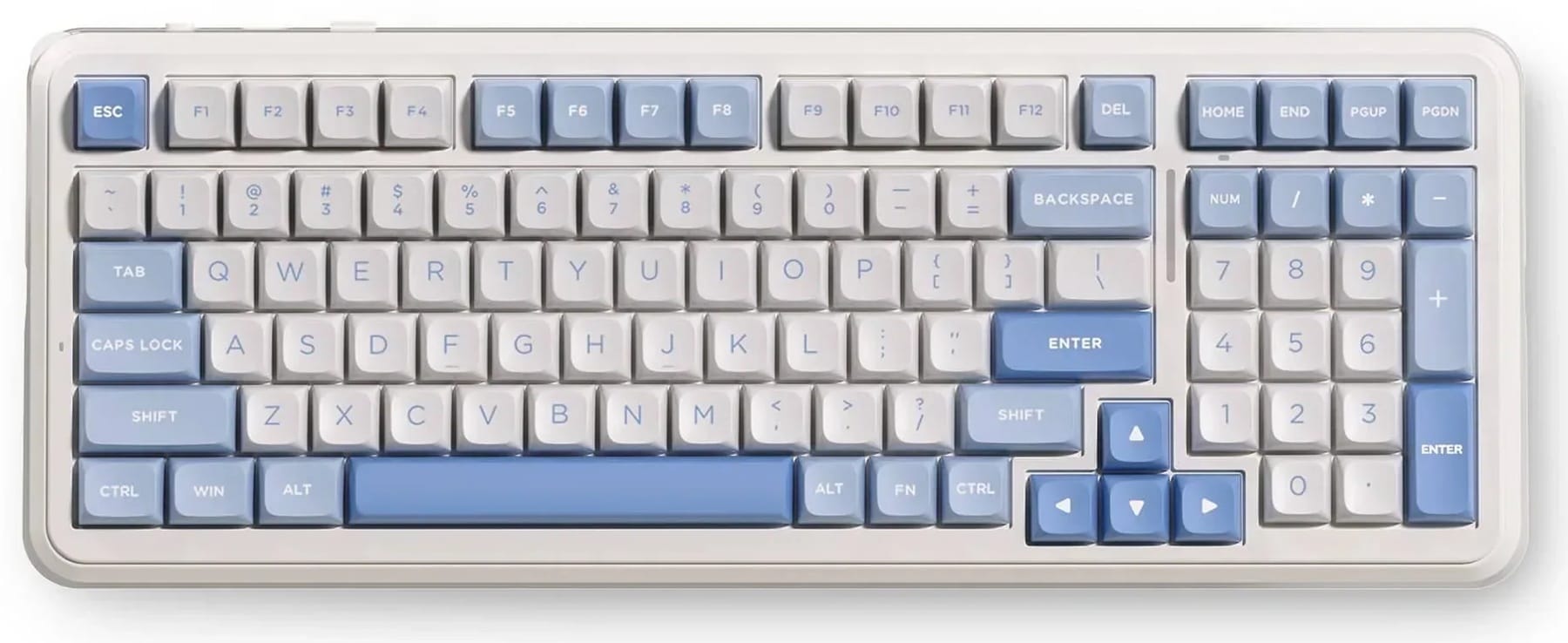
If you spend a sizeable part of the day in spreadsheets, the K99 V3 is likely to make more sense than either of the smaller boards. Its 98% layout brings the keys closer together without giving up the numberpad, so you still have muscle memory you can rely on if you're coming from a 100% size keyboard.
The Sky Blue version comes with Icy Creamsicle switches and MDA-profile PBT keycaps. There is gasket mounting and multiple layers of sound damping, along with RGB lighting around the edge of the chassis as well as beneath the keys. Tri-Mode connectivity and a hefty battery capacity at 10,000mAh tick off the other checkboxes, allowing this to fit into a lot of spaces like office environments or home use.
The Icy Creamsicle switches are especially nice too. MCHOSE uses a custom switch that is designed to sound pleasing and offers, in their own words, a "rich, refined sound profile". You can hear what it sounds like for yourself:
The K99 V3 will still occupy more of your desk than the G75 Pro. That is the trade-off for keeping the numberpad, and a worthwhile one if you use it every day. The compact arrangement also changes the spacing around the arrow keys and the size of the number zero key on the numpad, so a slight learning curve will be needed.
The 98% layout also moves the Home, End, and Pg Up/Down keys move up alongside the function row, and omits several others: Print Screen, Scroll Lock, and Pause/Break are missing here. The Delete key is still retained, and you can still reach all text navigation keys with one hand.
This would be our choice for someone who wants one keyboard for work during the day and games in the evening, with minial time spent retraining your muscle memory.
MCHOSE x Unbox Therapy UT98: For Others Within Earshot
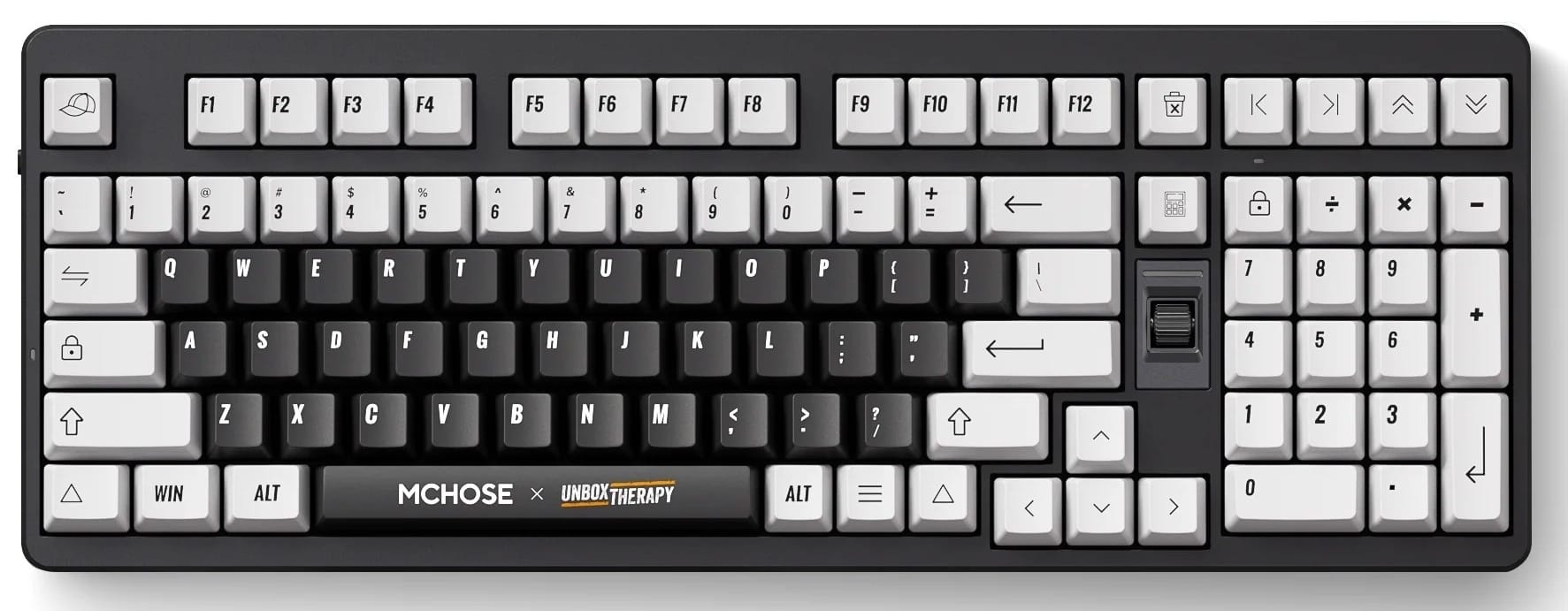
The sound of a mechanical keyboard can be part of its appeal. It can also be the reason someone on the other side of the room puts their headphones on. The MCHOSE UT98 addresses this with custom Silent Peach V3 switches, tuned for a very low noise level.
This is a special design made in collaboration with Unbox Therapy, a popular YouTube content creator focusing on tech.
The UT98 retains a full-sized numberpad, unlike most other 98% layouts, and offers Tri-Mode wireless and wired USB connectivity. The black-and-white Classic Therapy colour scheme is fairly restrained, even with the south-facing RGB lighting available underneath. Hot-swappable switches and PBT keycaps are included, along with a 10,000mAh battery.
A potential drawback is the legends used on the keys. Unbox Therapy assisted with designing the symbols for this keyboard and some of the legends are unfamiliar, like the one chosen for the right Control key, and the text navigation row above the numpad. You'll get used to these after a while, but anyone unfamiliar with it will be asking questions.
If your work or gaming space is shared with others, the UT98 is worth a closer look.
MCHOSE Ace 68 GT: The Compact Enthusiast Pick
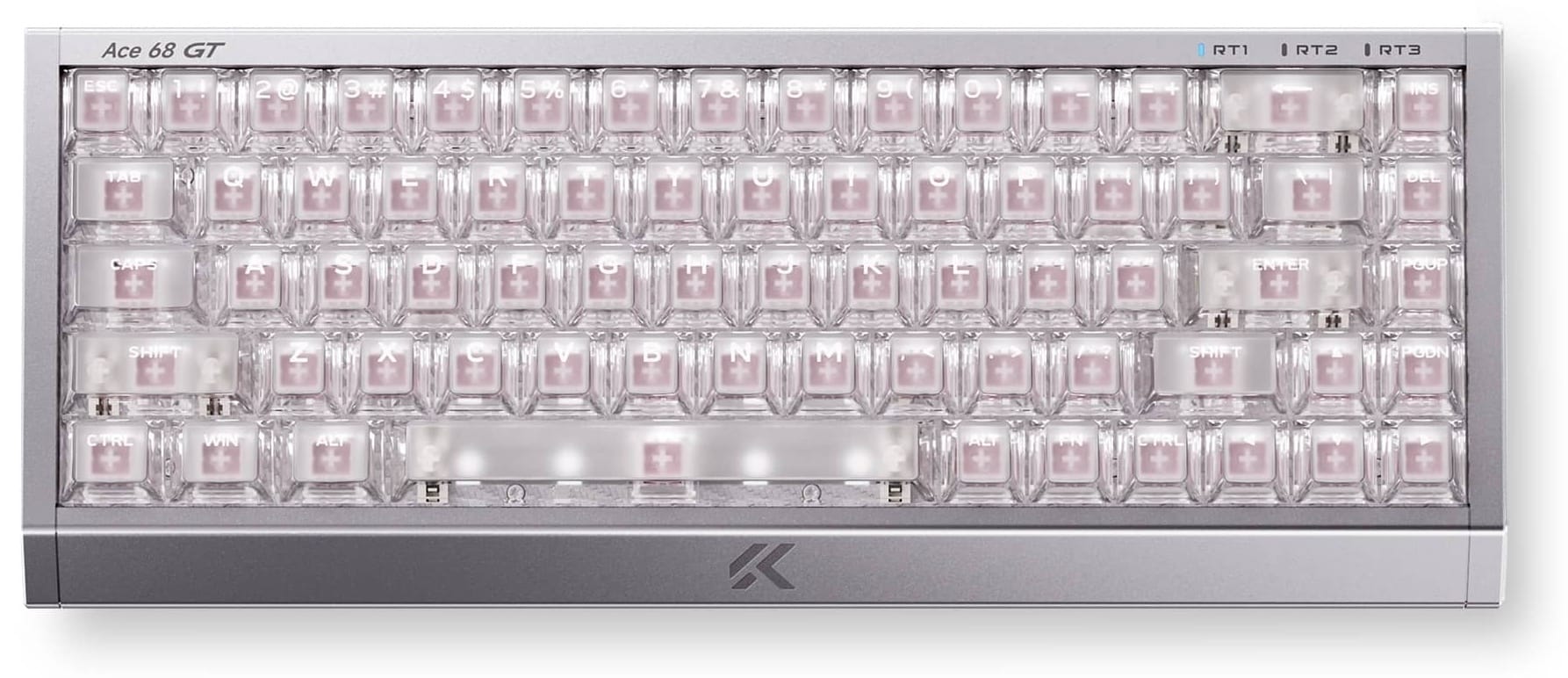
The Ace 68 GT sits at the top of this shortlist with a full-aluminium case, a 68-key layout and a rather different brief to the two work-friendly boards above. This is a keyboard for enthusiasts looking for a unique, uncompromising design.
The Aero Silver version uses Mount Tai Pink Magnetic Switch GT switches and is USB tethered. The 68% layout is not the most extreme design you could go for, but the target market for this keeb is someone who wants a compact gaming setup and intends to spend some time configuring it.
You keep dedicated arrow keys with a 68% layout, but lose the numberpad and function row. That gives your mouse more room to move, but it also places some common functions behind FN hotkey combinations. Insert, Delete, and Pg Up/Down are retained, but Home and End are not.
MCHOSE advertises a 16K polling rate, adjustable per-key actuation from 0.1mm to 3.4mm, and Rapid Trigger support with three profiles to toggle between. The Ace 68 is highly configurable, but for some the extra-compact design is worth the price alone.
The premium aluminium case construction and other high-end materials like the carbon fiber plating further justify the higher price tag.
Choose for the Desk You Actually Use
Do you have a keyboard already, and want to figure out which layout is best suited for your needs?
Our March buyer's guide covered switch types already, but if you're using a membrane keyboard you may benefit from the higher level of tactility and extra feedback from a mechanical key. You get to feel when the key press is actually being registered, and you can type as softly or as loudly as you want.
Do not see your ideal keyboard here? Visit wootware.co.za to browse the full range, set a price alert, or get in touch with us for a quote.