The Million-Rand AI Workstation: RTX PRO 6000 Blackwell Powerhouse
When a large South African marketing house came to us looking for a serious AI workstation, we knew this wasn't going to be a standard build...
When a large South African marketing house came to us looking for a serious AI workstation - the kind of machine that would run 24/7 training and inference workloads - we knew this wasn't going to be a standard build. What followed was a three-week journey of planning, assembly, testing, and refinement that pushed our technical team to deliver something truly special.
Here's the full story.
The Brief
Our customer needed a workstation capable of handling demanding AI and machine learning tasks non-stop. Not a gaming PC dressed up in a workstation blazer, but a genuine, purpose-built compute platform that could run at full tilt around the clock without thermal throttling, instability, or data errors.
Guaranteeing this level of performance is possible, but tricky. It requires the right mix of components, and a skilled system integrator to validate the system before it is dispatched to the customer.
The target spec was a system that could push over 1.25 kilowatts of sustained power draw across CPU and three workstation GPUs simultaneously, while keeping every component well within safe operating temperatures.
We documented this build extensively, and a gallery of some of the best images we've taken can be found here.
The Specifications
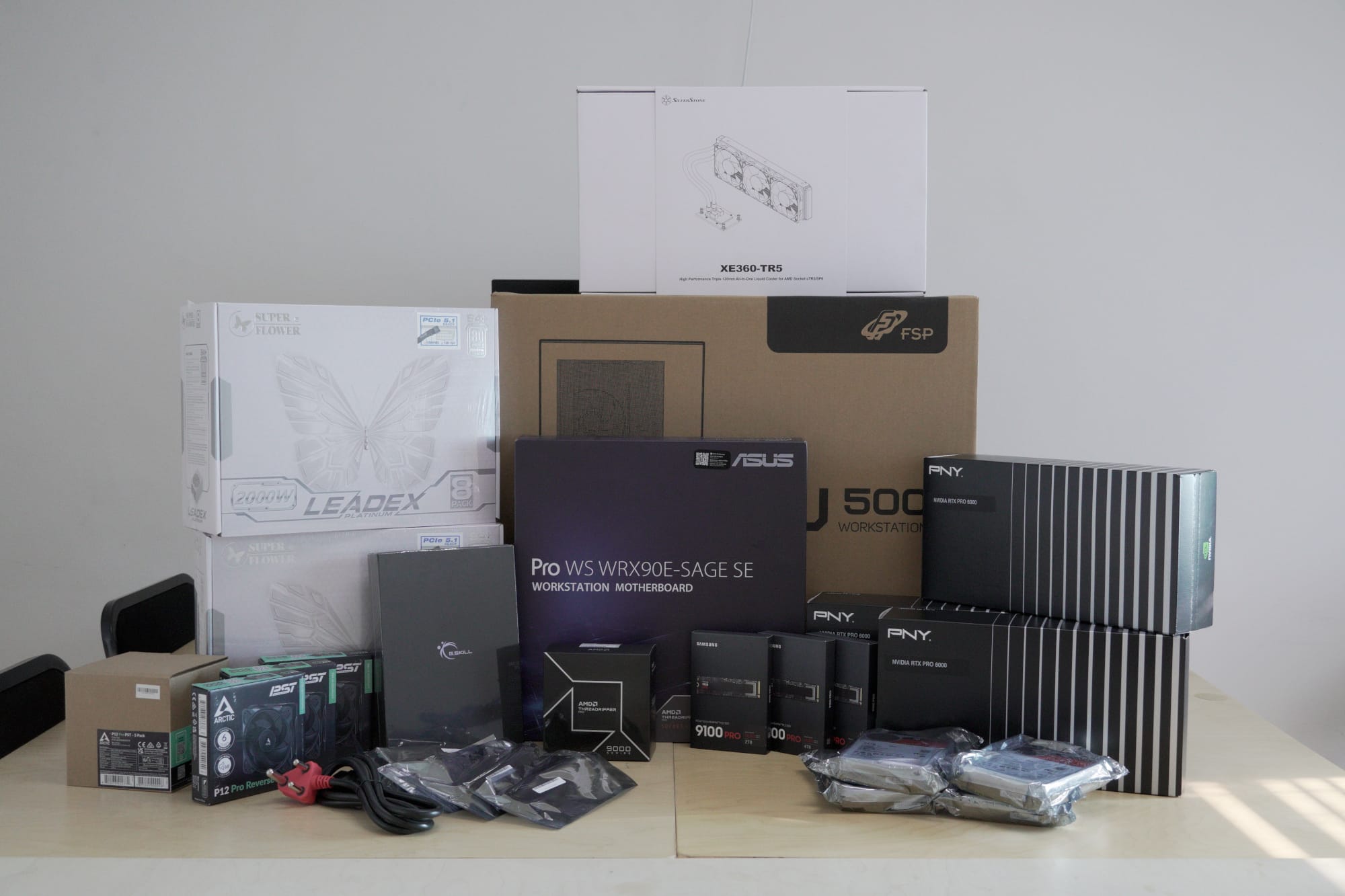
Let's get to the parts list, because this is one of the most powerful systems we have ever assembled:
| Component | Specification |
|---|---|
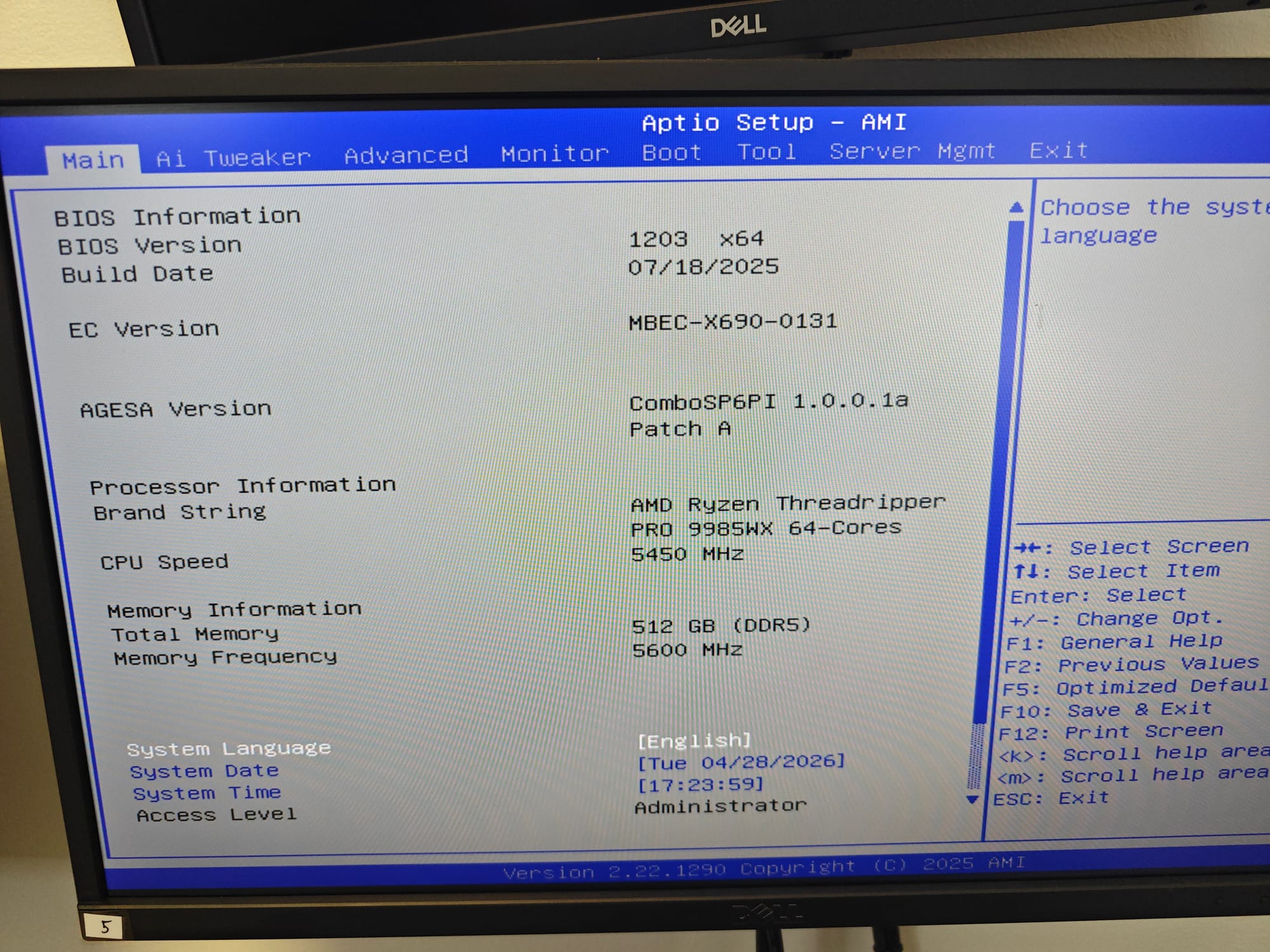
| CPU | AMD Ryzen Threadripper PRO 9985WX 5.4GHz 64-Core, 128-Thread Zen 5 Processor |
| Motherboard | ASUS Pro WS WRX90E-SAGE SE SSI-EEB Workstation Motherboard |
| Memory | G.SKILL T5 NEO 512GB (8x64GB) DDR5-6400 ECC Registered Workstation Memory |
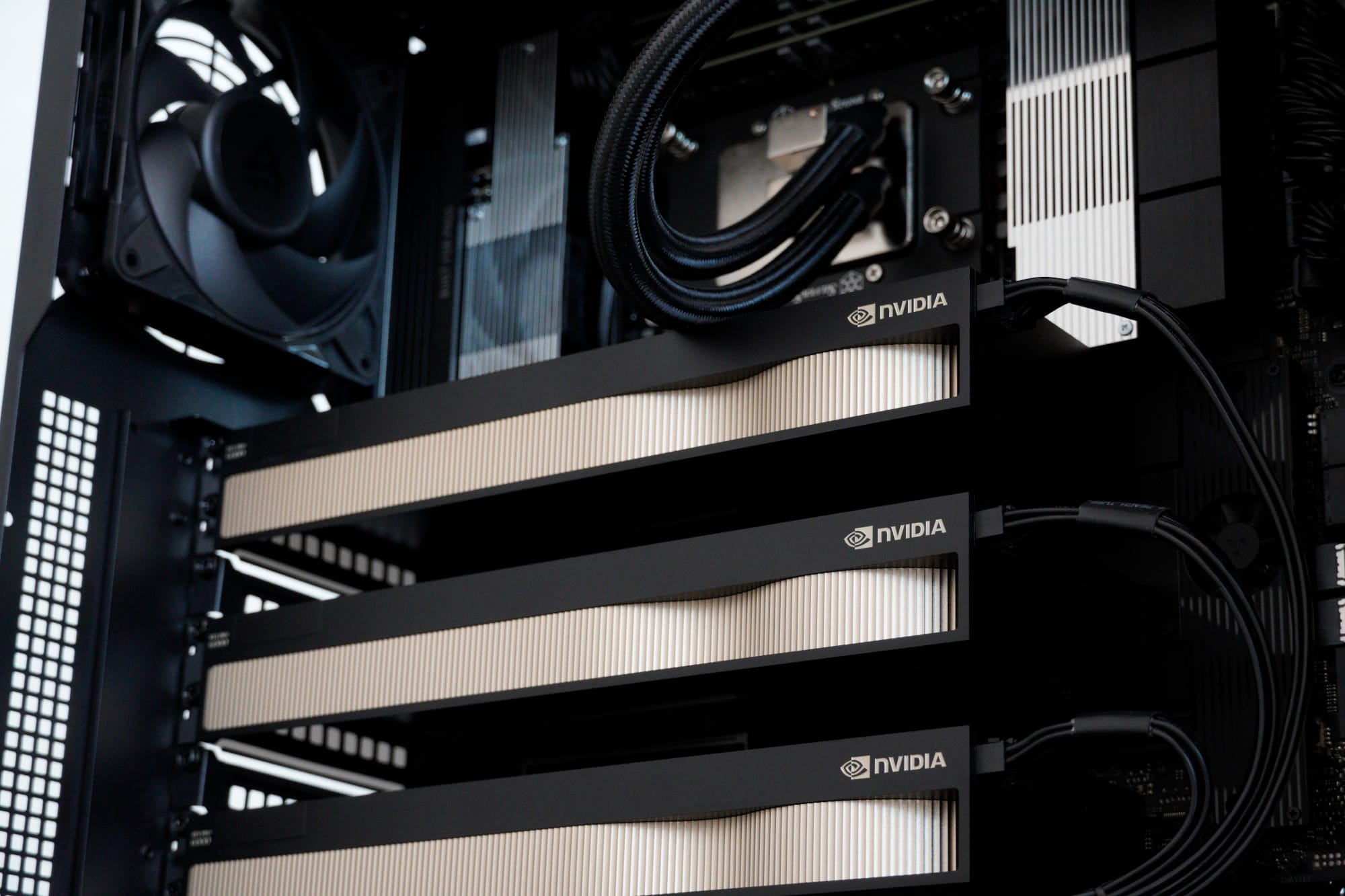
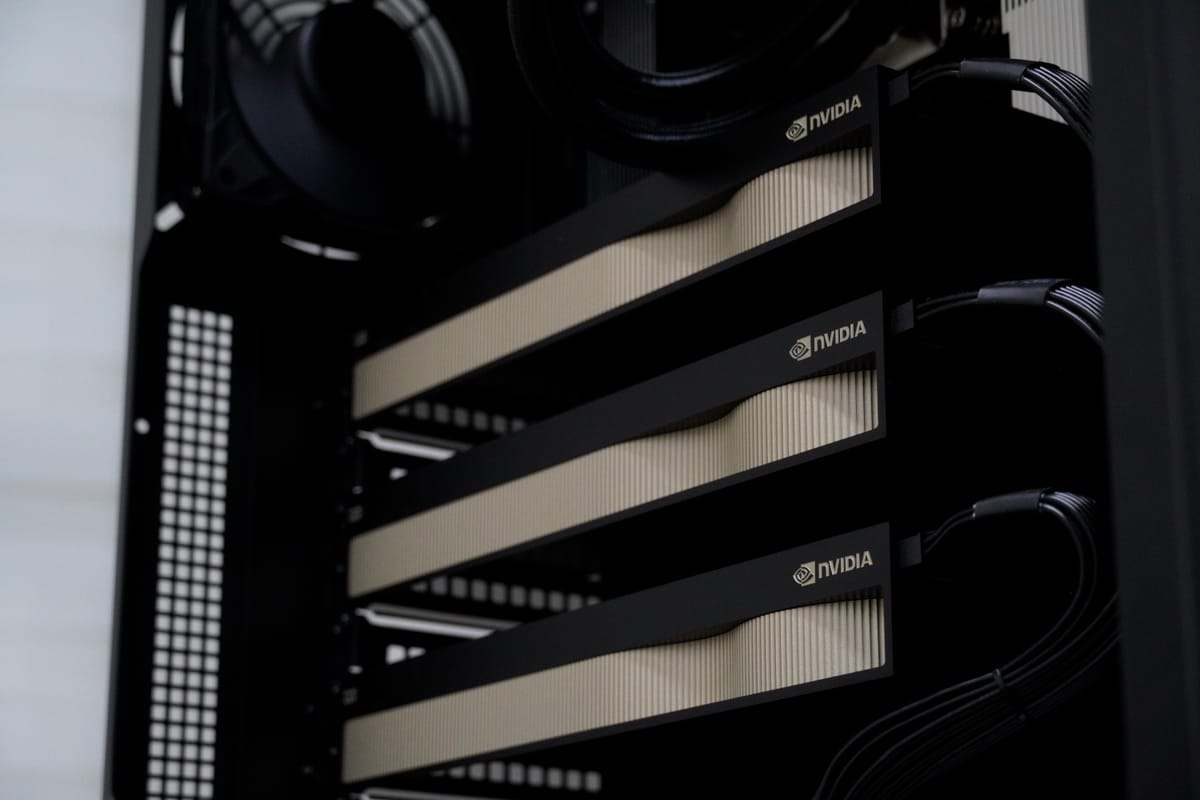
| GPUs | 3x PNY RTX PRO 6000 96GB GDDR7 Blackwell Graphics Cards (a whopping 288GB total VRAM!) |
| Storage (OS/Apps) | Samsung 990 PRO 2TB PCIe 5.0 NVMe SSD |
| Storage (Data/Local Models) | 2x Samsung 990 PRO 4TB PCIe 5.0 NVMe SSDs |
| Storage (Data) | 4x Seagate IronWolf Pro 24TB Drives |
| Power | Super Flower Leadex Platinum 2000W Modular PSU |
| CPU Cooling | SilverStone XE360-TR5 360mm AIO Liquid Cooler |
| Case Fans | 8x Arctic P12 Pro High-Performance Fans |
| Chassis | FSP U500 Full Tower E-ATX Workstation Chassis |
| Display | Dell Pro 22" Full HD IPS Monitor |
At just over R1.2 million all configured, this was one of the highest-value single workstation orders we've ever fulfilled.
The GPUs: RTX PRO 6000 Blackwell
The centrepiece of this build is the trio of NVIDIA RTX PRO 6000 workstation GPUs based on the Blackwell architecture. Each card packs:
- 96GB GDDR7 ECC memory on a 512-bit bus
- PCIe 5.0 interface for maximum bandwidth
- Professional-grade drivers certified for AI/ML frameworks
- Blower-style cooling that exhausts hot air directly out the rear of the chassis
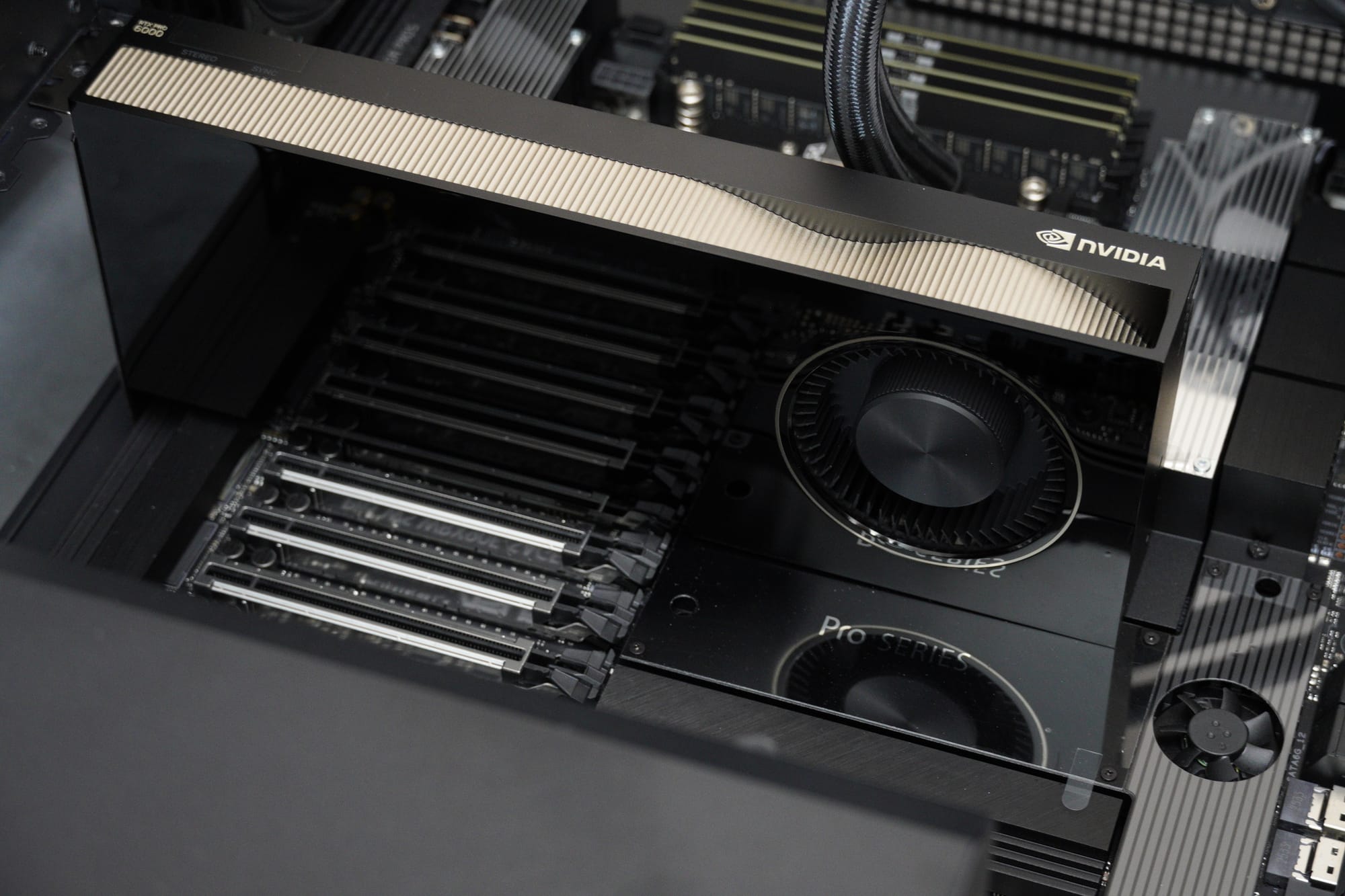
With three cards running simultaneously, the system has access to 288GB of total VRAM, enough to load and train models that would simply not fit on consumer hardware. NVIDIA's PRO cards also ship with an optional ECC (Error Correction Code) mode, which ensures data integrity during long training runs - a critical and time-saving feature when a single bit-flip can corrupt hours of computation.
The Build Process
Planning & Preparation
Our Technical Manager, Christopher, led the planning phase. Before a single component was unboxed, the team:
- Developed a dedicated build checklist and quality assurance protocol
- Referenced our experience with previous high-end Threadripper builds (thanks to technical staff member Daniel Lee's work on similar platforms) to identify potential pitfalls
- Coordinated procurement across multiple suppliers to get all stock delivered simultaneously
By the time the parts arrived, we had a clear assembly plan, testing schedule, and handover protocol in place. We were more organised than Randall Raines was when he planned to steal 50 cars in under 72 hours (Gone in 60 Seconds is a really good watch, trust us!).
Assembly
Stanley handled the physical assembly and all testing, a process that demands particular care and a delicate touch with a build of this scale. An SSI-EEB motherboard in a full-tower chassis, three GPUs with 600W 16-Pin power cables, a monster 2000W power supply, and a 360mm AIO radiator all require precise cable management and airflow planning.
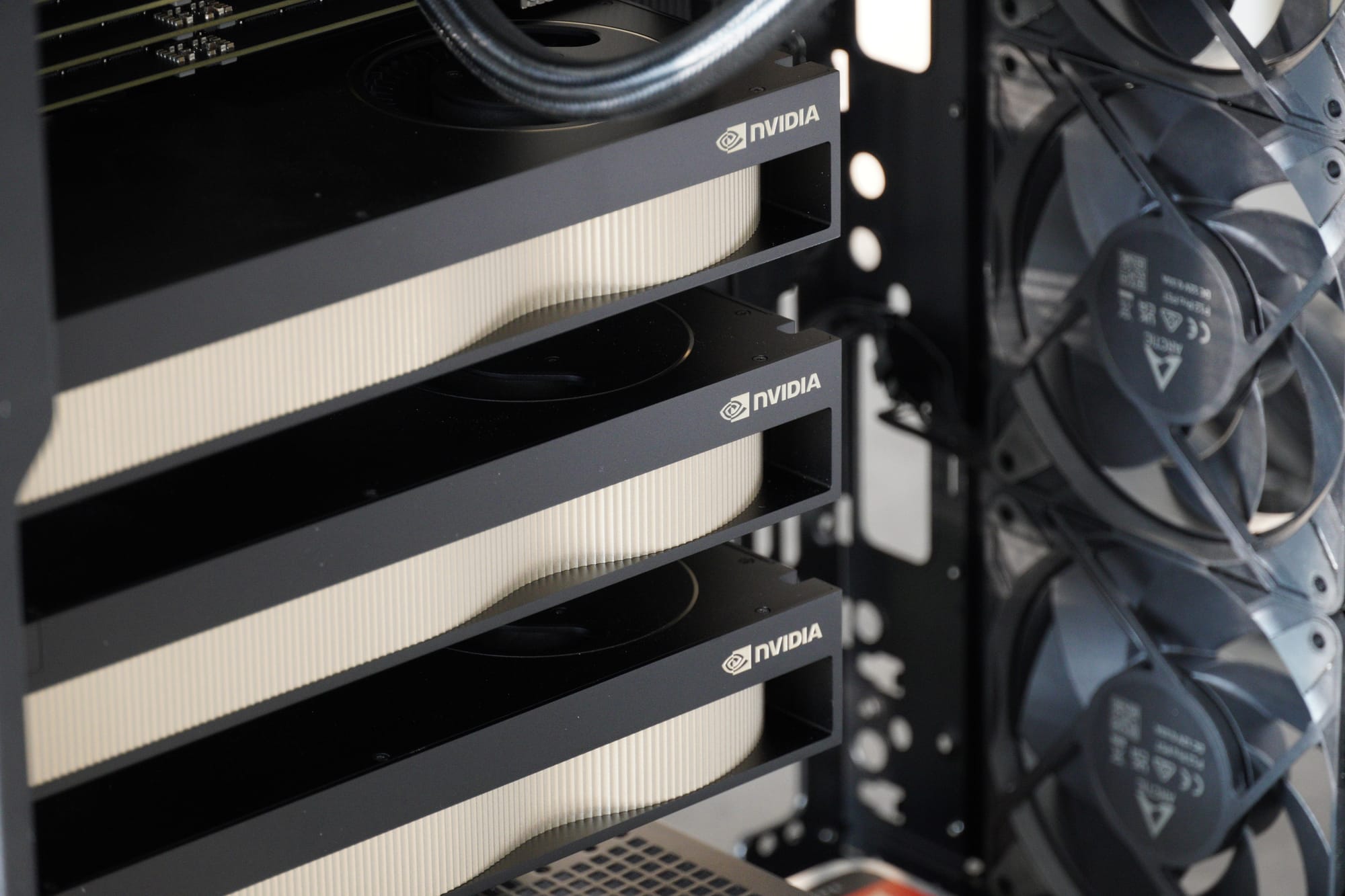
There were a few key assembly considerations:
- Power distribution: On paper, With a theoretical peak draw exceeding 1.25kW, the Super Flower Leadex Platinum PSU setup ensures adequate headroom. The included 12VHPWR cables from Super Flower neatly route power to each GPU.
- Airflow engineering: The Arctic P12 Pro fans were positioned to create a positive-pressure airflow path that feeds cool air directly to the GPUs and motherboard VRM area.
- Memory configuration: All eight RDIMM slots were populated with matched 64GB ECC Registered modules, totaling 512GB of RAM. The motherboard's eight-channel memory architecture benefits from fully populating all slots for optimal bandwidth to serve the Threadripper PRO 9985WX.
Testing & Validation
Once assembled, the system entered our rigorous testing protocol. Stanley ran and validated the system benchmarks and stress tests, and Wesley took ownership of the final phase: QA assurance, and approving the build for dispatch.
Phase 1: Memory Validation
- MemTest86 - An 8-hour overnight pass through this stressful memory stability benchmark passed with flying colours.
- Windows Memory Diagnostic - A neat built-in tool that Microsoft includes with all versions of Windows, which we used to schedule a second overnight validation. The result: zero errors!
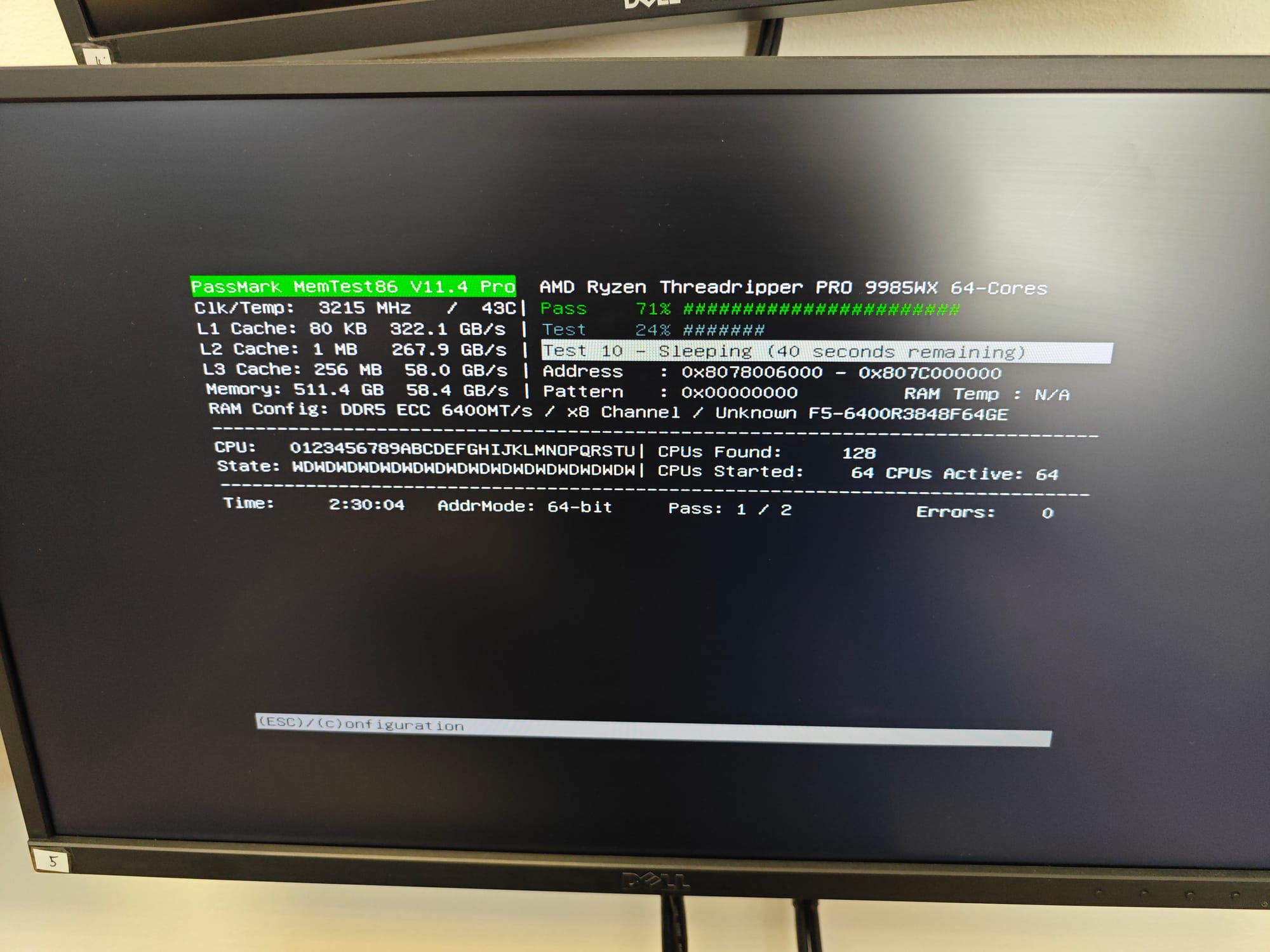
512GB of DDR5-6400 ECC is a lot of memory to validate, and we wanted absolute confidence before the system shipped to a customer running 24/7 workloads. And it takes a solid minute to boot as well!
Phase 2: Power & Thermal Stress Testing
The team ran a full-system synthetic stress test designed to push every component to its rated limit simultaneously:
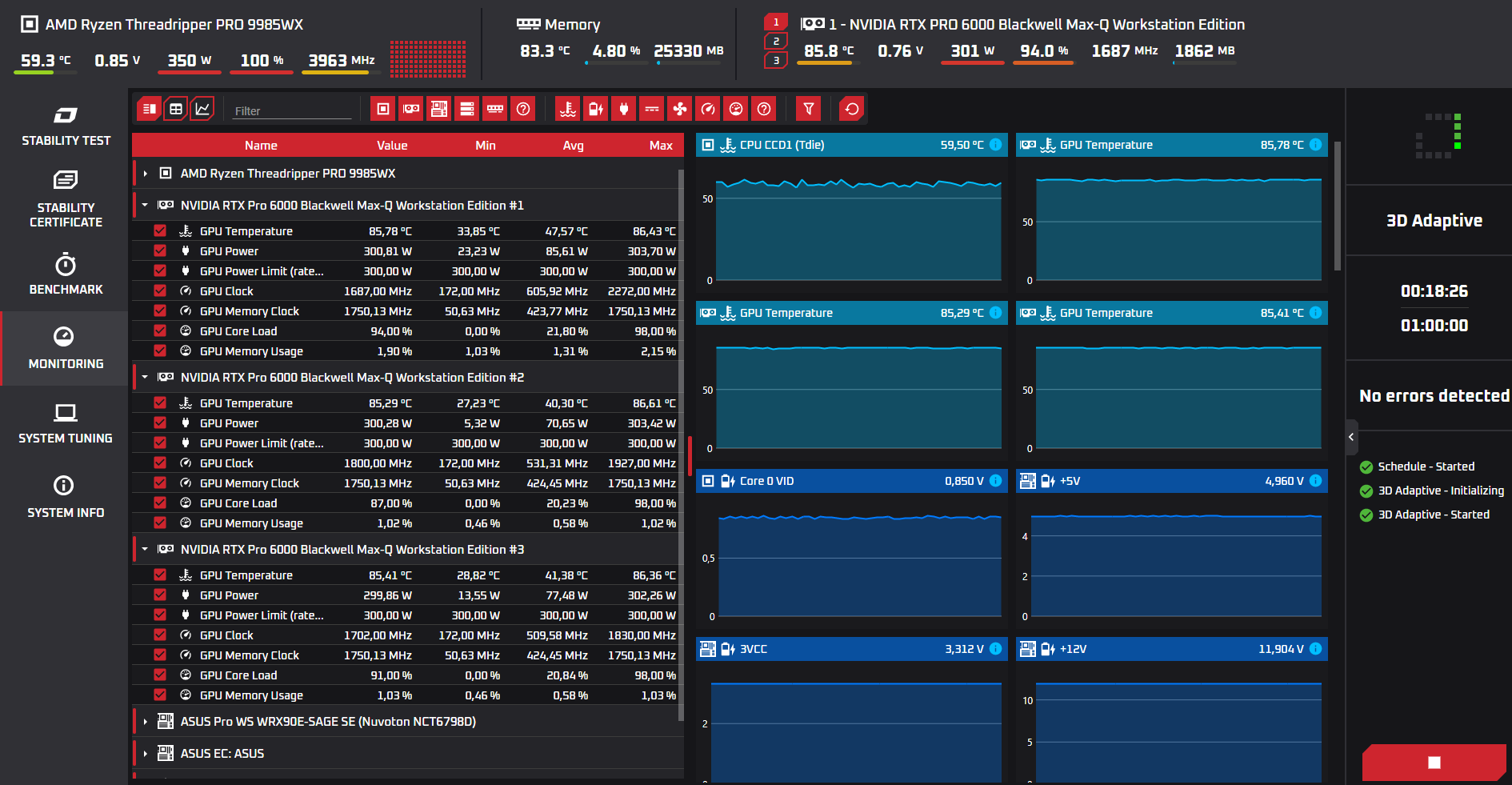
- Threadripper PRO 9985WX: Pulled its full 350W TDP benchmarked with OCCT, holding under 60°C with the 360mm AIO pulling all the heat out of the CPU
- 3x RTX PRO 6000: All three GPUs were pinned at their 300W power limits simultaneously in our Furmark 20-minute run
- Total system power draw: A mind-blowing sustained 1635 Watts were drawn continuously from the wall during stress testing, but the motherboard VRMs, power delivery, and 2000W Super Flower Platinum-rated PSU all handled it flawlessly
- GPU core temperatures: Peaked at 86°C under sustained loads, which are well within NVIDIA's spec with no thermal throttling
- VRAM temperatures: 72°C to 74°C at full saturation, zero memory errors
Phase 3: VRAM Saturation Testing
Specific to AI workloads, the team also ran VRAM-heavy stress tests simulating the kind of tensor operations the customer would actually use. All three GPUs had their full 96GB VRAM banks saturated simultaneously, and the blower-style coolers held firm.
A short benchmark run was also done to verify that the GPUs could also do what they were designed: to run local AI models for inference and training. Nine test passes across three benchmark runs resulted in an average of 88.08 tokens per second with Llama 3.1 8B Instruct when we asked it to explain what a GPU does in 200 words.
The Thermal Tuning Conversation
The customer reviewed our thermal data and raised a valid concern: the GPU junction temperatures were hitting 88°C under sustained load. For a system that would run 24/7 in a production environment, the customer wanted to target 82-86°C junction temps for long-term reliability.
What We Did
We ran a 1-hour sustained burn test with an aggressive custom fan curve. The results:
- GPU core temperatures dropped by over 13°C across all three cards
- Peak temps fell to a comfortable 71°C - 73°C
- Thermal headroom was clearly better.
What We Recommended
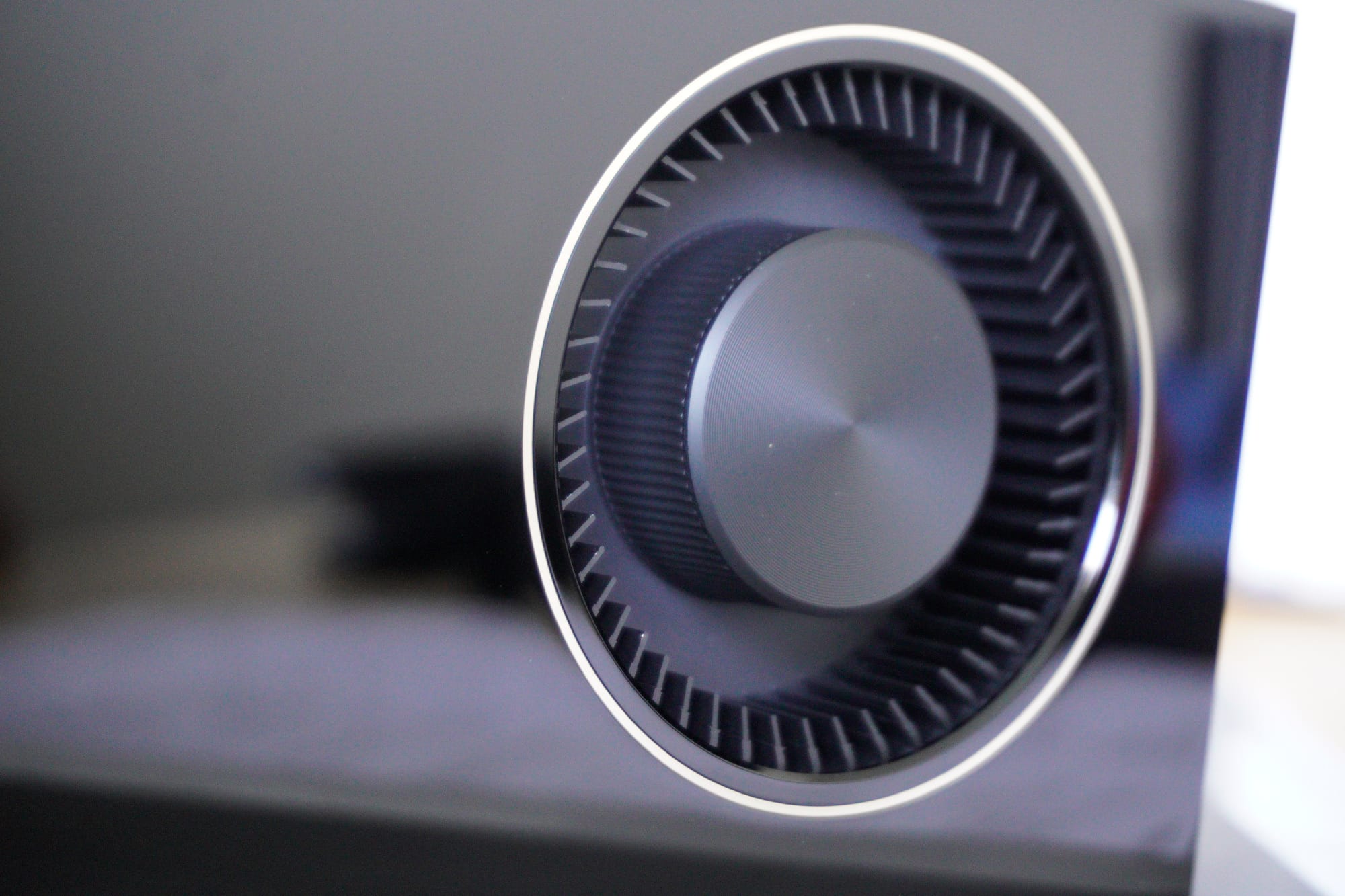
Blower-style coolers like the one used on the PNY RTX PRO 6000 Blackwell GPU are ideal for running in enclosed spaces, but by default the NVIDIA drivers will work with the GPU firmware to find a happy medium of power draw, performance, and noise levels.
Take into account the following:
- Upgrading to 140mm case fans (which the chassis supports at the front) won't change GPU thermals, as the blower cards manage their own exhaust independently
- The GPU's own fan curve is what actually controls the temperatures according to the load placed on the GPU
We made a deliberate decision to ship with stock fan profiles. An aggressive custom curve would lower temperatures, but it would also accelerate wear on the fan bearings under 24/7 operation. With a custom curve, the fans would then ramp up and down according to temperature and not the load placed on the GPU.
Instead, we:
1. Demonstrated the thermal headroom with our testing data
2. Explained the blower-card dynamics so the customer understood their options
3. Shipped with stock profiles and let them configure their own curves once deployed
The customer's team confirmed they were eager to fine-tune things themselves as they learned the ins and outs of the system, which is exactly the kind of collaborative handover we aim for with bespoke builds like this one.
Warranty & MIG Configuration
The customer planned to use NVIDIA's Multi-Instance GPU (MIG) technology to partition the RTX PRO 6000 cards for different workloads. This raised a valid question: does enabling MIG via nvidia-smi void the PNY warranty?
The NVIDIA System Management Interface (nvidia-smi) is a command-line tool built on the NVIDIA Management Library (NVML) that allows users to monitor and manage NVIDIA GPU devices. In systems like this one, nvidia-smi is the tool used to configure features like MIG.
Joshua went directly to PNY to get a clear, written answer: using NVIDIA's official tools (nvidia-smi) to configure MIG would not void the warranty. This gave the customer full confidence to proceed with their planned GPU partitioning strategy.
The Creative Touch
Jarred, our Senior Creative Associate, documented the entire build process with:
- Professional DSLR photography of every component and assembly stage
- Build progress video coverage
- Cinematic GVM slider footage of the completed system
- All media catalogued and shared with the customer via organised folder structure
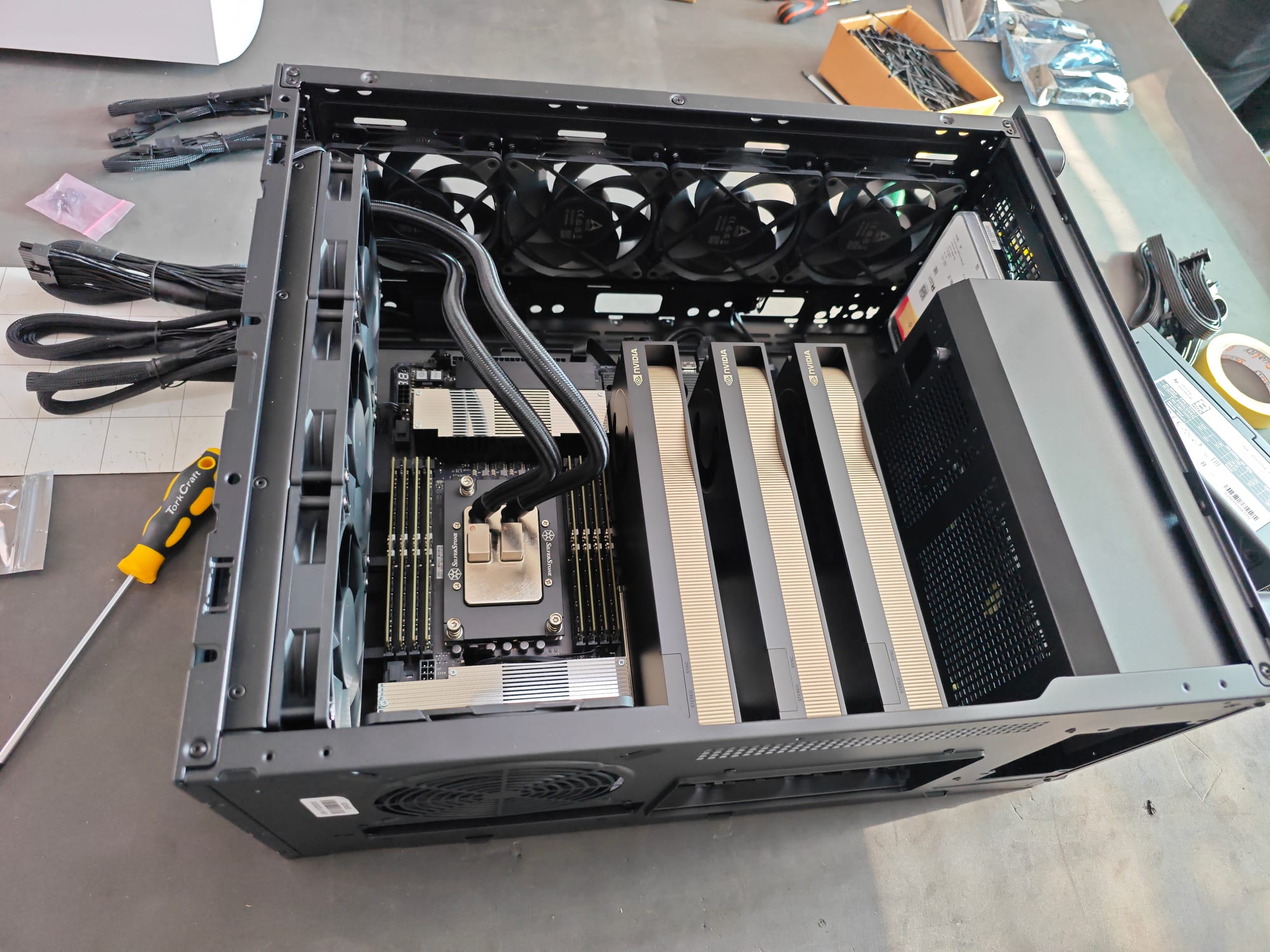
For a build of this calibre, the documentation matters as much as the hardware, both for our records and for the customer's internal presentations.
Shipping & Delivery
The final chapter: getting the workstation safely to its new home. We had to do things a little differently for this build.
- Custom shipping crate ordered specifically for this build
- Photographed the final packaged order and shared with the customer
- Coordinated with our Logistics Team to ensure the delivery included proper equipment (pallet jacks) for the customer's office layout
- System handed over to Warehouse and Logistics, ready for courier delivery
The Stunning Result
An astonishingly capable workstation that:
- Passes every memory and stress test we can throw at it
- Handles 1.25kW+ of sustained simultaneous power draw with thermal headroom to spare
- Ships with documented thermal data the customer can trust and reference
- Honours full manufacturer warranty even with advanced GPU configuration
- Was documented, tested, and delivered to exacting standards
This build showcases what sets our custom system build service apart:
- 1. Pre-planning: Every build starts with a checklist and a plan.
- 2. Cross-team expertise: Technical management, assembly specialists, thermal engineers, all working on the same system.
- 3. Thermal engineering: We don't just build and ship. We stress-test, identify thermal issues early, and help customers make informed decisions about using their system as configured.
- 4. Customer collaboration: We explain the engineering trade-offs and let the customer make informed decisions about their deployment.
- 5. Warranty clarity: We go directly to manufacturers to answer warranty questions before they become problems.
- 6. Professional documentation: Full checklists and documented stress-test results provided.
- 7. Safe delivery: Custom packaging and logistics coordination for high-value systems.
Interested in a Custom Build?
Whether you need a workstation like this for AI training, scientific computing, video production, or any other demanding workload, we'd love to help!
When investing in a high-calibre workstation, you need support that matches the performance of your hardware. We partner directly with top-tier international manufacturers and trusted local suppliers to provide industry-leading after-sales service and seamless warranty processing.
Our dedicated team ensures your system is fully backed, giving you absolute peace of mind to focus on your most demanding projects.
Get in touch with us for a custom quote, or visit wootware.co.za to browse our range.
Did you want to see more of these amazing images? A fuller build gallery is available here.