New Mac mini and Mac Studio pre-orders are coming to Wootware
We'll be taking pre-orders for the new Mac mini and Mac Studio range. See the M6, M5 Pro, M5 Max and M5 Ultra AI gains and configurations.
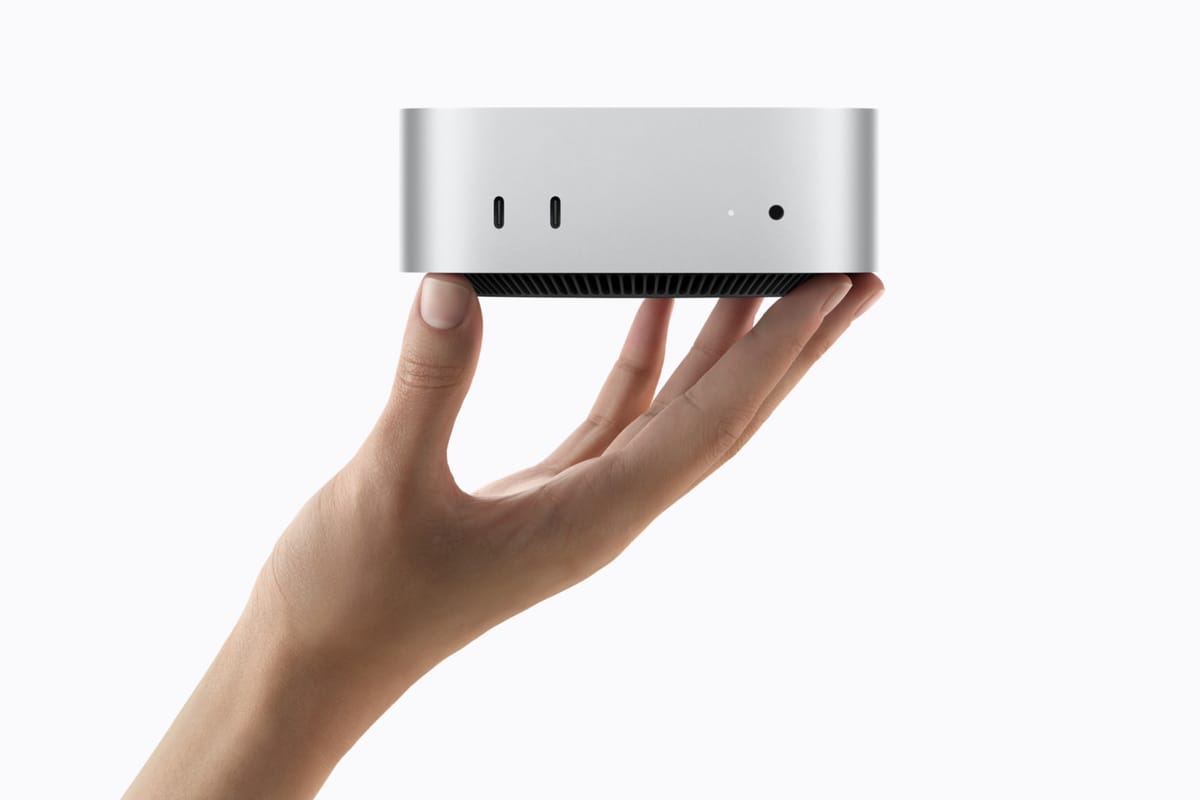
Apple has announced a new desktop Mac range, and we’ll be taking pre-orders across the lineup: Mac mini with M6, Mac mini with M5 Pro, Mac Studio with M5 Max, and Mac Studio with M5 Ultra. Our product pages are already live for comparison, while local pre-order timing, pricing and allocation are still being confirmed.
These links open representative entry configurations. Compare every listed memory and storage option in the full pre-order section below.
When choosing a Mac mini or Mac Studio model for AI, your most critical choice is how much unified memory (RAM) it ships with, rather than storage drive space. Unlike traditional PCs where the graphics card has limited dedicated memory in a separate pool, Apple Silicon lets the graphics processor and AI cores share the entire pool of system memory. The more unified memory you have (such as 24GB or 32GB), the larger and smarter the AI models you can run on your desk without relying on the cloud or expensive subscriptions.
Across the Mac range with Apple Silicon, Neural Accelerators in the GPU cores speed up supported AI workloads, while higher memory bandwidth and capacity allow larger models to run locally. Apple’s M5 Ultra platform supports up to 512GB of unified memory, although our listed configuration has 96GB.
Apple has further stated that the M5 Ultra with 512GB of memory will ship later in the year.
Launch timing: Apple opened pre-orders in 30 countries and regions on 25 August 2026 and says the new Macs will begin arriving at customers, Apple Stores, and Apple Authorised Resellers in those countries from 22 September. South Africa's ordering status, allocation and fulfilment timing is not yet confirmed. Pre-order stock will be limited.
Four chips, two desktop Macs
Mac mini covers compact desktops, developer setups and smaller local models. Mac Studio adds more GPU throughput, memory bandwidth and unified memory for heavier work.
| Model | Chip Highlights | Maximum memory & bandwidth | Best Suited To |
|---|---|---|---|
| Mac mini with M6 | 12-core CPU, 12-core GPU, Dual 16-core Neural Engine | Up to 32GB Unified @ 170GB/s | Everyday work, software development, 4K video, local assistants and smaller AI models |
| Mac mini with M5 Pro | Up to 18-core CPU and 20-core GPU, 16-core Neural Engine | Up to 64GB Unified @ 307GB/s | Code compilation, larger local models, 8K video, music production and 3D work |
| Mac Studio with M5 Max | Up to 18-core CPU with 40-core GPU, 16-core Neural Engine | Up to 128GB Unified @ 614GB/s | AI development, Large local quantised models, high-resolution video, 3D design and heavier datasets |
| Mac Studio with M5 Ultra | Up to 36-core CPU with 80-core GPU, 32-core Neural Engine | Up to 512GB Unified @ 1.2TB/s | Very large local models, simulation, VFX and sustained research workloads, scientific computing |
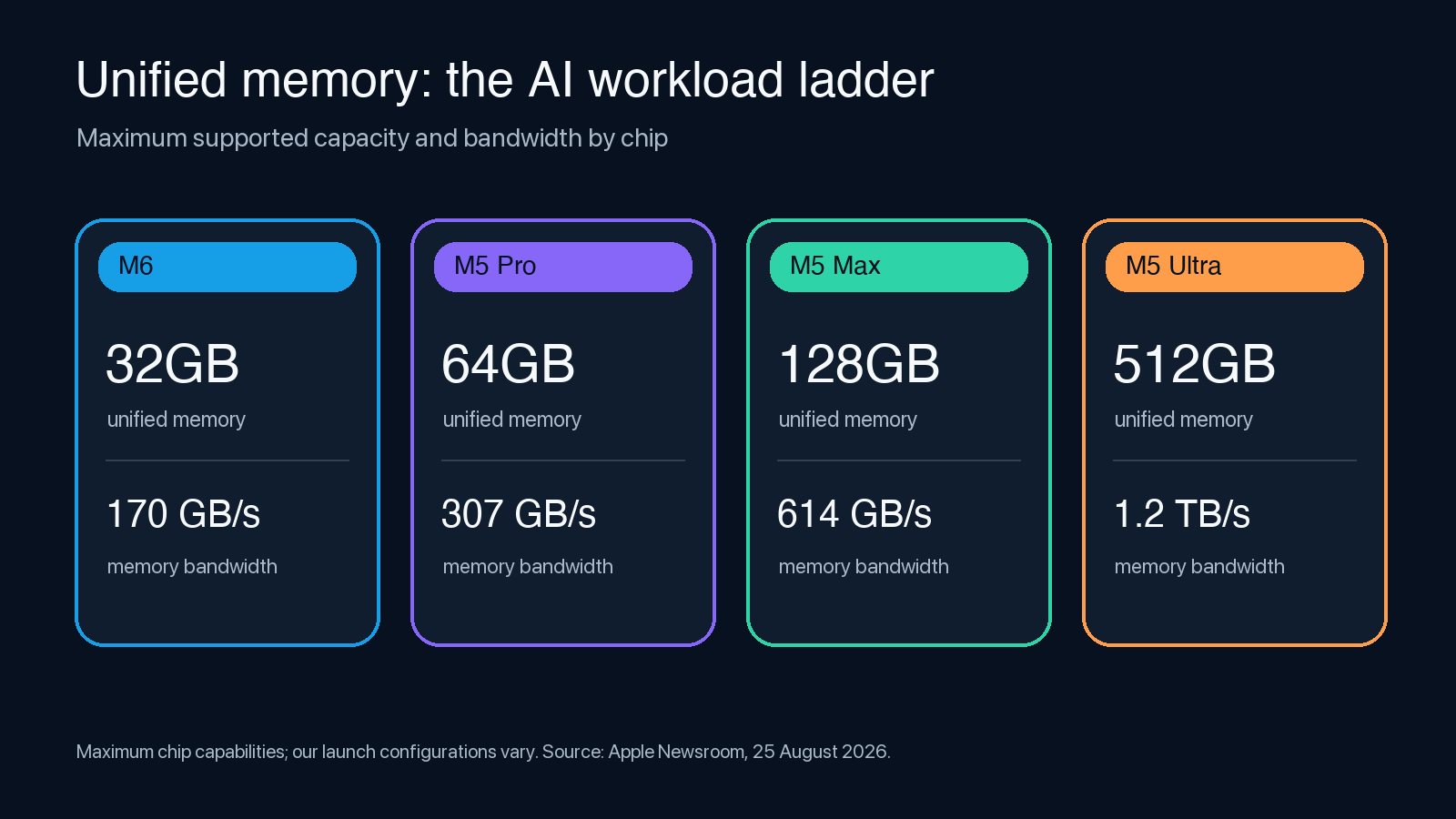
The memory figures above are chip maximums. Our initial configurations are listed further down and vary by model.
Mac mini with M6: a compact option for local AI
M6 is Apple’s first chip manufactured on a TSMC 2-nanometre process. Compared to M5, it gains two additional CPU cores, and introduces major upgrades to the integrated 12-Core GPU. Every GPU core now gains a Neural Accelerator, speeding up math calculations for visual and text generation.
Previous generations of Apple Silicon have shipped with a single 16-Core Neural Engine, dedicated to handling background AI tasks efficiently. M6 doubles this up, adding a second Neural Engine into the mix. Modern apps can tap into both simultaneously, dramatically speeding up tasks and improving responsiveness of the system when generating images, video, or text.
Apple claims M6 delivers up to 1.2x the multithreaded CPU performance of M5, offers nearly 30% more peak GPU compute for AI, and up to 10% more memory bandwidth. Separately, in Apple’s Mac mini product tests, M6 delivered up to 4x faster AI performance - twice the graphics performance and 40% faster CPU performance than Mac mini with M4. These claimed figures describe selected workloads rather than theoretical peak compute.
Mac Mini with M6 excels in local AI tasks. For Large Language Model (LLM) prompt processing, tests run by Apple in LM Studio measured how quickly the Mac mini ingests and understands long questions or uploaded documents. Apple Labs benchmarks place the M6 Mac mini 4.8x ahead of the tested M4 Mac mini, and completed these tasks 13.5x faster than the Mac Mini with M1.
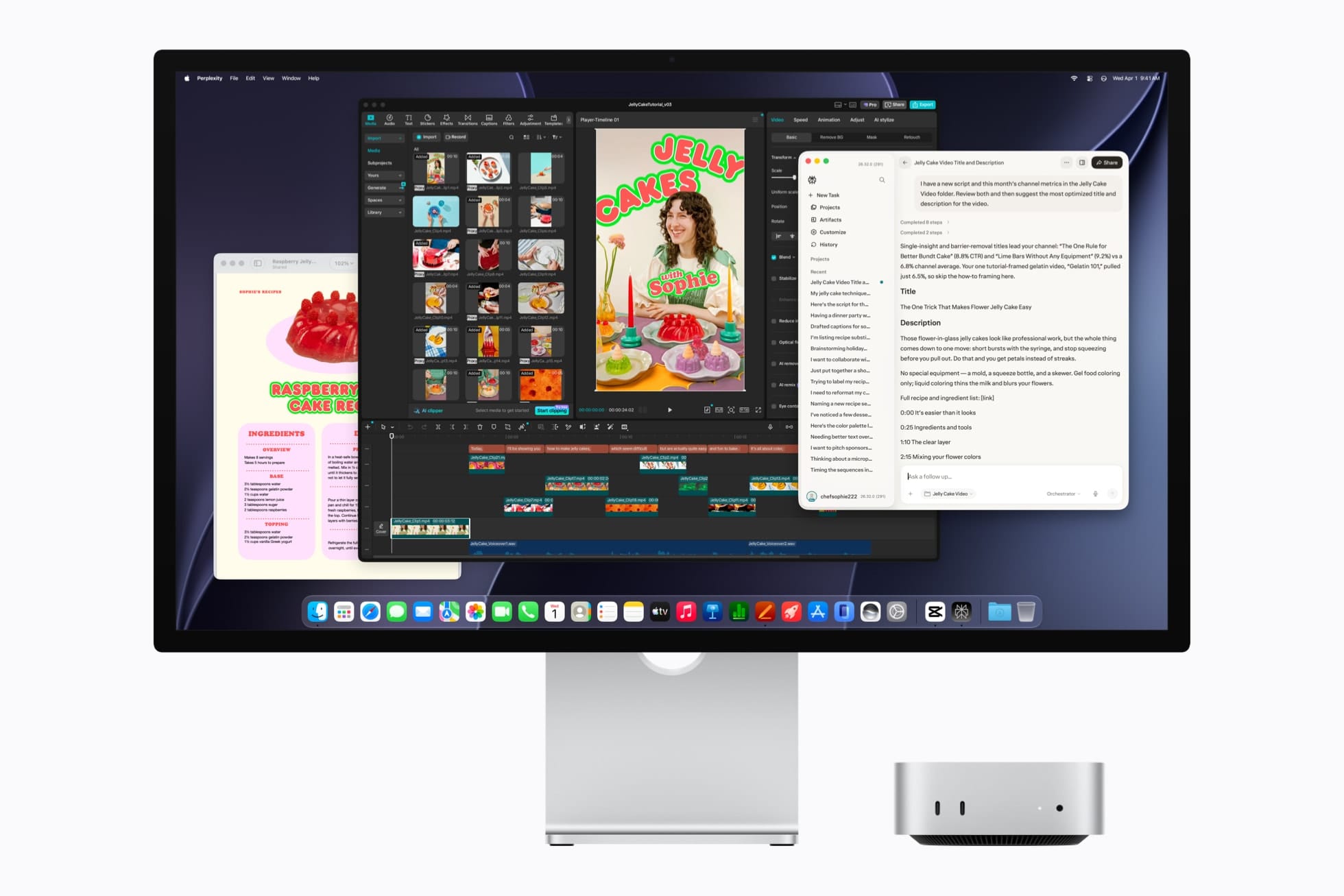
The new M6 model ships with three Thunderbolt 4 ports at the rear and Wi-Fi 7, Bluetooth 6, and 2.5Gb Ethernet as standard. It can be configured with 10Gb Ethernet, though our initial pre-order configurations do not include it.
Thanks to its compact size, low power consumption, and fast networking, the Mac mini is an ideal 'always-on' AI assistant. It can quietly sit on your desk running 24/7 in the background, sorting incoming emails, summarising news, or writing code while you sleep - as long as your chosen AI model fits into main memory. Agent harnesses like Openclaw or Hermes can also farm out more taxing tasks to a much larger cloud model if needed.
Mac mini with M5 Pro: more memory for pro work
M5 Pro gives the Mac mini more CPU and GPU headroom. Depending on configuration, our currently listed range has a 15-core or 18-core CPU and a 16-core or 20-core GPU. The chip supports up to 64GB of unified memory with 307GB/s of bandwidth, which helps when a local model, a large codebase and the rest of your development environment share memory.
Apple reports up to four times faster LLM prompt processing in LM Studio than the M4 Pro Mac mini. Its other published tests include up to 1.4 times faster Blender rendering and 1.5 times faster image processing than M4 Pro.
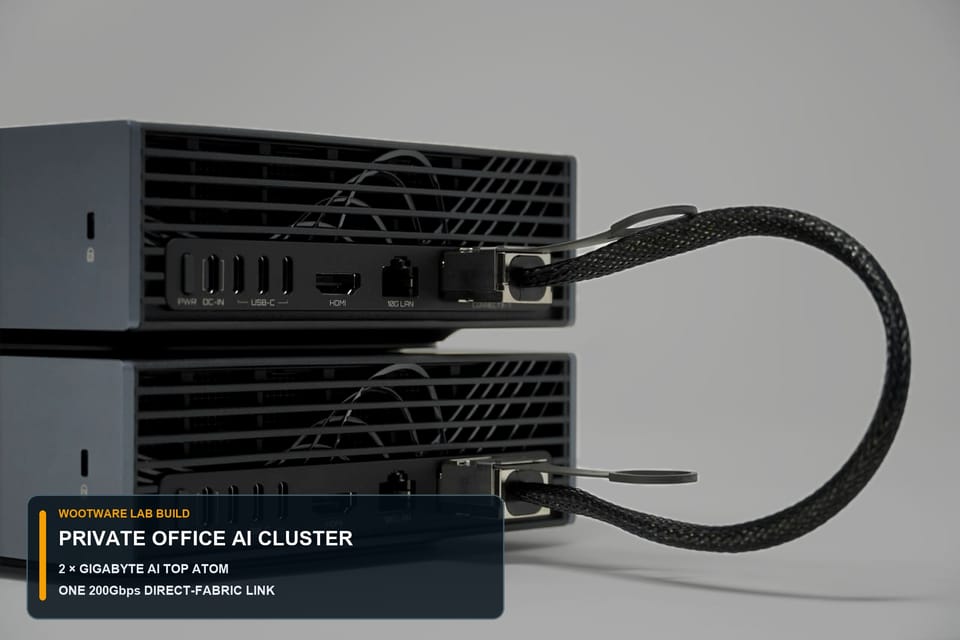
The Mac mini with M5 Pro also upgrades the three rear USB-C ports to Thunderbolt 5. This allows for an advanced configuration where power users may link multiple Mac minis together with high-speed Thunderbolt cables, communicating over a much faster local network than WiFi or Ethernet.
This cluster of Mac minis would then combine their memory and computing power into a single virtual system to run massive AI models that would normally require a much more expensive workstation or server with dedicated GPUs.
How much faster are the new desktop Macs for LLMs?
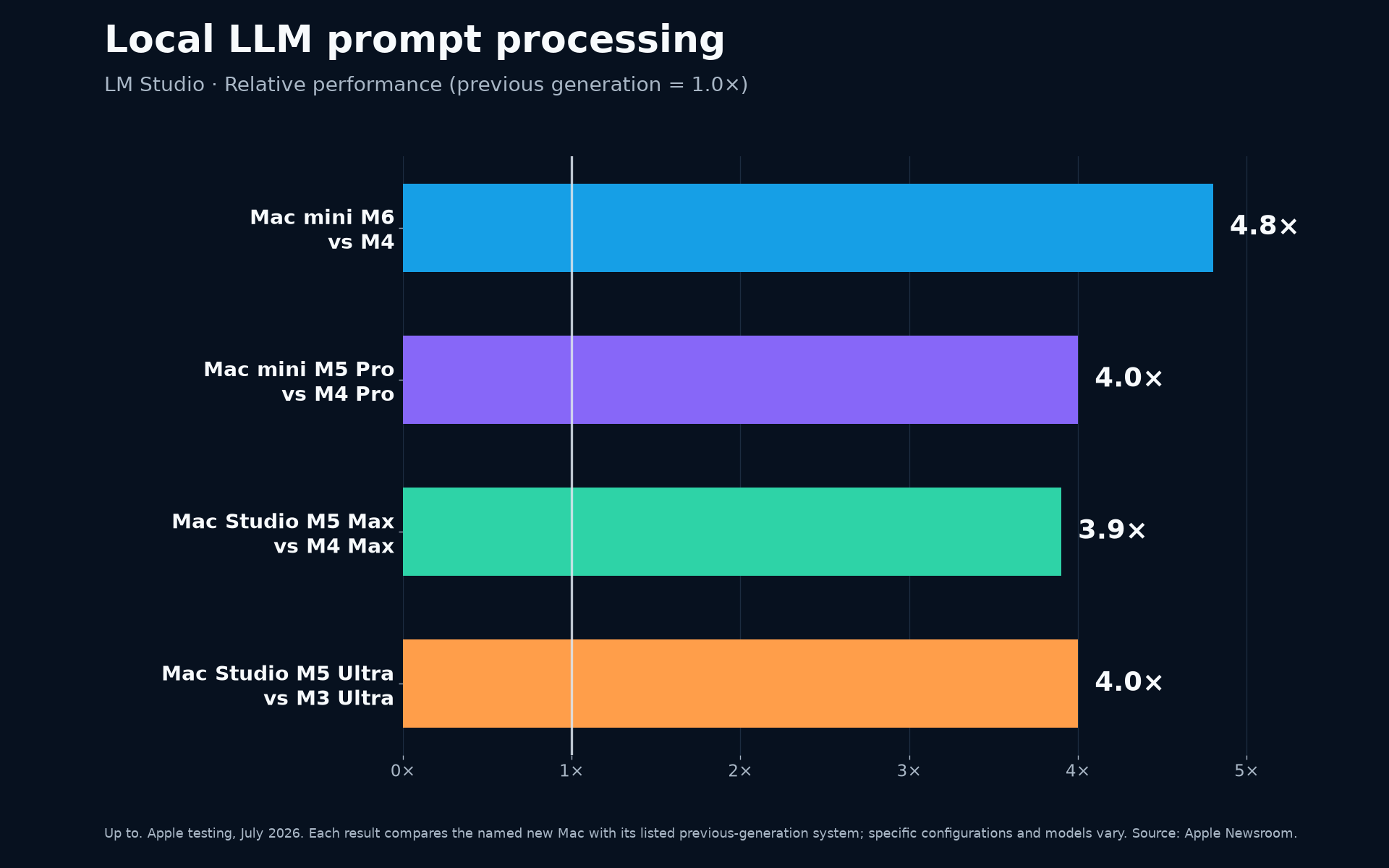
This chart uses Apple’s LM Studio results for all four chips, but the comparisons do not share one common baseline: M6 is compared with M4, M5 Pro with M4 Pro, M5 Max with M4 Max, and M5 Ultra with M3 Ultra. The figures are Apple’s “up to” results from product tests conducted in July 2026 on specific systems, not a guarantee that every model or prompt will run at the same multiple.
Real-world AI speed will also vary depending on the model you use, how heavily compressed (quantised) it is, and how much text you feed it at once (its conversation memory). As a general rule of thumb, having enough memory is more important than having the fastest chip. If an AI model is slightly too large to fit in your Mac's memory, it will slow down to a crawl when it swaps to using the SSD instead of main memory, or might fail to run at all.
Mac Studio with M5 Max: more GPU and memory bandwidth
Mac Studio with M5 Max has an 18-core CPU and up to a 40-core GPU with a Neural Accelerator in every GPU core. The chip supports up to 128GB of unified memory and 614GB/s of bandwidth.
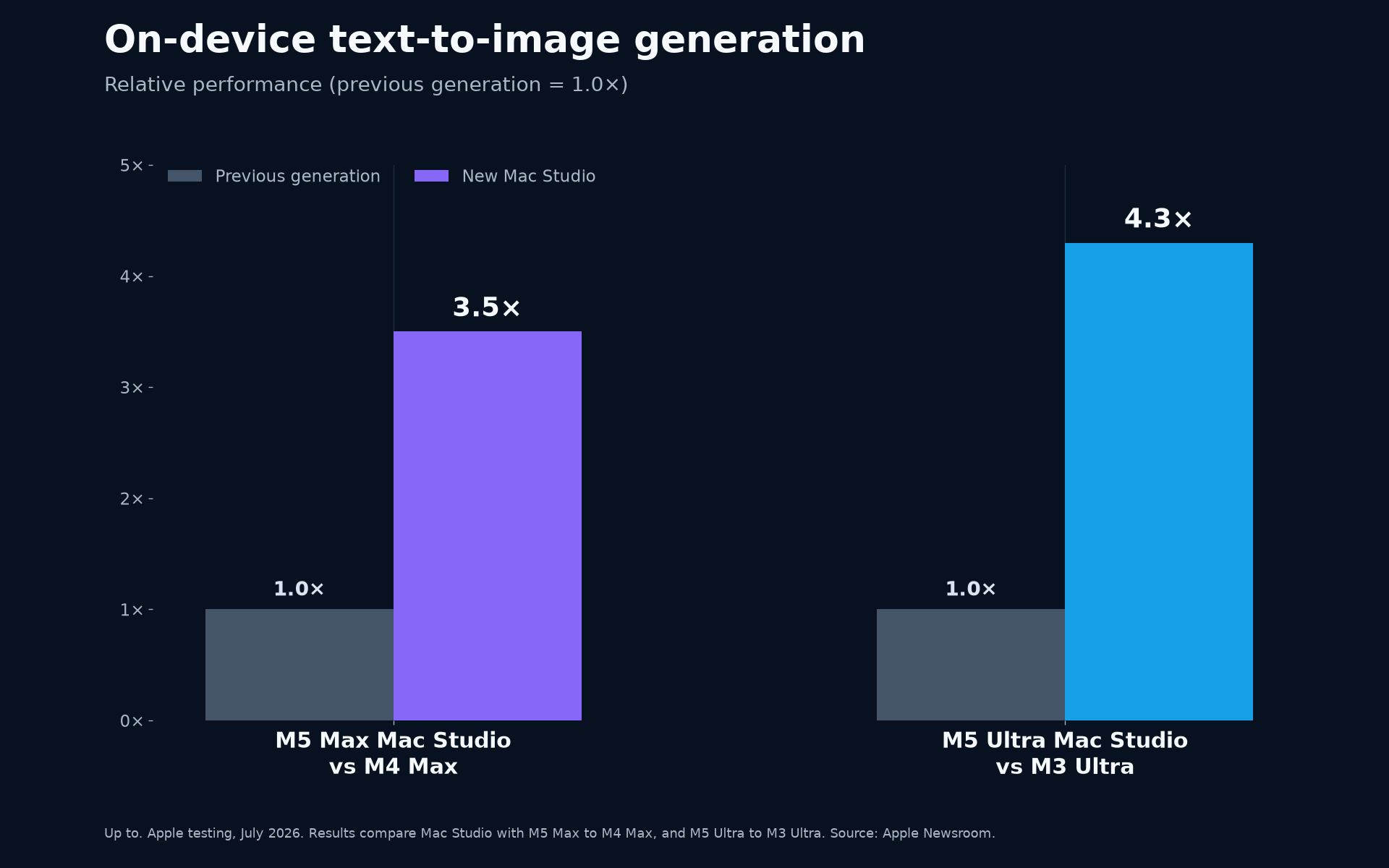
In Apple’s Mac Studio tests, M5 Max delivered up to 3.9 times faster LLM prompt processing than M4 Max, and up to 3.5 times faster text-to-image generation. The extra GPU throughput and memory bandwidth make it a better fit for local model development, media generation and heavier creative workloads. Whether data stays on the Mac still depends on the software and how it is configured.
M5 Max also brings third-generation hardware ray tracing, hardware-accelerated H.264 and HEVC, ProRes encode and decode, AV1 decode, plus Thunderbolt 5. Wi-Fi 7 and Bluetooth 6 are new to Mac Studio this generation.
Mac Studio with M5 Ultra: four dies and up to 512GB of unified memory
M5 Ultra joins two dual-die M5 Max chips through Apple’s UltraFusion interconnect, creating Apple’s first quad-die M-series system-on-chip. The full chip scales to a 36-core CPU and 80-core GPU, with 1.2TB/s of memory bandwidth. That bandwidth is 50% higher than M3 Ultra.
Apple reports up to 1.3 times the multithreaded CPU performance and 1.8 times the graphics performance of M3 Ultra in its Mac Studio tests. For AI, it recorded up to four times faster LLM prompt processing and 4.3 times faster text-to-image generation.
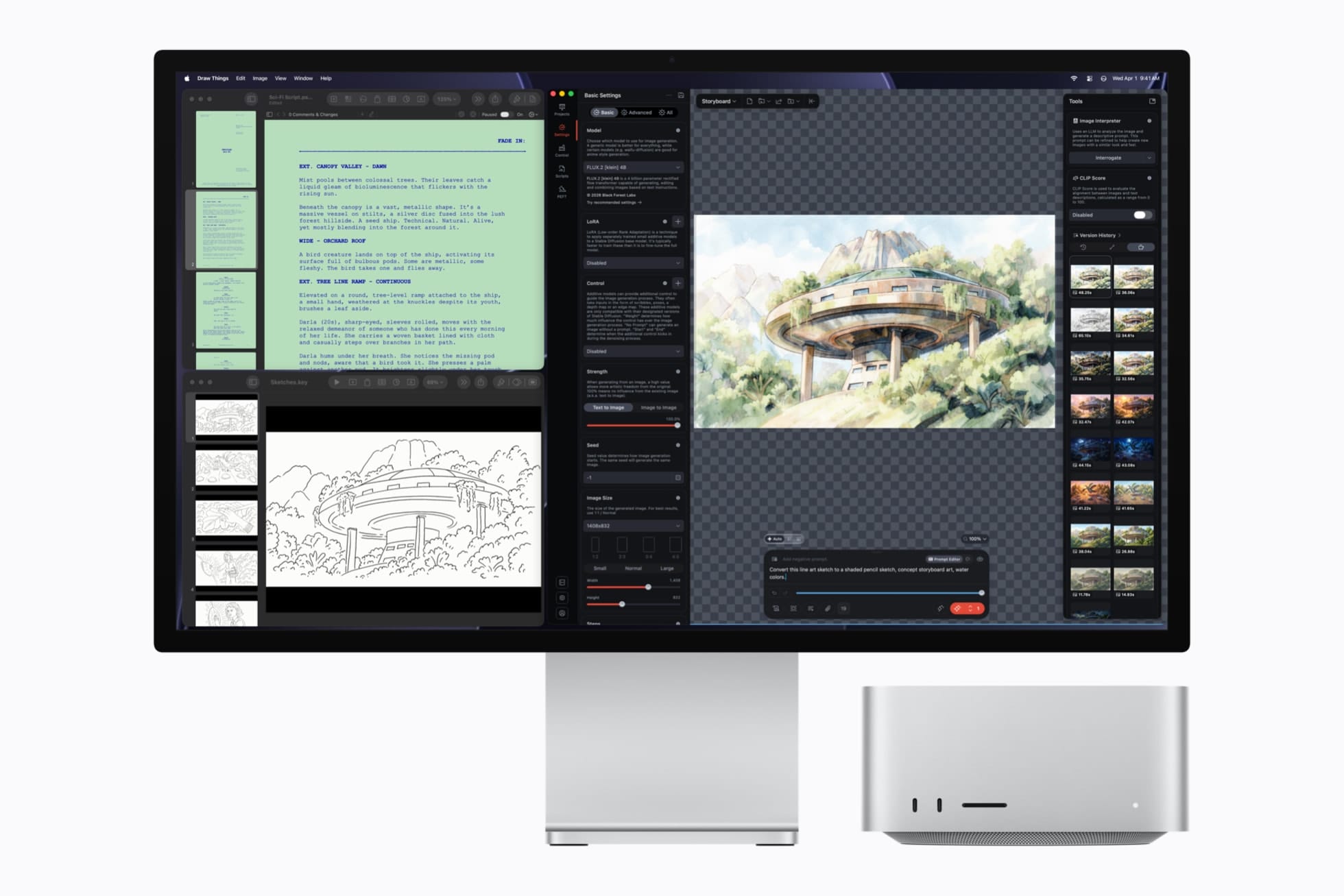
Apple says the 512GB configuration can keep huge datasets in local memory and run LLMs with hundreds of billions of parameters on-device. That maximum configuration is due in late October; our M5 Ultra configuration listed below has 96GB. Model fit and performance still depend on format, context size and software support.
Mac Studio with M5 Ultra supports up to eight displays, Thunderbolt 5 at up to 120Gb/s, Wi-Fi 7, Bluetooth 6, and Genlock over USB-C for controlling and synchronising professional video devices.
Apple also supports Remote Direct Memory Access (RDMA) over Thunderbolt 5 for Mac Studio clusters, allowing up to four Mac Studios to share a unified memory pool. In Apple’s tests, a four-system cluster delivered up to three times the AI inference performance of one fully loaded Mac Studio with M5 Ultra.
Which Mac model makes sense for you?
Choose the M6 Mac mini if you want an everyday compact desktop that can comfortably run local AI assistants, coding helpers, and privacy-first chatbots. As a bonus you also get access to macOS 27 Golden Gate, an excellent operating system for power users and developers with a great suite of native tools and apps bundled in.
Our key recommendation: Prioritise system memory over storage. You can always upgrade the latter, but unified, on-chip memory is a one-and-done deal.
Mac mini with M5 Pro is the stronger fit if you compile large projects, edit heavier 8K media, or need more memory for local models. The 64GB configuration provides much more room for model weights and context without moving to Mac Studio.
Mac Studio with M5 Max is the middle ground for professionals who already know they want local AI. It offers much more GPU throughput and memory bandwidth than Mac mini, without the cost of M5 Ultra.
Apple's M5 Ultra is for workloads that already justify it: large local models, long-running simulations, or high-end VFX work that demands more than 128GB of fast system memory. If your work fits comfortably on M5 Max, Ultra is not automatically the better buy (though it is faster).
Our planned pre-order configurations
We’ll be taking pre-orders for the configurations below. Pre-order stock will be limited, and local pricing, allocation and fulfilment dates may change as stock is confirmed.
Mac mini with M6
- 12-core CPU / 12-core GPU / 16GB / 256GB
- 12-core CPU / 12-core GPU / 16GB / 512GB
- 12-core CPU / 12-core GPU / 24GB / 512GB
- 12-core CPU / 12-core GPU / 32GB / 1TB
Mac mini with M5 Pro
Mac Studio with M5 Max
Mac Studio with M5 Ultra
An optional three-year service extension is also listed for the M6 and M5 Pro Mac mini range.
Not sure which configuration fits?
Talk through your workload with us
Tell us which apps, models and datasets you use. We can help you choose the right balance of memory, GPU capacity and storage.
Contact usBenchmark notes and sources
The Mac mini and Mac Studio application results in this article are Apple’s “up to” claims from tests conducted in July 2026 on specific configurations. The separate chip-level M6 and M5 Ultra benchmark claims were tested in August 2026. For consistency, the article and charts use the direct previous-generation comparisons stated in Apple’s Newsroom releases; Apple also presents some product-page charts against older reference systems, so those differently normalised values have not been mixed into the comparisons above. Independent retail benchmarks may differ as applications are updated.