
Building a 3x RTX PRO 6000 Blackwell + Threadripper PRO 9985WX AI Workstation
When a large South African marketing house came to us looking for a serious AI workstation — the kind of machine that would run 24/7 training and inference workloads — we knew this wasn't going to be a standard build.
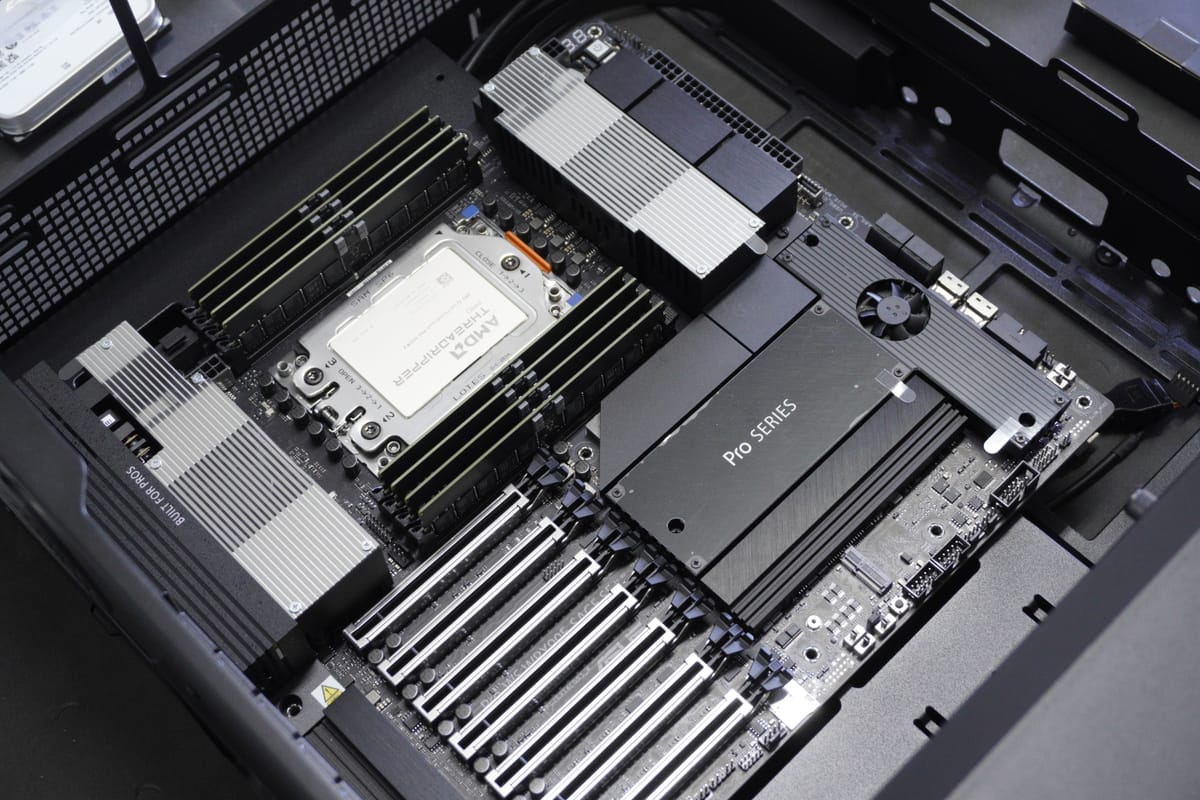
When a large South African marketing house came to us looking for a serious AI workstation — the kind of machine that would run 24/7 training and inference workloads — we knew this wasn't going to be a standard build. What followed was a three-week journey of planning, assembly, testing, and refinement that pushed our technical team to deliver something truly special.
Here's the full story.
The Brief
Our customer needed a workstation capable of handling demanding AI and machine learning workloads non-stop. Not a gaming PC dressed up in a workstation blazer — a genuine, purpose-built compute platform that could run at full tilt around the clock without thermal throttling, instability, or data errors.
The target? A system that could push over 1.25 kilowatts of sustained power draw across CPU and three workstation GPUs simultaneously, while keeping every component well within safe operating temperatures.
The Specifications
Let's get straight to the parts list, because this is one of the most powerful workstations we've ever assembled:
| Component | Specification |
|---|---|
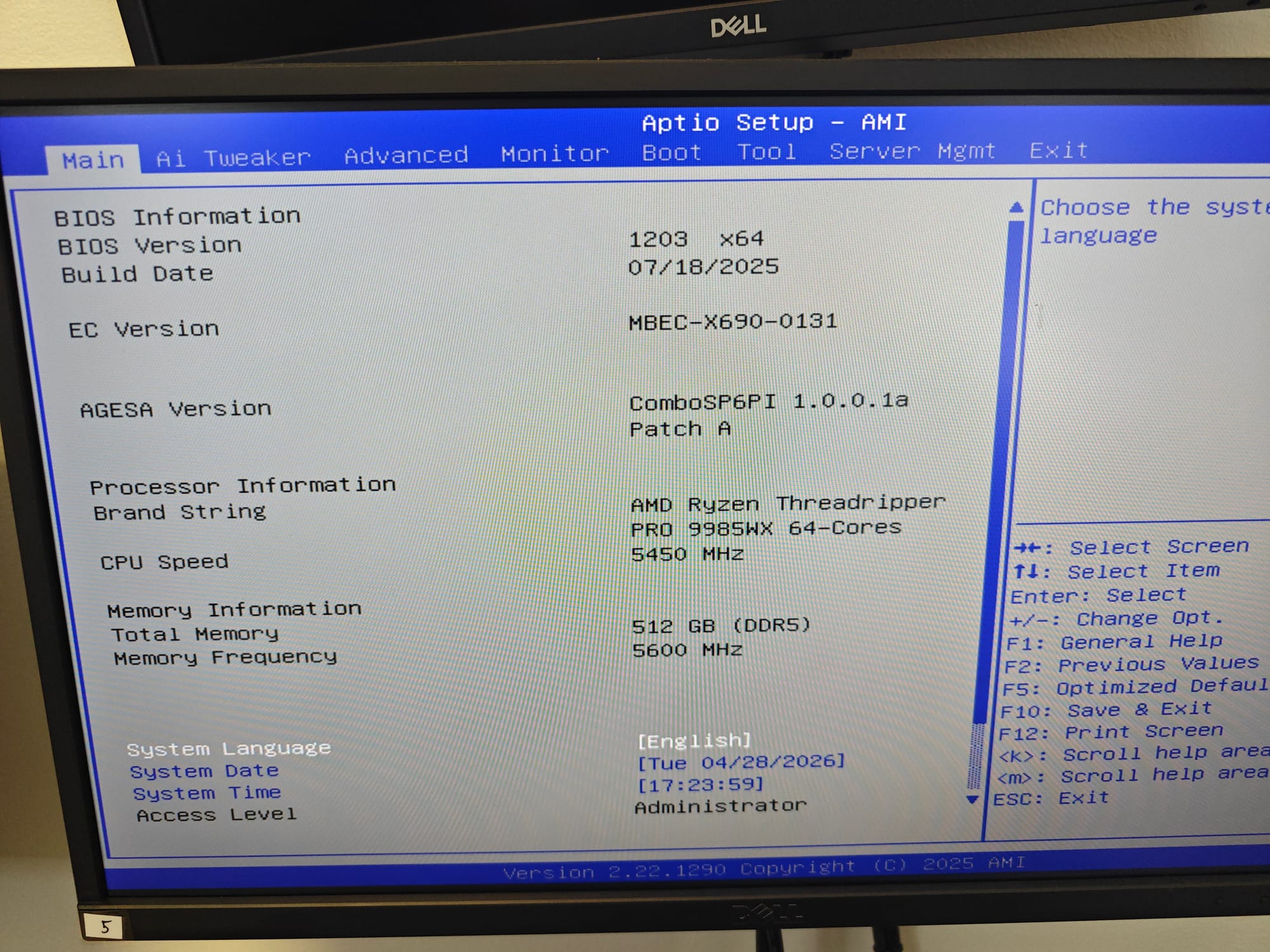
| CPU | AMD Ryzen Threadripper PRO 9985WX — 64 cores, 128 threads, Zen 5, 5.4GHz boost |
| Motherboard | ASUS Pro WS WRX90E-SAGE SE — SSI-EEB workstation board, sTR5 socket |
| Memory | G.SKILL T5 NEO 512GB (8x64GB) DDR5-6400 ECC Registered — CL38, 1.35V |
| GPUs | 3x PNY RTX PRO 6000 Blackwell — 96GB GDDR7 ECC each (288GB total VRAM) |
| Storage (OS/Apps) | Samsung 990 PRO 4TB PCIe 5.0 NVMe |
| Storage (Data) | Samsung 990 PRO 2TB PCIe 5.0 NVMe |
| Storage (Archive) | 4x Seagate IronWolf Pro 24TB — 96TB raw capacity |
| Power | 2x Super Flower Leadex Platinum 2000W — dual PSU, 80 Plus Platinum |
| CPU Cooling | SilverStone XE360-TR5 — 360mm AIO liquid cooler, Threadripper-specific |
| Case Fans | 8x Arctic P12 Pro (incl. reverse-flow) — optimised airflow path |
| Chassis | FSP U500 — Full Tower, steel mesh, E-ATX compatible |
| Display | Dell Pro 22" Full HD (setup/config monitor) |
This was one of the highest-value single workstation orders we've ever fulfilled.
The GPUs: RTX PRO 6000 Blackwell
The centrepiece of this build is the trio of NVIDIA RTX PRO 6000 workstation GPUs based on the Blackwell architecture. Each card packs:
- 96GB GDDR7 ECC memory on a 512-bit bus
- PCIe 5.0 interface for maximum bandwidth
- Professional-grade drivers certified for AI/ML frameworks
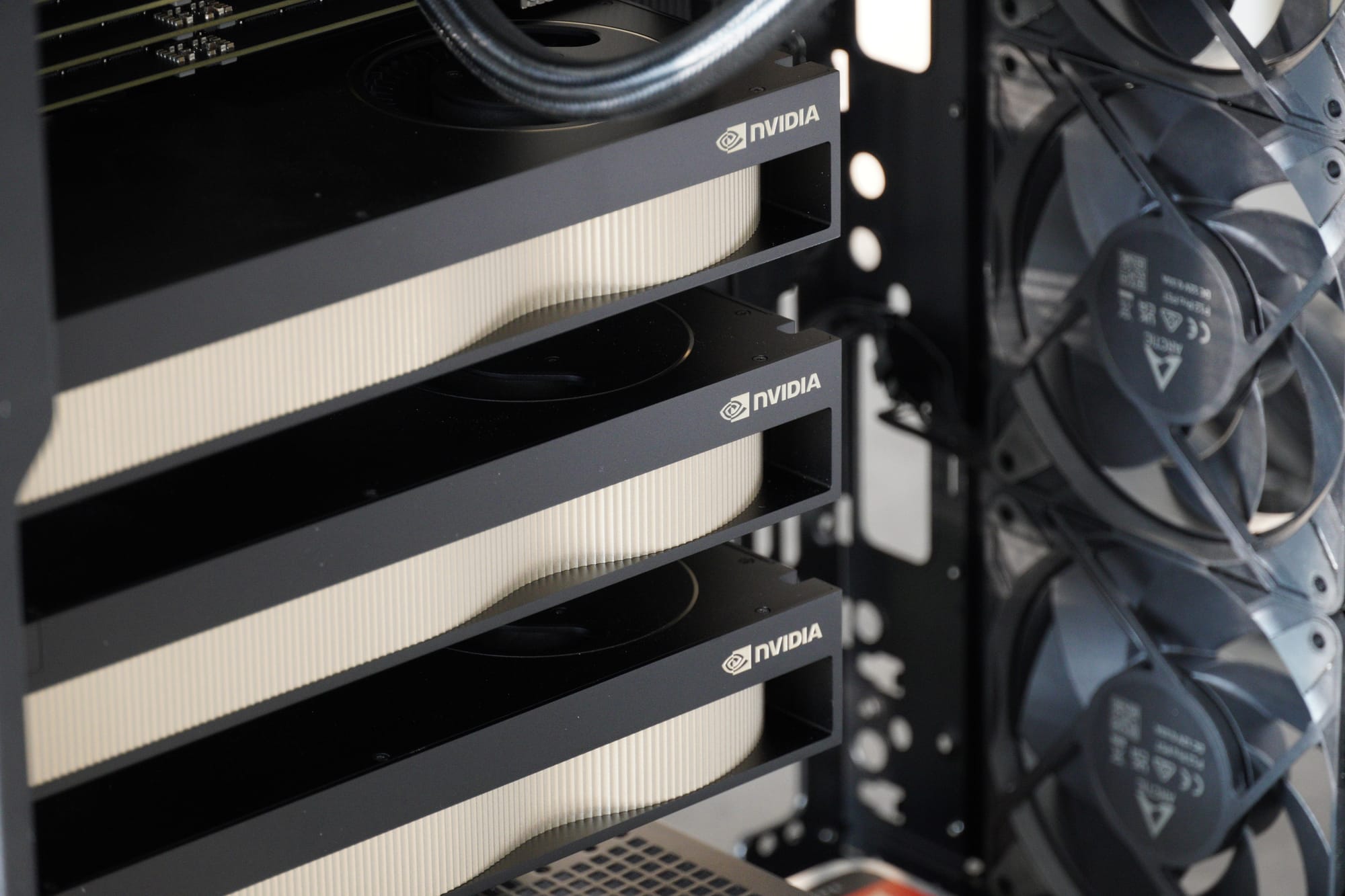
- Blower-style cooling that exhausts hot air directly out the rear of the chassis
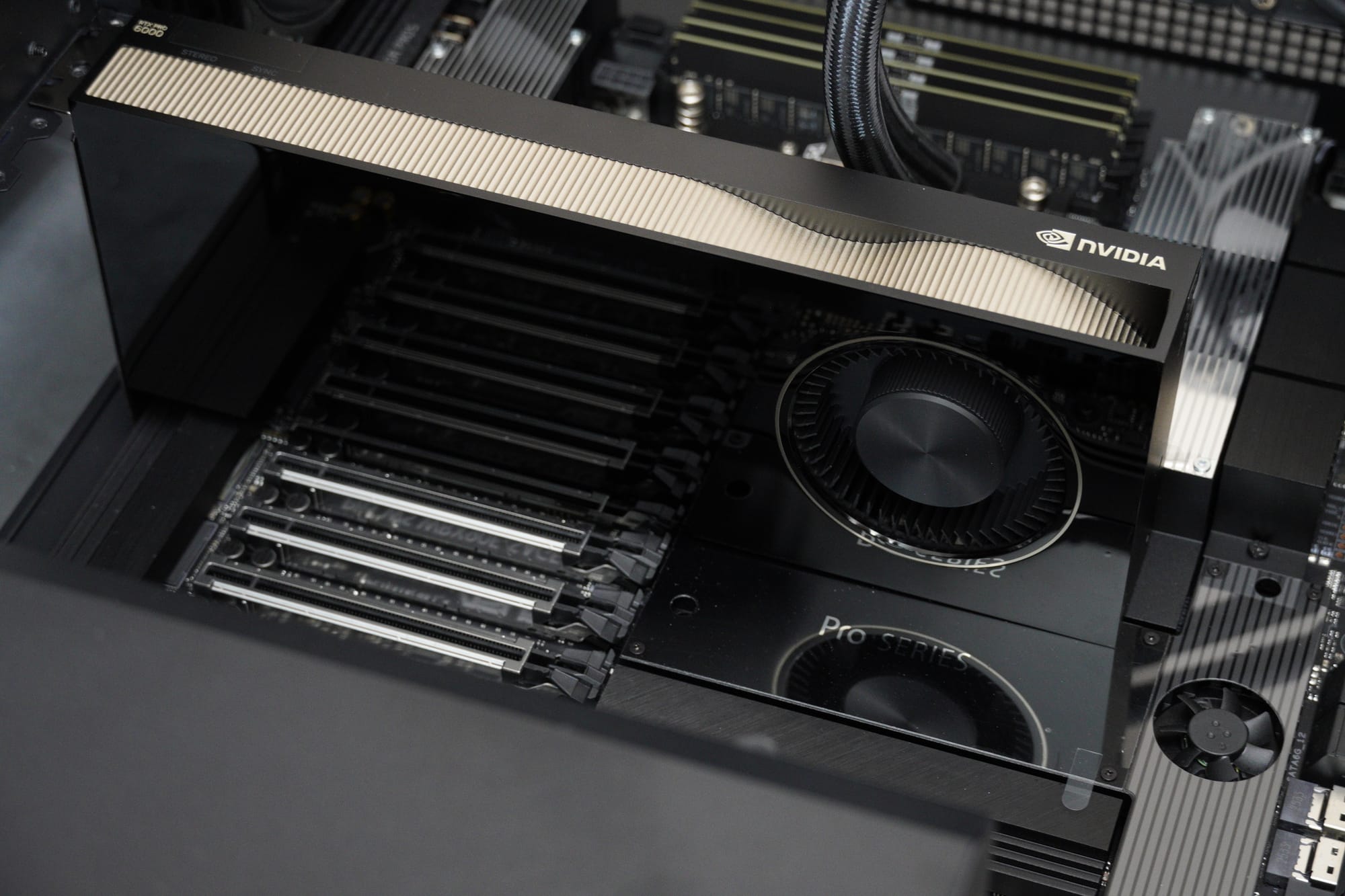
With three cards running simultaneously, the system has access to 288GB of combined VRAM — enough to load and train models that would simply not fit on consumer hardware. The ECC (Error Correction Code) memory ensures data integrity during long training runs, which is critical when a single bit-flip can corrupt hours of computation.
The Build Process
Planning & Preparation
Our Technical Manager, Christopher, led the planning phase. Before a single component was unboxed, the team:
- Developed a dedicated build checklist and quality assurance protocol
- Referenced our experience with previous Threadripper builds (thanks to Daniel Lee's work on similar platforms) to identify potential pitfalls
- Coordinated procurement across multiple suppliers to get all stock in simultaneously
By the time the parts arrived, we had a clear assembly plan, testing schedule, and handover protocol in place.
Assembly
Stan handled the physical assembly — a process that demands particular care with a build of this scale. An SSI-EEB motherboard in a full-tower chassis, three double-slot GPUs with custom power cables, dual 2000W power supplies, and a 360mm AIO radiator all require precise cable management and airflow planning.
Key assembly considerations:
- Power distribution: With a theoretical peak draw exceeding 2kW, the dual PSU setup ensures headroom and redundancy. Custom 12VHPWR cables from Super Flower route power to each GPU.
- Airflow engineering: The Arctic P12 Pro fans (including reverse-flow variants) were positioned to create a positive-pressure airflow path that feeds cool air directly to the GPU intakes and exhausts heat from the VRM zones.
- Memory configuration: All eight DIMM slots populated with matched 64GB ECC modules — the motherboard's eight-channel memory architecture needs precise slot population for optimal bandwidth.
Testing & Validation
Once assembled, the system entered our rigorous testing protocol. Wesley took ownership of this phase:
Phase 1: Memory Validation
- MemTest86 — overnight pass (8+ hours). Result: passed with flying colours.
- Windows Memory Diagnostic — second overnight validation. Result: zero errors.
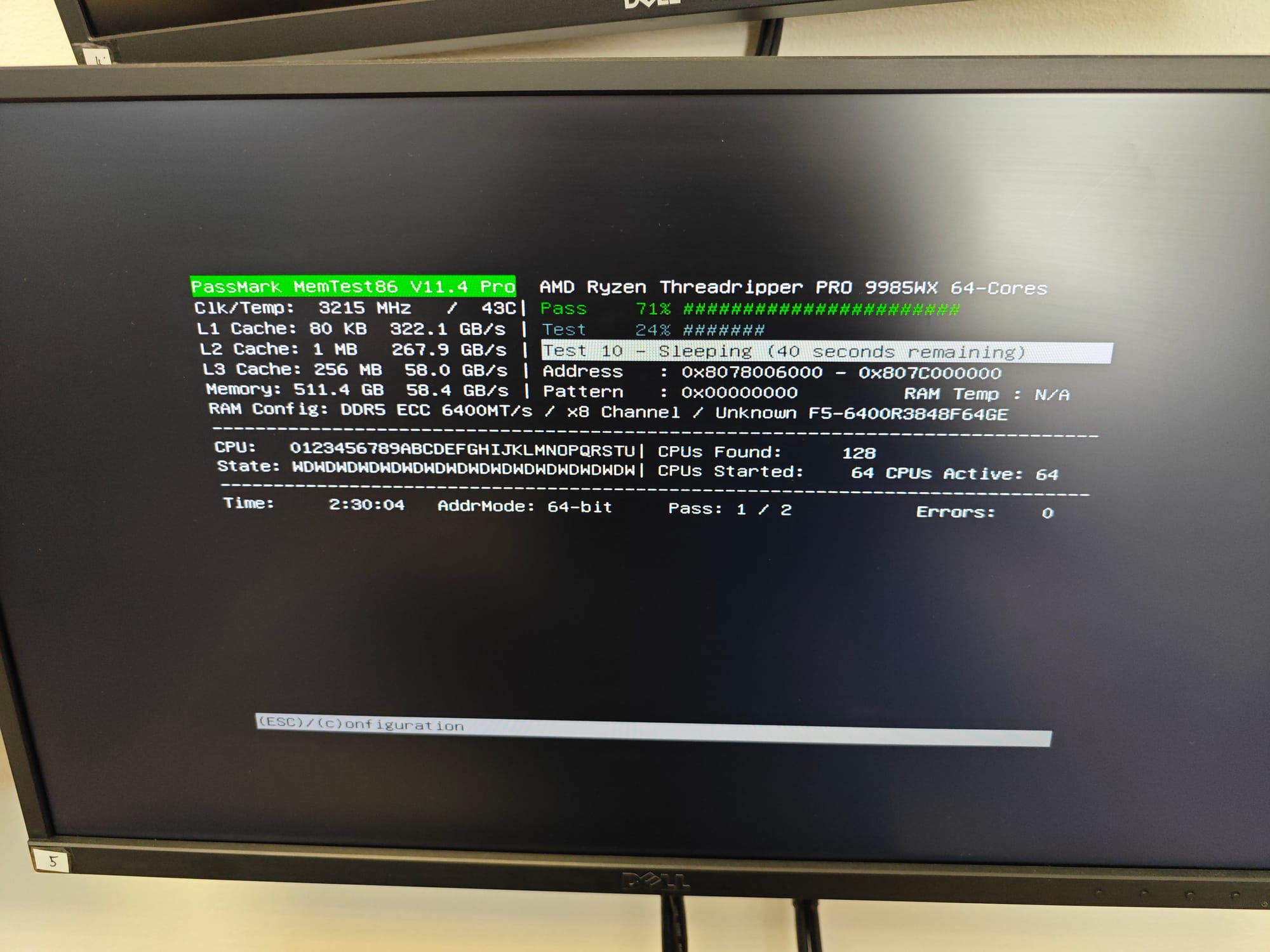
512GB of DDR5-6400 ECC is a lot of memory to validate, and we wanted absolute confidence before the system shipped to a customer running 24/7 workloads.
Phase 2: Power & Thermal Stress Testing
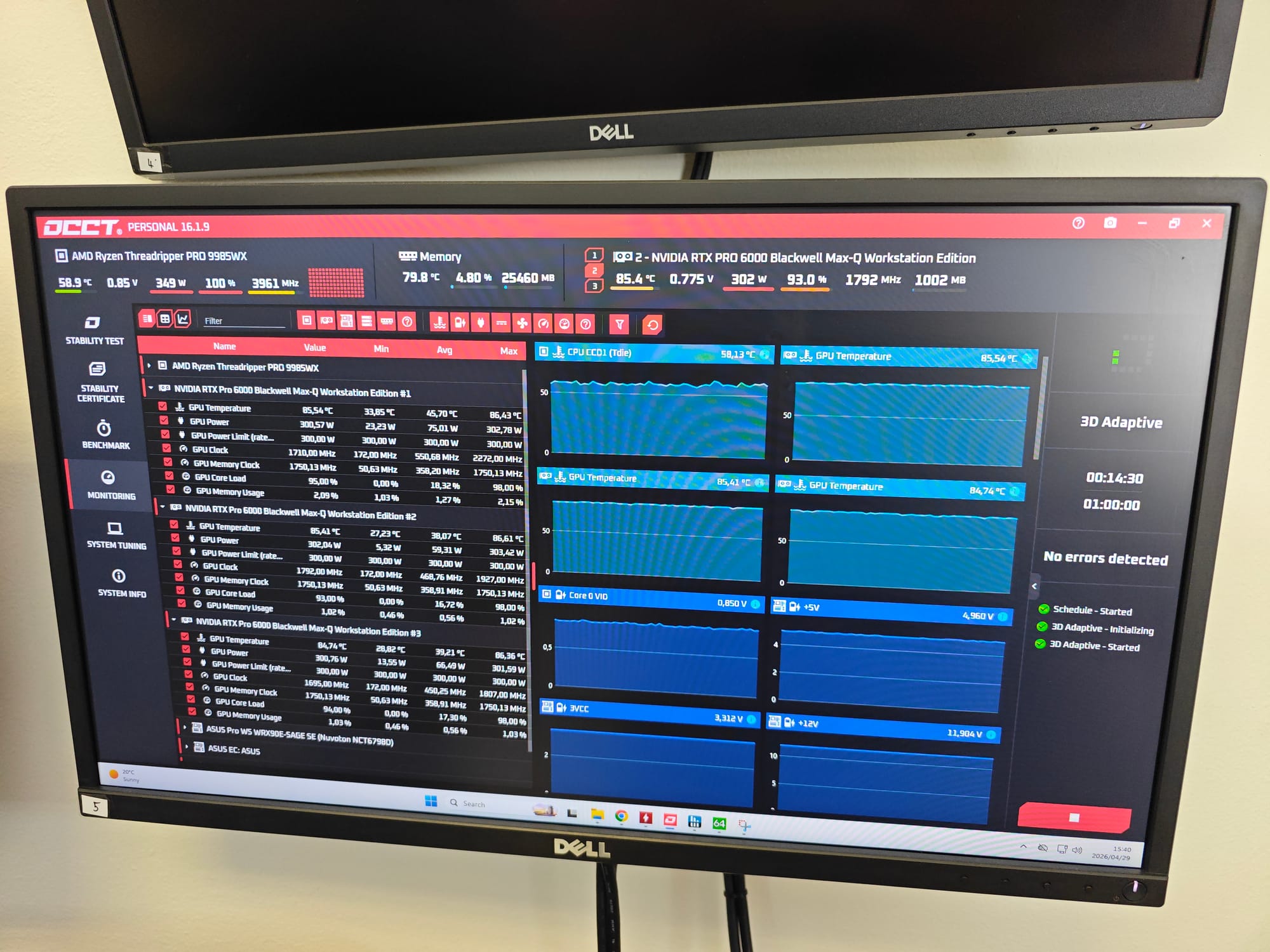
This was where it got interesting. The team ran a full-system synthetic stress test designed to push every component to its rated limit simultaneously:
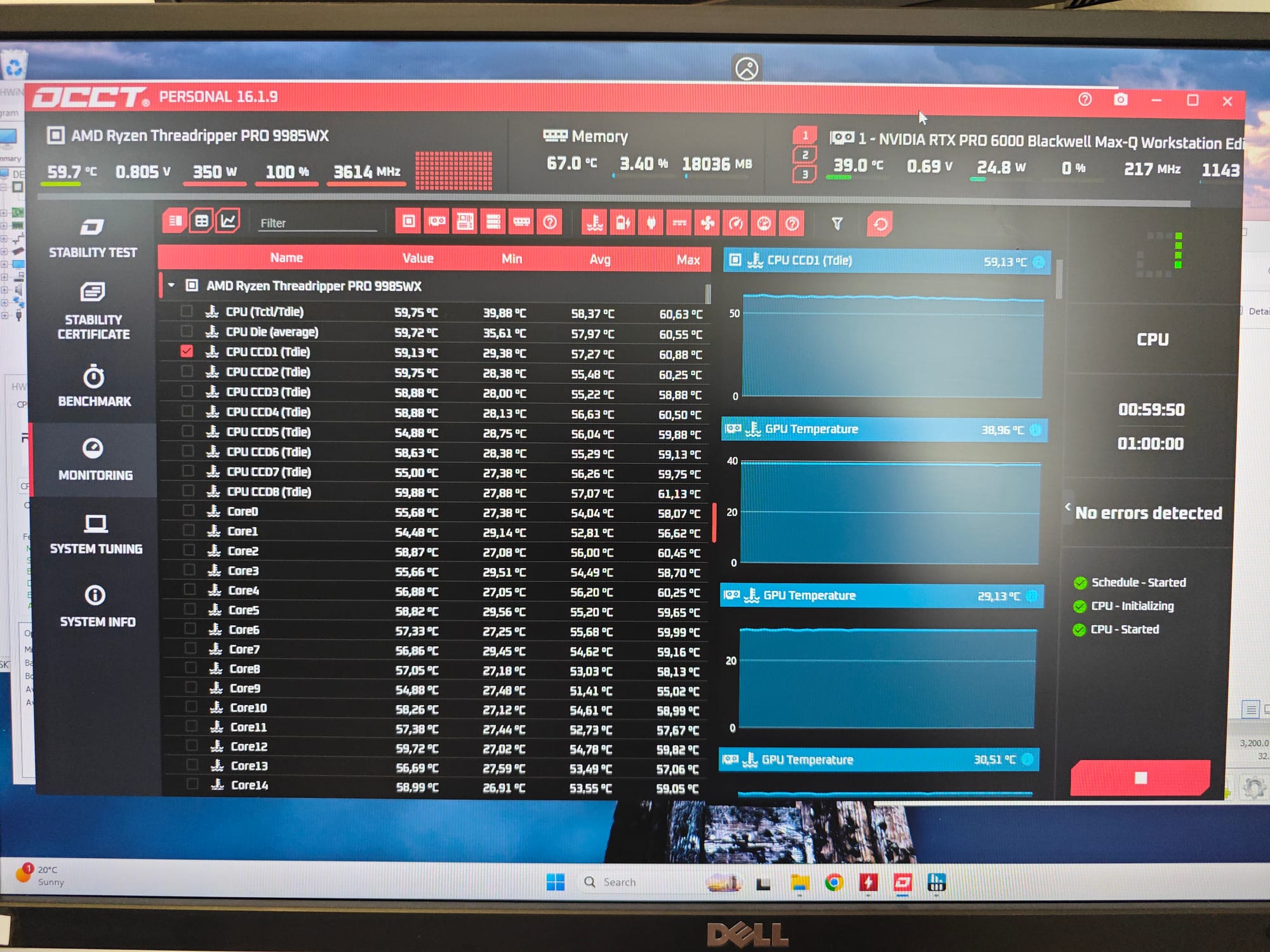
- Threadripper PRO 9985WX: Pulled its full 350W TDP, holding under 60°C with the 360mm AIO
- 3x RTX PRO 6000: All three GPUs pinned at their 300W power limits simultaneously
- Total system power draw: Sustained 1.25kW+ continuously — motherboard VRMs, power delivery, and dual PSUs all handled it flawlessly
- GPU core temperatures: Peaked at 86°C — well within spec, no thermal throttling
- VRAM temperatures: 72°C to 74°C at full saturation, zero memory errors
Phase 3: VRAM Saturation Testing
Specific to AI workloads, the team ran VRAM-heavy stress tests simulating the kind of tensor operations the customer would actually use. All three GPUs had their full 96GB VRAM banks saturated simultaneously — and the cooling held firm.
The Thermal Tuning Conversation
Here's where this build becomes more than just a parts assembly story.
The customer reviewed our thermal data and raised a valid concern: the GPU junction temperatures were hitting 88°C under sustained load. For a system that would run 24/7 in a production environment, the team wanted to target 82-86°C junction temps for long-term reliability.
What We Did
We ran a 1-hour sustained burn test with an aggressive custom fan curve. The results:
- GPU core temperatures dropped by over 13°C across all three cards
- Peak temps fell to a comfortable 71°C - 73°C
- Thermal headroom was clearly there
What We Recommended
The RTX PRO 6000 cards use blower-style coolers — they pull air from inside the chassis and exhaust it directly out the back of the case. This means:
- Upgrading to 140mm case fans (which the chassis supports at the front) won't change GPU thermals — the blower cards manage their own exhaust independently
- The GPU's own fan curve is what actually controls the temperatures
We also made a deliberate decision: we ship with stock fan profiles. An aggressive custom curve would lower temperatures, but it would also accelerate fan bearing wear under 24/7 operation. We're not going to run aggressive profiles at factory level and compromise long-term bearing life.
Instead, we:
- 1. Demonstrated the thermal headroom with our testing data
- 2. Explained the blower-card dynamics so the customer's team understood the options
- 3. Shipped with stock profiles and let them configure their own curves once deployed
The customer's team confirmed they were eager to fine-tune things themselves as they learned the system — exactly the kind of collaborative handover we aim for with bespoke builds.
Warranty & MIG Configuration
The customer planned to use NVIDIA's Multi-Instance GPU (MIG) technology to partition the RTX PRO 6000 cards for different workloads. This raised a warranty question: does enabling MIG via nvidia-smi void the PNY warranty?
Our Joshua went directly to PNY to get a clear, written answer: using NVIDIA's official tools (nvidia-smi) to configure MIG does not void the warranty. This gave the customer full confidence to proceed with their planned GPU partitioning strategy.
The Creative Touch
Jarred, our Senior Creative Associate, documented the entire build process:
- Professional DSLR photography of every component and assembly stage
- Build progress video coverage
- Cinematic GVM slider footage of the completed system
- All media catalogued and shared with the customer via organised folder structure
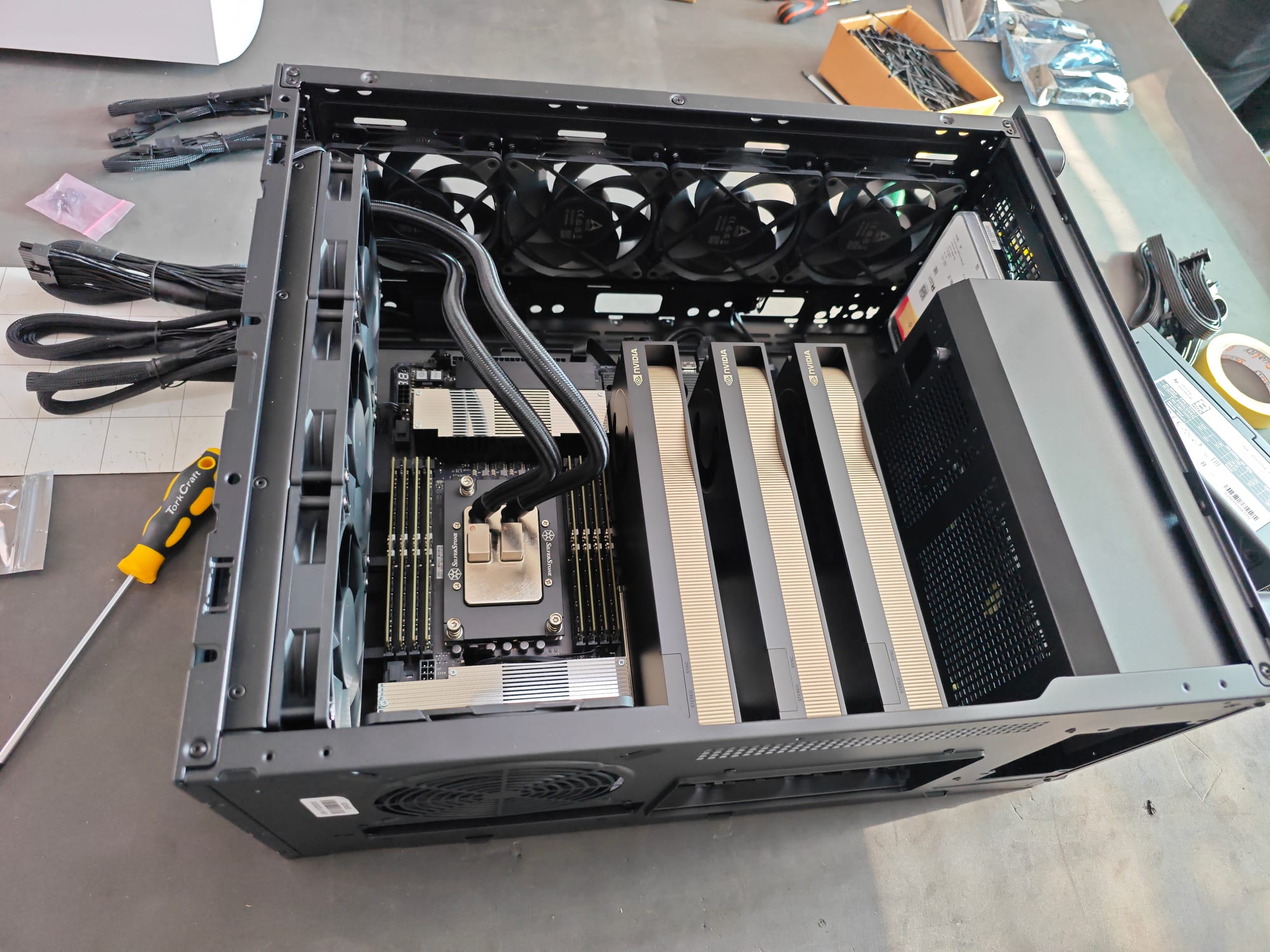
For a build of this calibre, the documentation matters as much as the hardware — both for our records and for the customer's internal presentations.
Shipping & Delivery
The final chapter: getting the workstation safely to its new home.
- Custom shipping crate ordered specifically for this build
- Photographed the final packaged order and shared with the customer
- Coordinated with logistics to ensure the delivery included proper equipment (pallet jacks) for the customer's office layout
- System handed over to Warehouse and Logistics, ready for courier
The Result
A workstation that:
- Passes every memory and stress test we can throw at it
- Handles 1.25kW+ of sustained simultaneous power draw with thermal headroom to spare
- Ships with documented thermal data the customer can trust
- Honours full manufacturer warranty even with advanced GPU configuration
- Was documented, tested, and delivered to exacting standards.
This build showcases what sets our custom system service apart:
- 1. Pre-planning: Every build starts with a checklist and a plan, not just a parts list.
- 2. Cross-team expertise: Technical management, assembly specialists, thermal engineers, creative media — all working on the same system.
- 3. Thermal engineering: We don't just build and ship. We stress-test, identify thermal headroom, and make informed decisions about stock vs. custom profiles.
- 4. Customer collaboration: We explain the engineering trade-offs and let the customer make informed decisions about their deployment.
- 5. Warranty clarity: We go directly to manufacturers to answer warranty questions before they become problems.
- 6. Professional documentation: Full checklists and documented stress-test results provided.
- 7. Safe delivery: Custom packaging and logistics coordination for high-value systems.
Interested in a Custom Build?
Whether you need a workstation like this for AI training, scientific computing, video production, or any other demanding workload — we'd love to help. Our team has experience with everything from single-GPU workstations to multi-GPU behemoths like this one. Get in touch with us for a custom quote, or visit wootware.co.za to browse our range.
*Photography by Jarred, Wootware Senior Creative Associate.*