The Mechanical Keyboard Keyboard Buyer's Guide - March 2026
On the lookout for a new mechanical keyboard, and wondering which one do you buy? This guide will help you find out.
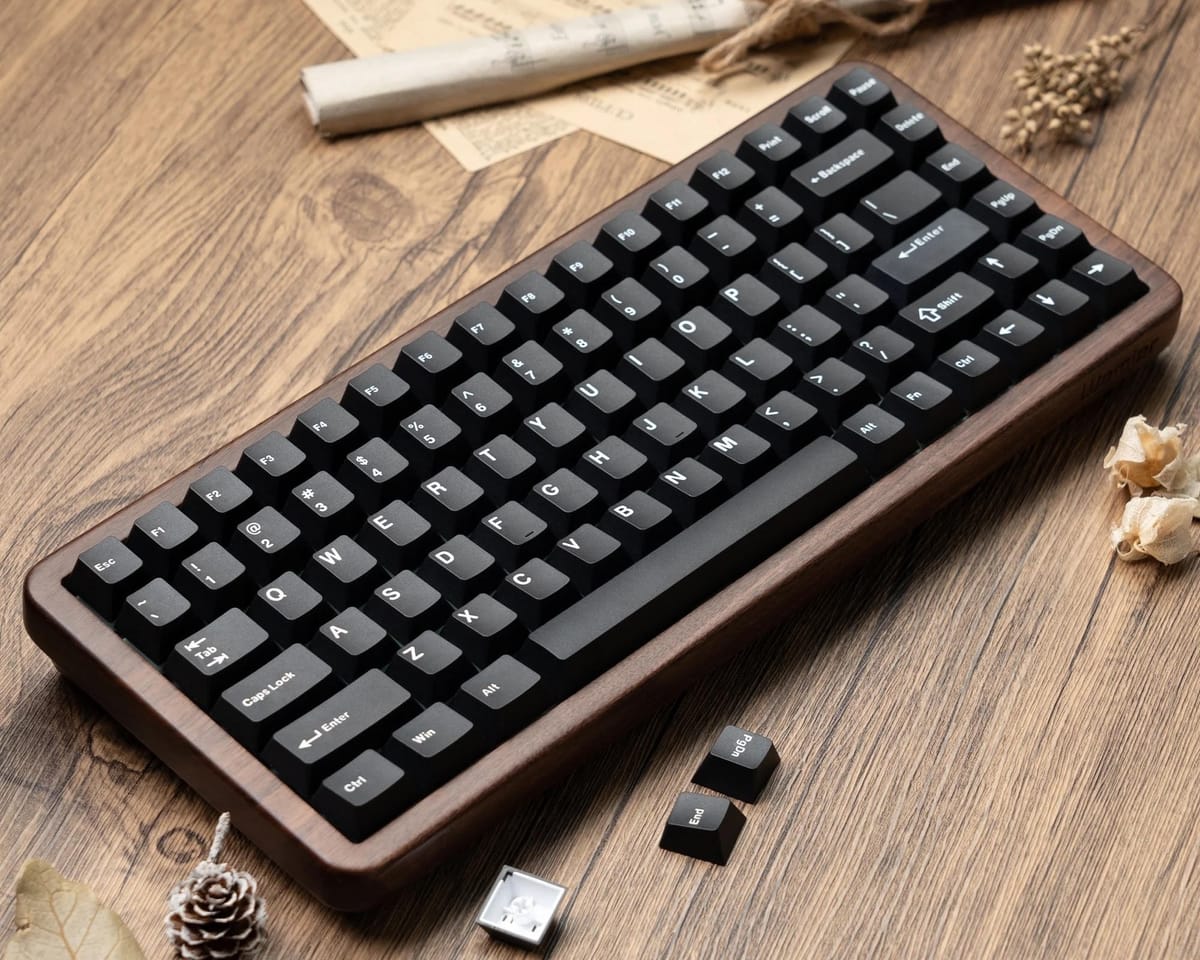
The keyboard is an important peripheral - it is probably the thing you most interact with on your computer after your monitor. For some, it’s just a tool to get things done, and for others it’s an extension of their personal style. Perhaps you’re on the lookout for a new mechanical keyboard, and wondering which one to buy? This guide will help you find out.
There’s Switches, and then there’s Switches
Keyboards today have a wide variety of switches to choose from, each offering different levels of feedback and tactility when typing on them. Your commonly available switches are backed by a plastic membrane that is pressed against a pad on a printed circuit board (PCB), which registers the key being pressed. These keyboards use the tension provided by the rubber to push against a plunger that is part of the keycap. They are incredibly simple designs.
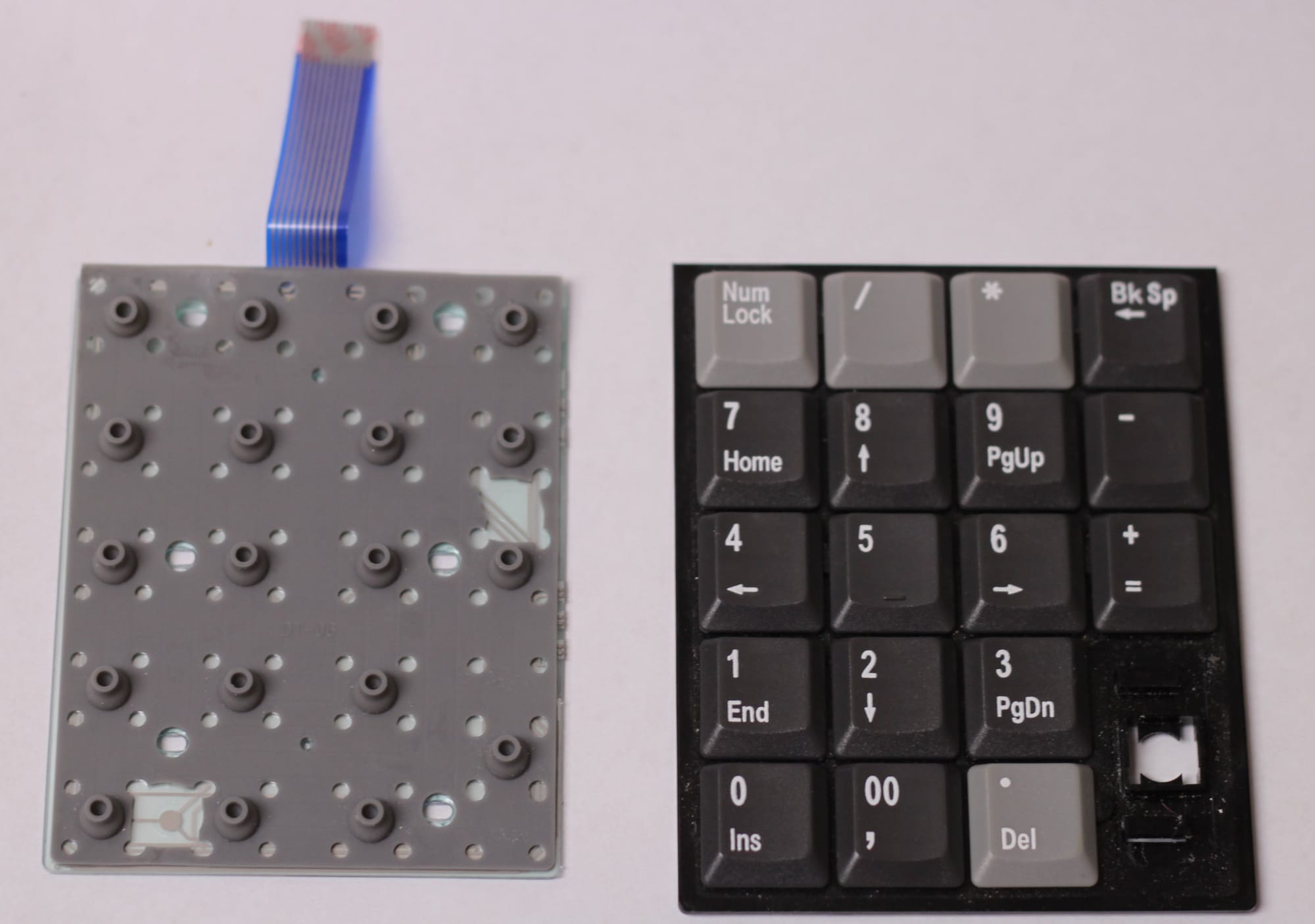
Rubber switches have one clear tradeoff, which is wear. Over time, using the keyboard wears out the rubber and lowers the resistance offered, which results in the keys feeling more mushy over time. Keyboards that use this switch design are often cheaper to make up for the lower longevity.
Some keyboards make use of scissor switches, which use a hinge that closes like a pair of scissors, bringing the keycap down and actuating a membrane switch. These low profile designs are perfect for use in places where vertical space is limited, like laptops. The longevity tradeoff is similar to regular membrane switches, but their low noise levels help to blend in more in a quiet office environment.
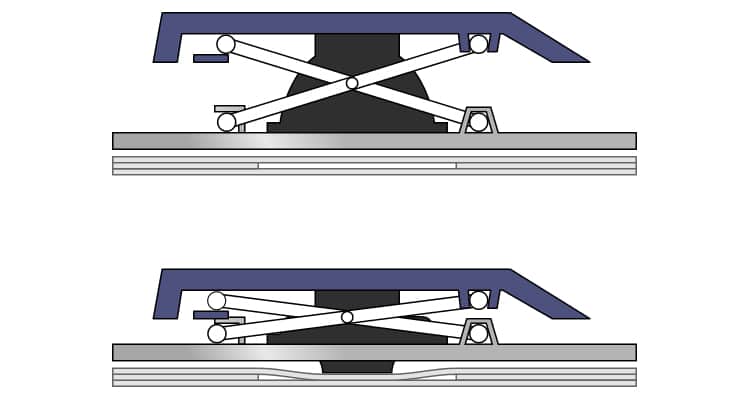
Because the keys aren’t situated as high as regular keyboards, typists also expend less energy pressing down on the keys to complete a keystroke. If you do a lot of typing each day, this may be a bonus.
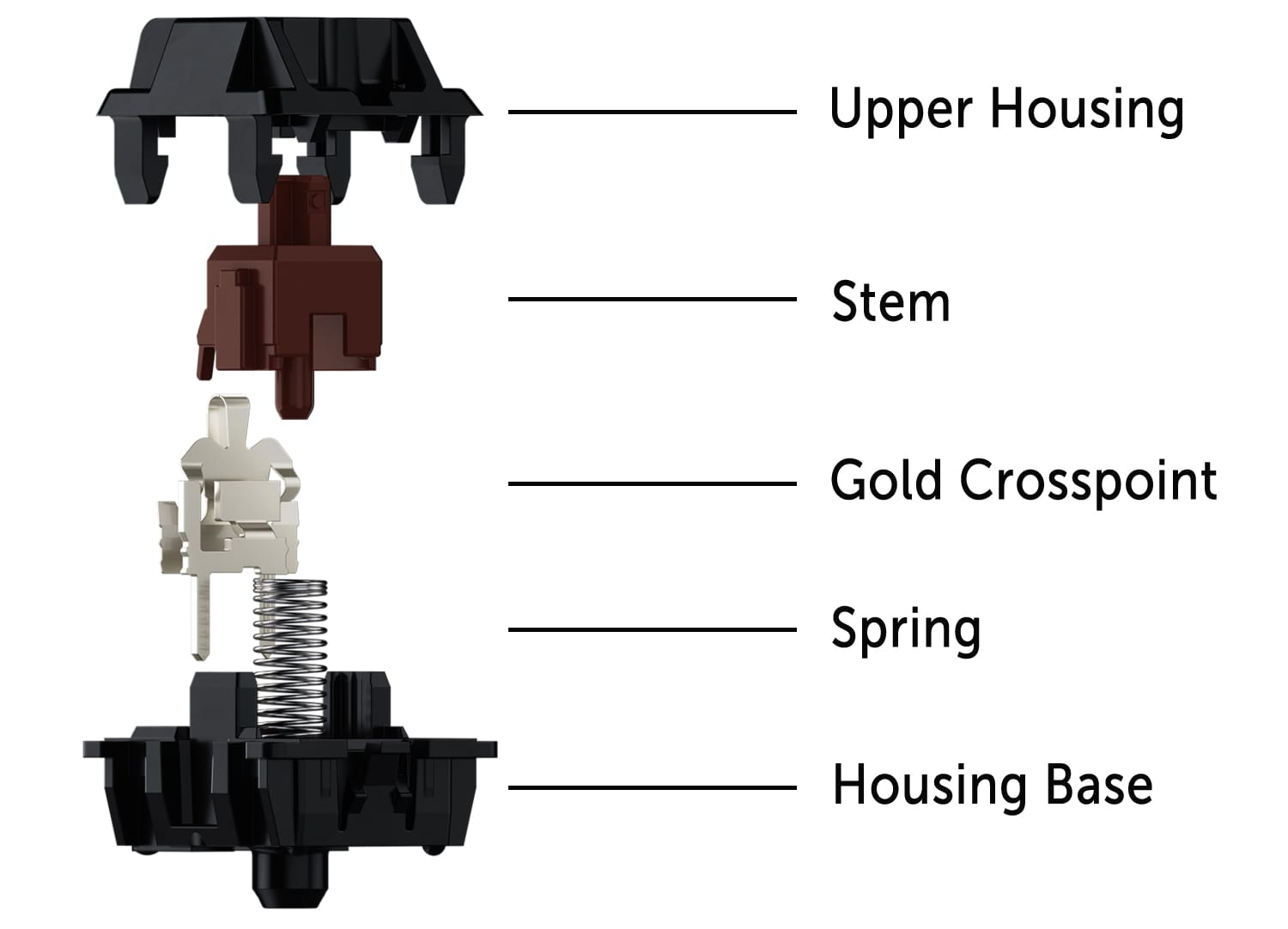
The third most common keyboard switch, and the subject of our guide today, is the mechanical switch. Most designs work the same way - the keycap presses down on a stem, which rests on a spring that offers some level of resistance. Pressing down on the stem will interact with the cross-point contact, causing a bending of the contact which will in turn activate a sensor, which is what registers that the key has been pressed. There are physical, magnetic, and optical sensors to choose from, all with different contact mechanisms.
Mechanical switches are further classed in two distinct groups: linear, and tactile feedback switches.
Linear vs Tactile
Linear switches are sometimes referred to as “fast” switches, which means there is almost no feedback when pressing the key, and no “click” sound. They feel precise and smooth, perfect for quick actions in videogames like competitive shooters. You will find these in keyboards aimed at gamers, and typing on one almost always requires you to fully depress the key, hitting the bottom of the tray (referred to as “bottoming out”).
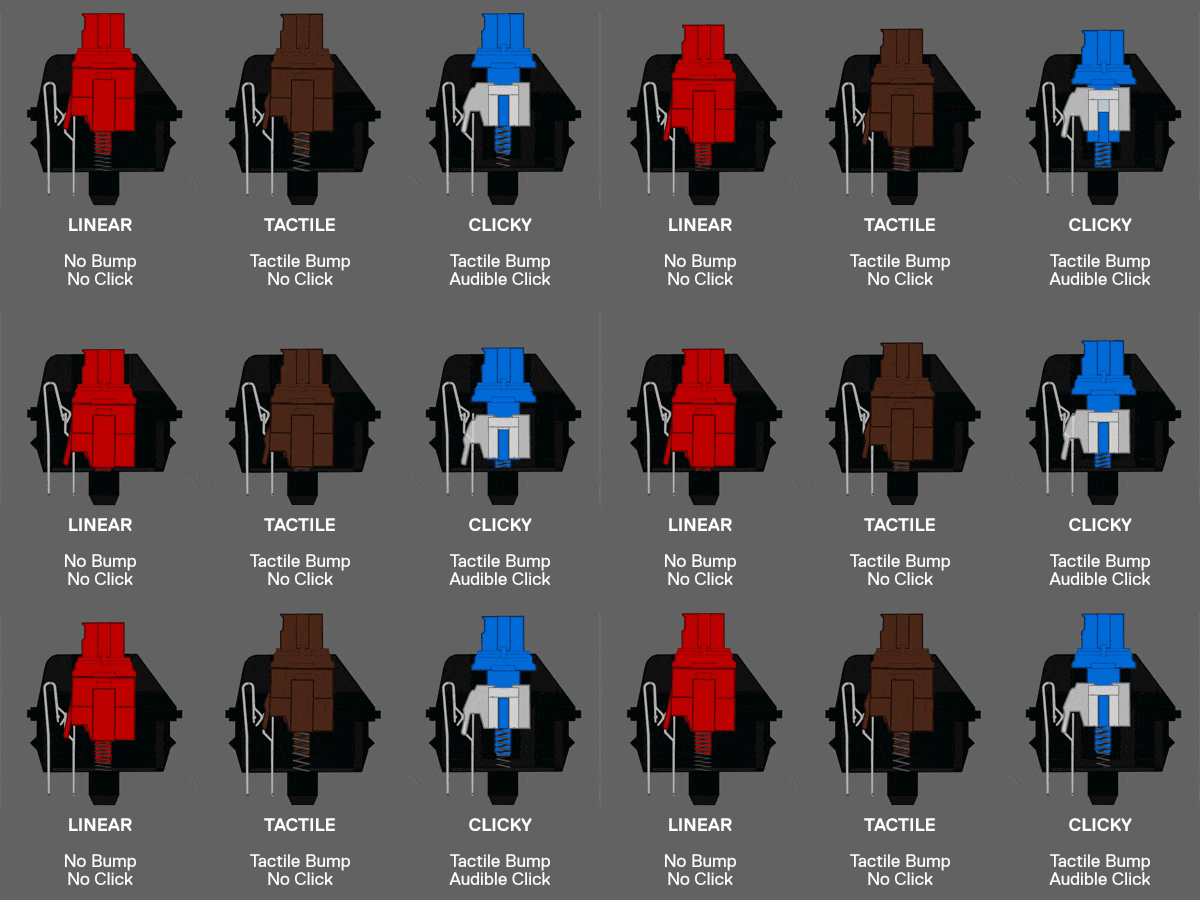
Tactile switches differ by offering more resistance, and have a little feedback “bump” when pressed.
When you press a tactile switch slowly, you can feel that there are two stages to the act of pressing it - the first is a short stage with more resistance and the register of a key being pressed, and the second stage overcomes the resistance and bottoms out the key. The “bump” comes from the feeling of hitting that first stage and activating the cross-point contact.
In practice, tactile keys can be used to type without bottoming out each key press, which is an odd experience at first. The higher resistance and near silence when typing this way is something you don’t get on membrane or linear keyboards, and if you are a skilled touch typist you may prefer a tactile switch for this reason.
Finally, clicky switches are tactile switches with an extra piece of plastic called the "click jacket" surrounding the stem. When you press the key, the switch’s stem pushes this jacket past a metal contact leaf, causing it to snap downward. This produces the “click” sound when pressing down on the key, and gives you extra feedback when bottoming out the key.
There are also a rarer group of mechanical switches called "buckling spring", but that is a deep magic locked away in the restricted section of the library. We won't be looking at those today.
With that crash course in mechanical switches out the way, our guide follows for our picks for first-time buyers!
MCHOSE K99 V2 Wireless Icy Creamsicle Tactile Switch
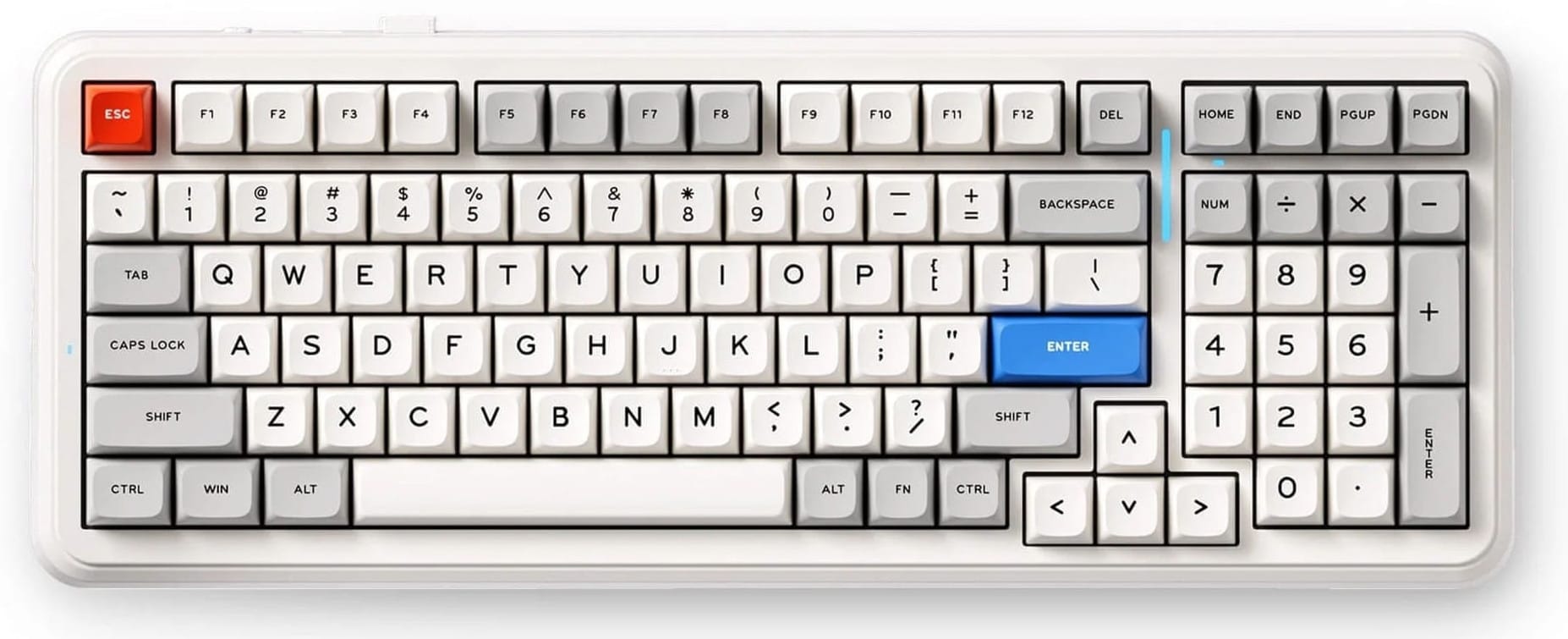
MCHOSE's K99 is functionally just like a regular 104-key keyboard design, but slightly smaller. Any free space found between the main keys, arrow keys, and the numberpad are all removed to reduce the amount of desktop real estate that it consumes.
The K99 V2 is a wireless keyboard with tri-mode connectivity, a pleasing retro-inspired colour scheme, and Icy Creamsicle switches. The tactile switches are lubricated to improve the feeling of a smooth action when pressed, and they are also dampened to reduce noise when bottoming out the keys. MCHOSE refers to the sound profile of these switches as "ASMR style" which is odd, but accurate when you listen to this video.
This is a great keyboard for general use as a result. It types well, connects to a variety of host devices from PCs to tablets, and has a long battery life of over 700 hours with the RGB turned off. Put it high on your shortlist.
MCHOSE Mix 87 Mount Tai Linear Magnetic Switch
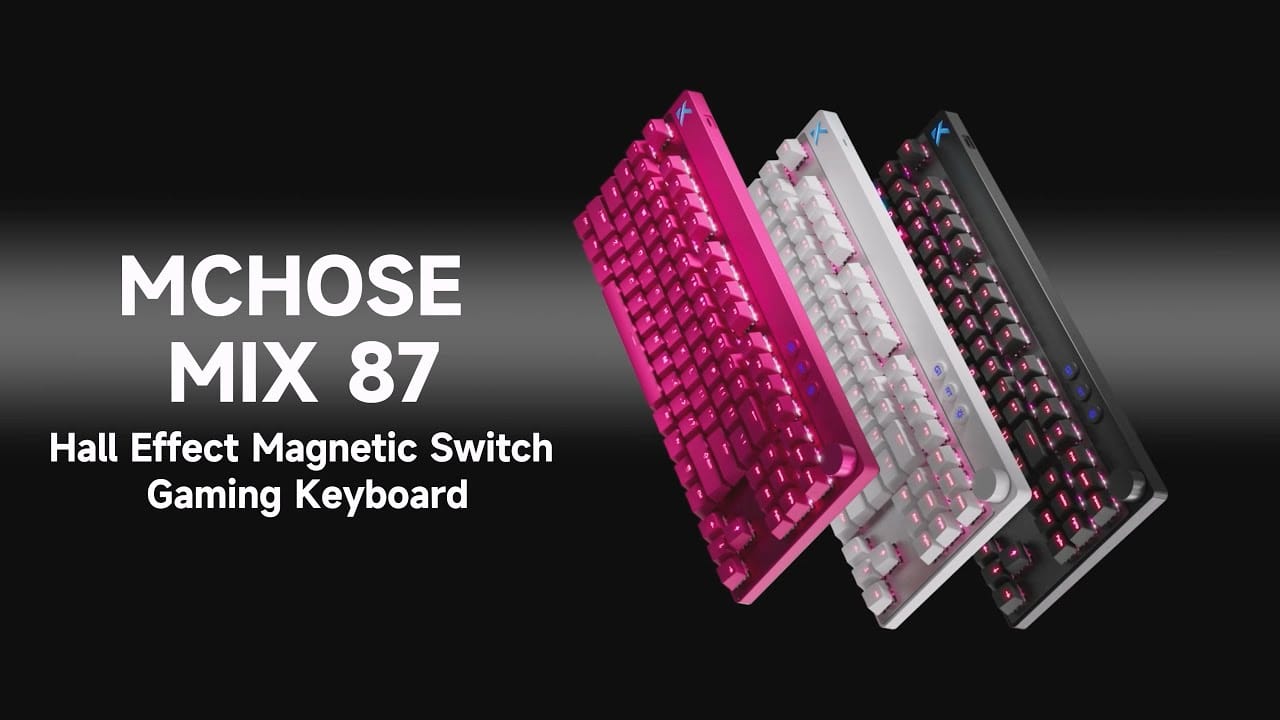
The next step down from a 100% or 98% layout is the ever-popular 80% layout, otherwise known as TKL (tenkeyless). These keyboards omit just the numberpad on the right, leaving you with a standard set of keys for every other function where you'd expect them to be.
TKL designs are good fits for a variety of uses including gaming, productivity, and space-saving for cramped workspaces. They are easy to get used to because the keys are full-sized, preserving muscle memory if you're coming from a regular keyboard.
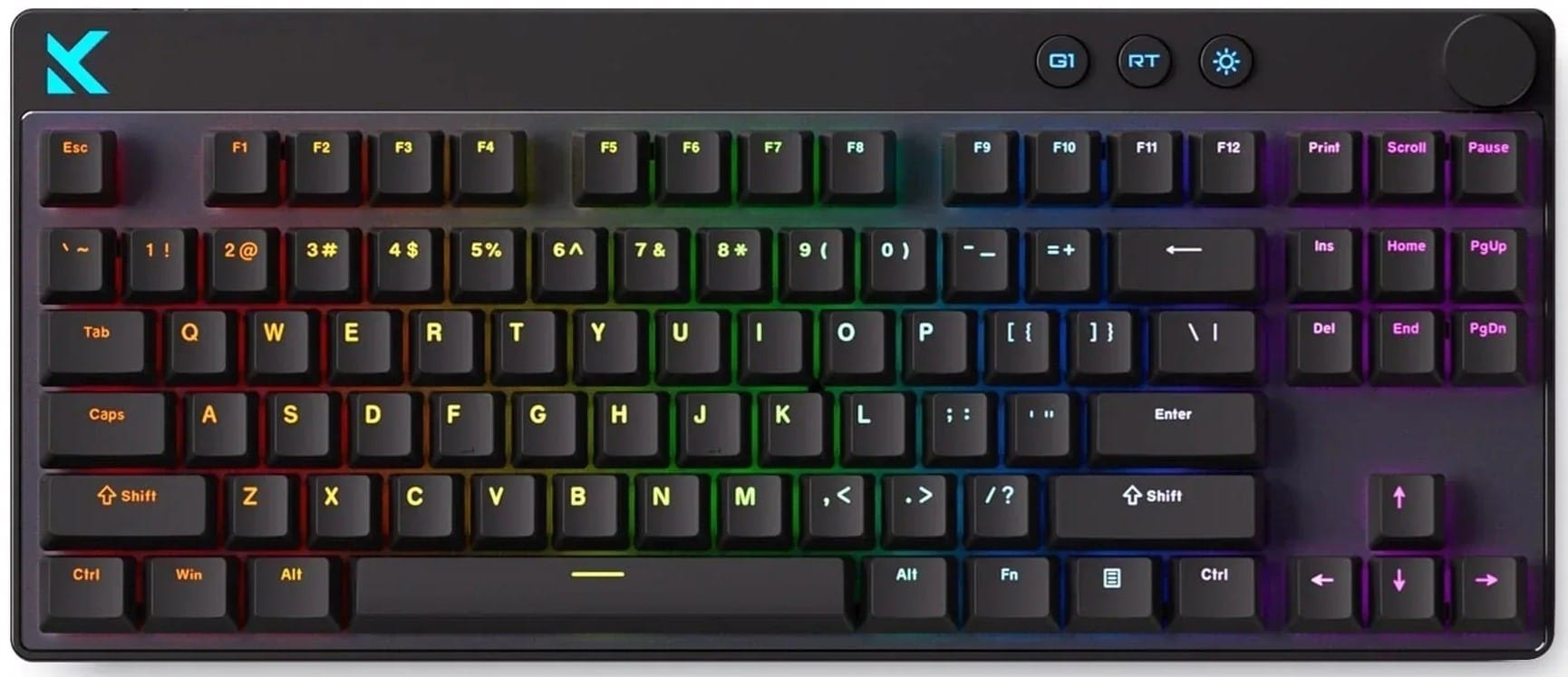
MCHOSE uses a custom hybrid linear magnetic switch in their Mix87. It offers no tactile feedback, and the sensor being activated uses magnets to determine whether a key is pressed or not. This leaves you with less moving in the switch itself, which means they should last you a very long time with minimal wear.
Magnetic switches also have a unique benefit compared to others - you have a wide range of actuation points to choose from. Because you can have the key press register at any point, you can even have one key register two different kinds of functions based on how far you've pressed it in.
Choose a magnetic switch if you'd like to tinker with your keyboard's settings and find the optimal balance between any single key's resistance and how much you'd like to press it before it registers a click. The Mix87 is a great fit for gamers.
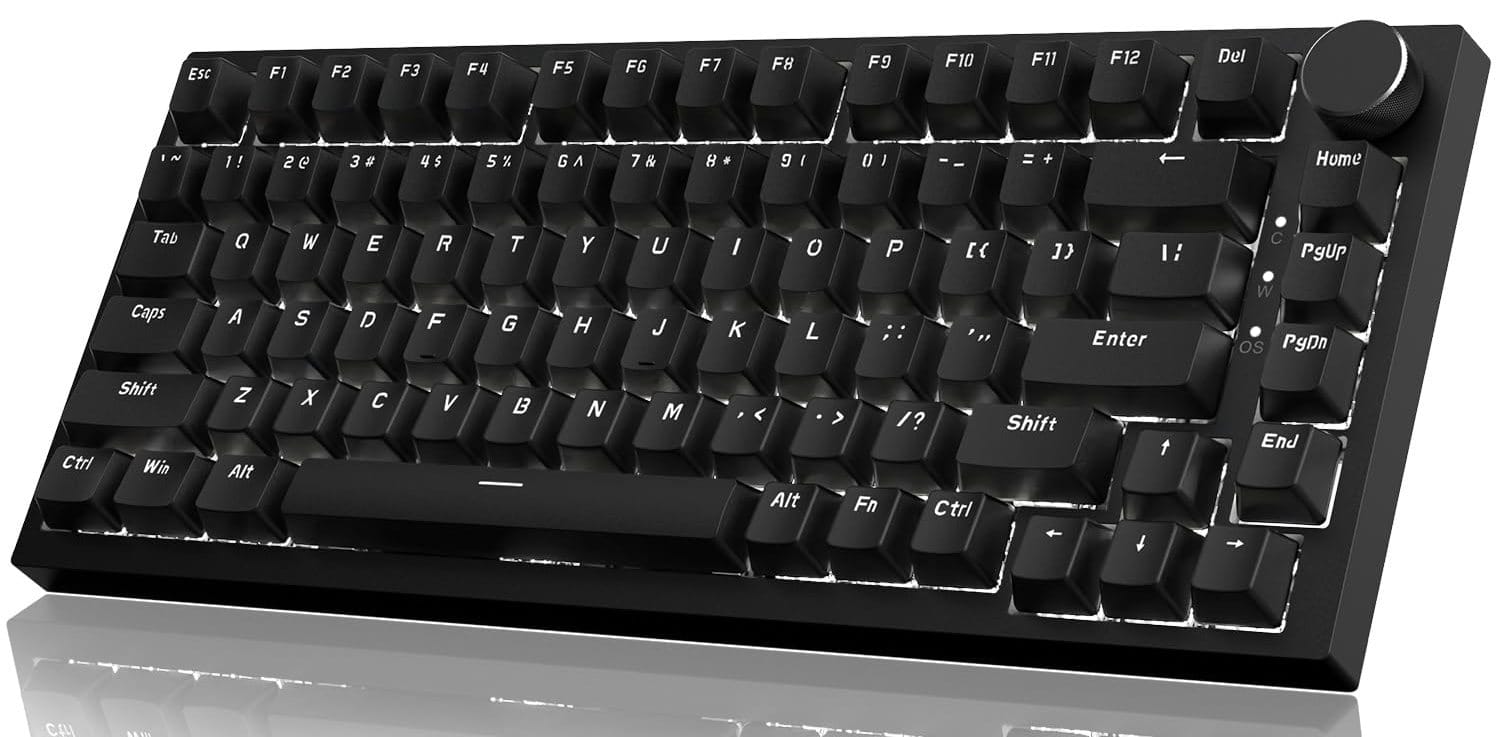
Ajazz has several versions of the long-running AK820 series, and it was one of the first designs they offered when we discovered the brand. The AK820 is a 75% layout design, which means it is about 75% the size of a full 104-key traditional keyboard, smaller even than 80% TKL layouts.
The compact design makes it great for gaming by keeping your hands closer together, and it works well for general use too. The dedicated Home, Page Up/Down, and End keys make it suitable for use with text editors, and the handy volume control lets you keep your hands on the keyboard most of the time.
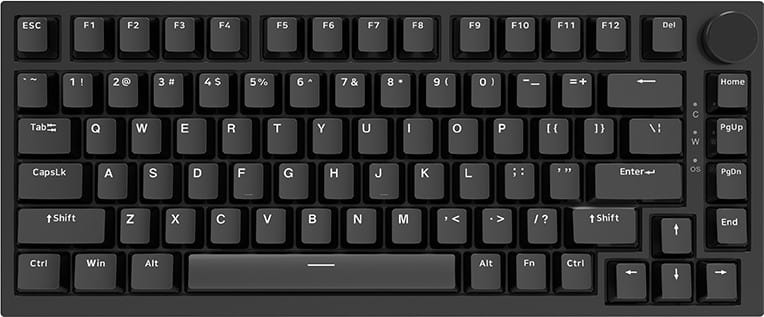
Ajazz uses custom Red linear switches here, which offer no tactile feedback and very little resistance, along with white LED lighting underneath the keycaps. The price is a steal for the quality on offer as well as the extra sound dampening.
Like many other keyboards on the market today, the switches are also hot-swappable, which means you can replace them with any other switch type without needing to make changes to the keyboard's firmware. Switch out WASD with tactile switches if you prefer more resistance, or use clicky switches for the function keys to have auditory feedback when using certain functions. The choice is yours.
MCHOSE Ace 68 Turbo Mount Tai Linear Magnetic Switch
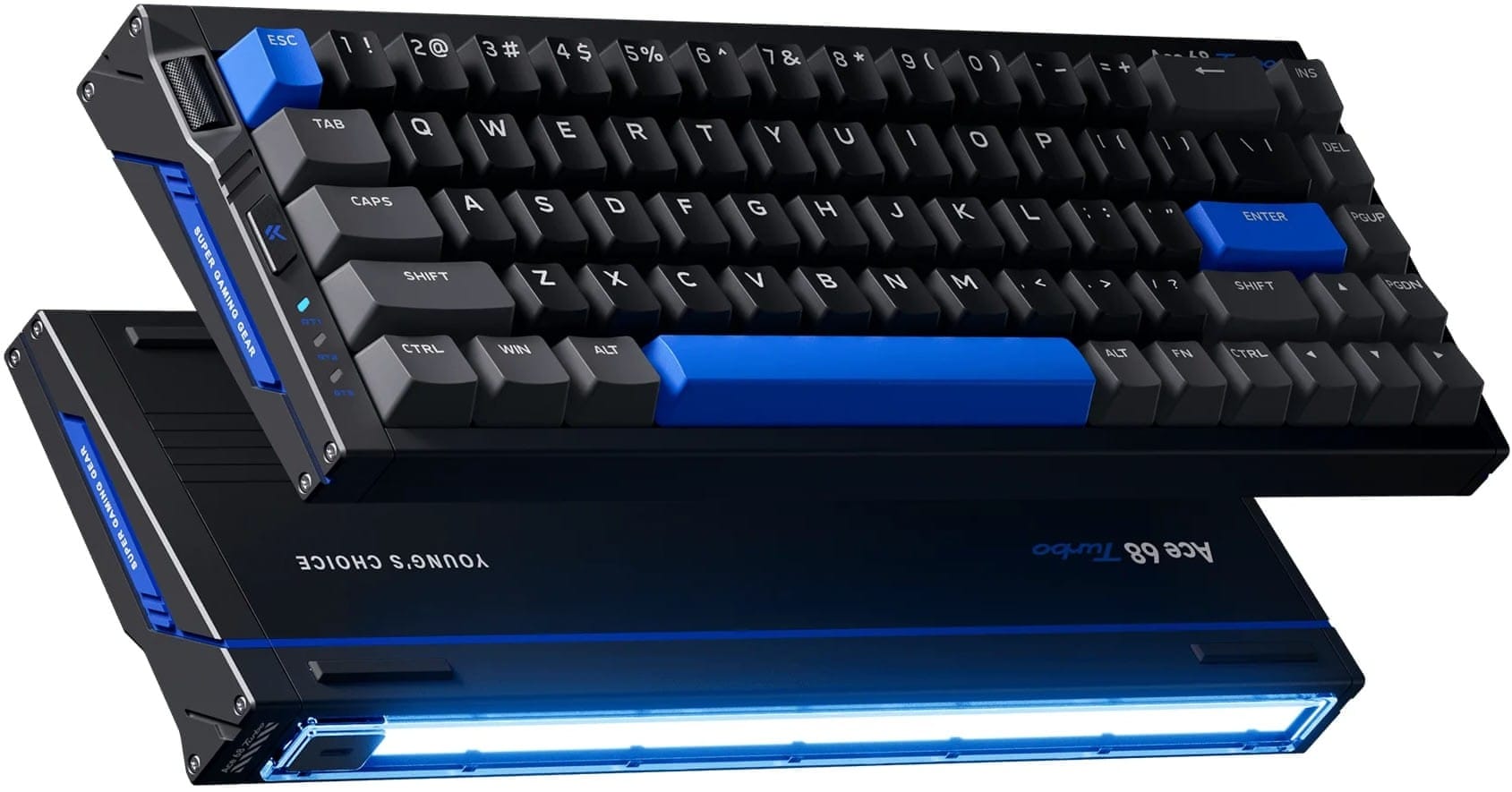
Finally, we have MCHOSE's Ace 68 family. Keyboards come in all shapes and sizes, but the ultracompact designs are the most impressive and most divisive among keyboard enthusiasts. They offer a minimal amount of keys - some of them even eschewing the function key row to save on space - and they commonly use FN function hotkeys to make up for the keys that aren't physically there.
Keyboards in the 60% to 68% size range have a smaller audience that needs a keyboard explicitly for typing and saving on space. The keycaps themselves are often smaller too, a necessary tradeoff to fit into a smaller chassis.
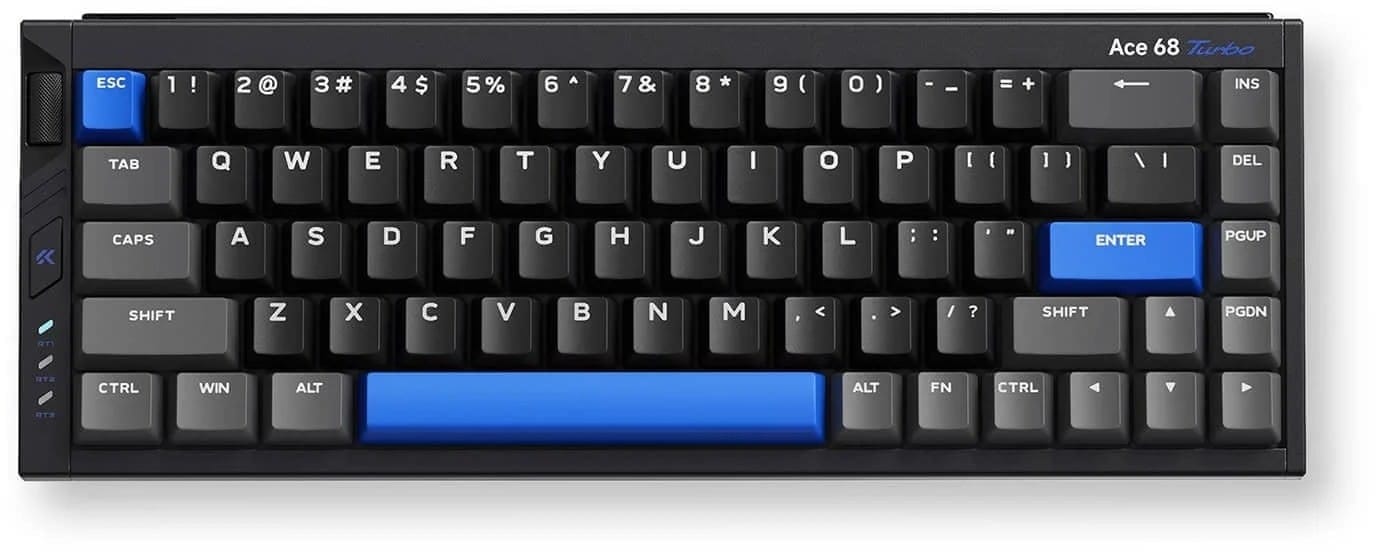
MCHOSE's Ace 68 Turbo manages to slim things down to a 68% layout while still preserving key features like a volume control wheel, tri-mode connectivity, Page Up/Down, INS and End keys, and a full spacebar (some keyboards cut this down as well). There is no function row - you have to rely on hotkeys and macros to fill in the gaps.
But if all you want is a distraction-free space that's just for writing and coding, ultracompact designs are your friend. Gamers may prefer them, too, for their space-saving design. The stylish RGB lighting strip at the top may also be something you'd prefer, shining the light onto your desk to project a certain mood for your space.
Whatever your needs or desires, there's a mechanical keyboard that fits you perfectly. Find yours on our store today, and see what you've been missing out on.
Clickety clack!